- Capabilities
- Getting started
- Architecture center
- Platform updates
Generic listeners [Beta]
Generic listeners are in the beta phase of development and may not be available on your enrollment. Functionality may change during active development. Contact Palantir Support to request access to generic listeners.
Generic listeners receive raw transport-layer connections, rather than HTTPS requests, WebSocket messages, or emails. Use a generic listener when a system in your private network communicates over a TCP or UDP protocol that other listener types do not support.
Connections reach a generic listener through a secure tunnel. Systems in your network connect to a secure tunnel initiator, which forwards the traffic to the platform. Each generic listener is backed by a compute module where you host a custom server to process the traffic.
This page explains how to create a generic listener, request an inbound connection policy, and configure the listener's compute module. To learn how traffic reaches the platform, how to restrict which systems can connect, and how to troubleshoot connections, review Configure secure tunnel ingress.
Core concepts
| Concept | Description |
|---|---|
| Generic listener | A listener that receives TCP connections or UDP traffic and delivers it to its backing compute module. |
| Inbound connection policy | Authorizes a single generic listener to receive traffic of one transport protocol through one secure tunnel cluster. A listener cannot receive traffic until it has an approved inbound connection policy. |
| Compute module | Created automatically with the listener. Your compute module runs the server that receives the listener's traffic. |
A single listener can own multiple inbound connection policies. For example, a listener can own one TCP policy and one UDP policy, so that the same compute module receives both types of traffic.
Prerequisites
Before you create a generic listener, ensure the following:
- Generic listeners are enabled for your enrollment. Contact Palantir Support to request access.
- A secure tunnel cluster exists, and at least one of its initiators runs in the network where your clients are located.
Limitations
Generic listeners have the following limitations:
- UDP is one-directional: UDP traffic is forwarded from clients to the compute module only. The compute module cannot send UDP responses back to clients. TCP connections are bidirectional.
- Policy limit: A listener can own up to five inbound connection policies.
Create a generic listener
-
Navigate to Data Connection > Listeners.
-
Select Create new listener, then select Generic under Generic Listeners.

-
Choose a name and location for the listener. A compute module is created in the same location.
-
On the Configure connection step, request an inbound connection policy for the listener.
-
On the Configure server step, specify which exportable markings the listener allows.
-
Complete the remaining steps of the wizard to create the listener.
Request an inbound connection policy
You must have permission to edit a generic listener to request an inbound connection policy for it.
- In the Inbound connection section of the listener's configuration, select Request inbound connection policy. If the listener already has a policy, select Request policy instead.
- On the Configure step, select the following:
- Secure tunnel cluster: The cluster whose initiators accept the inbound connections.
- Transport protocol: Select TCP or UDP. UDP may not be available on all enrollments.
- Description: Explain why the listener needs an inbound connection. The description is shown to the reviewer of the request.
- On the Permissions step, choose who can view or manage the policy.
- Select Request policy.
The request is sent for approval. Select View request to follow its status in the Approvals inbox.
Policy ports
The platform allocates two ports for each policy when you submit the request:
| Port | Description |
|---|---|
| Gateway port | The port that clients connect to on each initiator in the cluster. Gateway ports are allocated from the range 15000 to 16000 and are unique for each protocol within a cluster. |
| Upstream port | The port that your compute module receives traffic on. Upstream ports are allocated starting from 10000 and are unique for each protocol within a listener. |
Both ports are displayed on the policy after it is created. A policy's protocol, cluster, and ports cannot be changed after the policy is created.
Inbound connection policy permissions
Each inbound connection policy has its own roles, which are separate from the roles on the listener. On the Permissions step of the request, grant roles to the users and groups that need to view or manage the policy. These permissions also control who can view the policy's approval request.
Approve an inbound connection policy
Inbound connection policy requests appear in Control Panel's Approvals inbox. A policy does not take effect until its request is approved. Once the policy is approved and the listener's compute module is deployed, the initiators in the cluster begin listening on the gateway port within a few minutes. Approval alone does not open the gateway port.
Approving inbound connection policy requests is granted through the Administrate inbound connection policies workflow. By default, this workflow is granted to the Information Security Officer role.
When reviewing a request, verify the following:
- The requesting listener and its compute module are expected to receive traffic from your network.
- The selected secure tunnel cluster runs in the intended network.
- The initiator's ingress allowlist permits only the clients that should reach the gateway port.
View inbound connection policies
A listener's inbound connection policies are displayed in the Inbound connection section of its configuration. Each policy shows its protocol, gateway and upstream ports, and approval status.
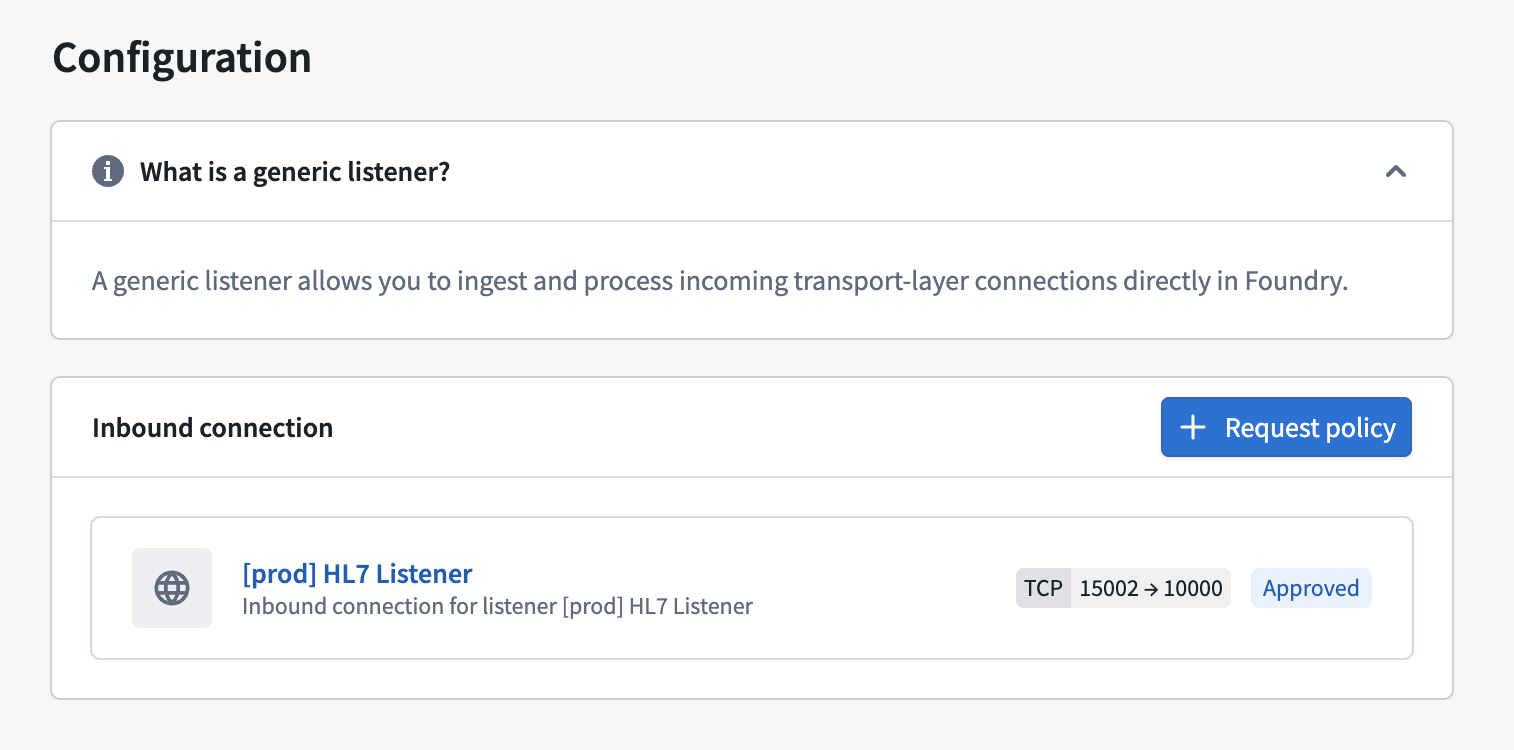
Administrators can also view all inbound connection policies that use a cluster. Navigate to the Network egress section of Control Panel, open the Secure tunnels tab, and select the cluster.
Configure the compute module
Your compute module must run a server that binds to 0.0.0.0 on the upstream port of each inbound connection policy owned by the listener:
- TCP policies: The server accepts connections. Traffic flows in both directions for the lifetime of each connection.
- UDP policies: The server receives UDP traffic. UDP is currently one-directional: your server cannot send UDP responses back to clients.
On the listener's Configure server page, select Edit in Compute modules to open the compute module. Then configure your container and start the module. Review the compute modules documentation for more information on building and deploying containers.
Exportable marking validation
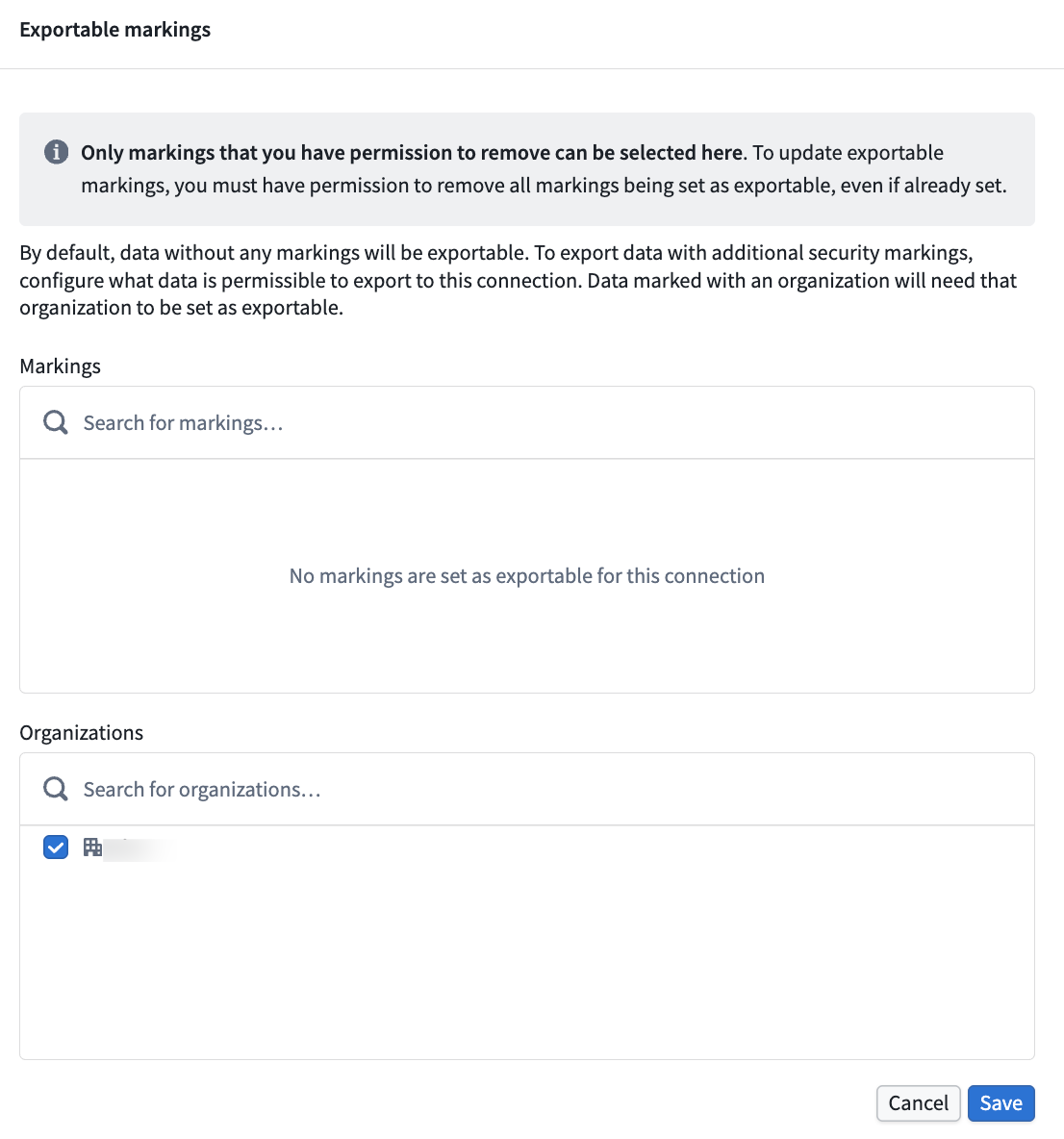
When a generic listener processes data, marking validation acts as a security control that prevents unauthorized export of marked data. The system ensures that any data consumed by the listener's compute module meets the listener's configured exportable marking requirements.
By default, only data without security markings can be read and incorporated into your compute module inputs. If your compute module needs to process data that carries security markings, you must explicitly configure which markings are permitted for export on the listener's Configure server page. Only a user with the ability to declassify those markings can add them to the configuration.
Next steps
Once the policy is approved and the compute module is running, configure the initiator's ingress allowlist and connect a client.