- Capabilities
- Getting started
- Architecture center
- Platform updates
Computation modes for batch input datasets
You can choose to read your input dataset as snapshot or incremental, depending on your use case.
Snapshot computation
Snapshot computation performs transforms over the entire input, not just newly-added data. The output dataset is fully replaced by the latest pipeline output every build.
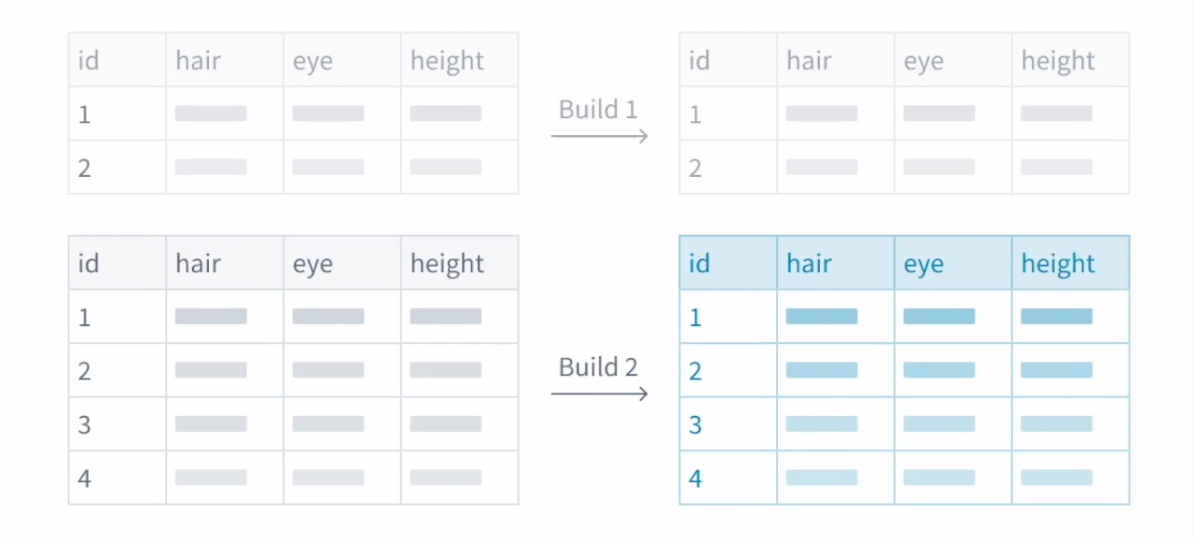
Best used when:
- The input dataset is not updating via
APPENDtransactions.- When the input is written using
SNAPSHOTtransactions, incrementally reading the input is not possible.
- When the input is written using
- The output dataset cannot update via
APPENDtransactions.- Example: The entire output dataset is subject to change with each run, requiring snapshot outputs.
- The input dataset is small.
- Snapshot computation is similarly efficient to incremental computation in this case.
Incremental computation
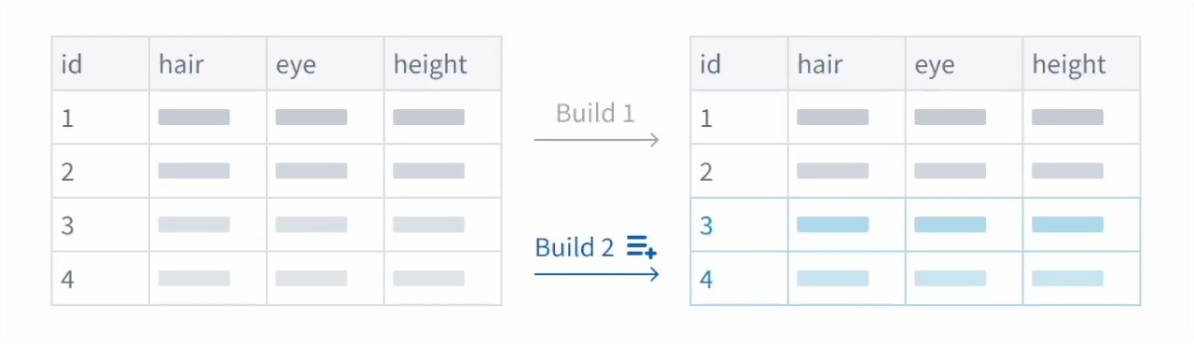
Incremental computation performs transforms only on new data that has been appended to the selected input since the last build. This can reduce compute resources, but comes with important restrictions.
A pipeline will only run with incremental computation if the selected input dataset changes through APPEND or UPDATE transactions that do not modify existing files. Marking a snapshot input as incremental will have no effect.
Best used when:
- The input dataset changes via
APPENDtransactions or additiveUPDATEtransactions.- This indicates the previous output stays the same as new data is added. Incremental computation cuts down the amount of data processed with each build.
- You do not need to reference the previous output.
- Pipeline Builder currently disallows read mode: previous. However, some output write modes support common use cases of this read mode. Learn more about output write modes in Pipeline Builder.
- The input dataset is large and new data is often added.
- Incremental builds can save compute resources and time and lead to performance benefits.
Incremental computation restrictions
This section outlines restrictions that might be applicable to your workflow. Review prior to incremental computation setup to ensure proper implementation.
- Joins: With joins involving an incremental dataset, the incremental dataset must be on the left side of the join and the snapshot dataset on the right side. Joins between two incremental datasets are also supported.
- Snapshot inputs in joins: If a snapshot input receives a new transaction, any downstream joins that also involve an incremental dataset will continue to run incrementally. Pipeline Builder does not support using a change in the snapshot input on the right side of a join to force a replay of the pipeline.
- Unions: All inputs to a union must use the same computation mode (either all snapshot or all incremental).
- Transforms: Transforms that may change the previous output are limited to the current transaction. Window functions, aggregations, and pivots apply only on the current transaction of data, not the previous output.
- Replays: If your pipeline logic has changed and you would like to apply the new logic to previously processed input transactions, you may choose to replay on deploy. Only replays over the entire input are supported.
Enforce incremental execution
To ensure your pipeline always runs incrementally, you can enable the Require incremental execution setting in your pipeline's Build settings. When enabled, jobs configured to run incrementally will automatically fail if incremental execution is not possible. This helps prevent unintended snapshot scenarios such as accidentally snapshotted inputs or forced snapshots from output schema changes.
For more information, see Force incremental behavior for outputs.
For more information, see an example of incremental computation in Pipeline Builder.