- Capabilities
- Getting started
- Architecture center
- Platform updates
Migrate to Foundry worker
Agent worker is in the legacy phase of development. Foundry worker is the recommended way to run all data connection sources. Learn about the benefits of Foundry worker.
Existing agent-based sources should be migrated to a Foundry worker whenever possible. Use either a direct connection for systems accessible from Foundry, or an agent-proxy connection for sources hosted on separate networks.
If you encounter any issues migrating from agent worker to Foundry worker, you may revert to your previous connection settings within 30 days.
Prerequisites
Before starting the migration, ensure the following:
- You have at least one healthy agent assigned to the source that can supply source secrets, certificates, and, if applicable, JDBC drivers.
- You have the required permissions to create egress policies. To create new egress policies, you must have access to the workflow titled
Manage network egress configurationin Control Panel, which is granted to theInformation Security Officerrole.
Migration steps
To perform a migration to a Foundry worker, follow the steps below:
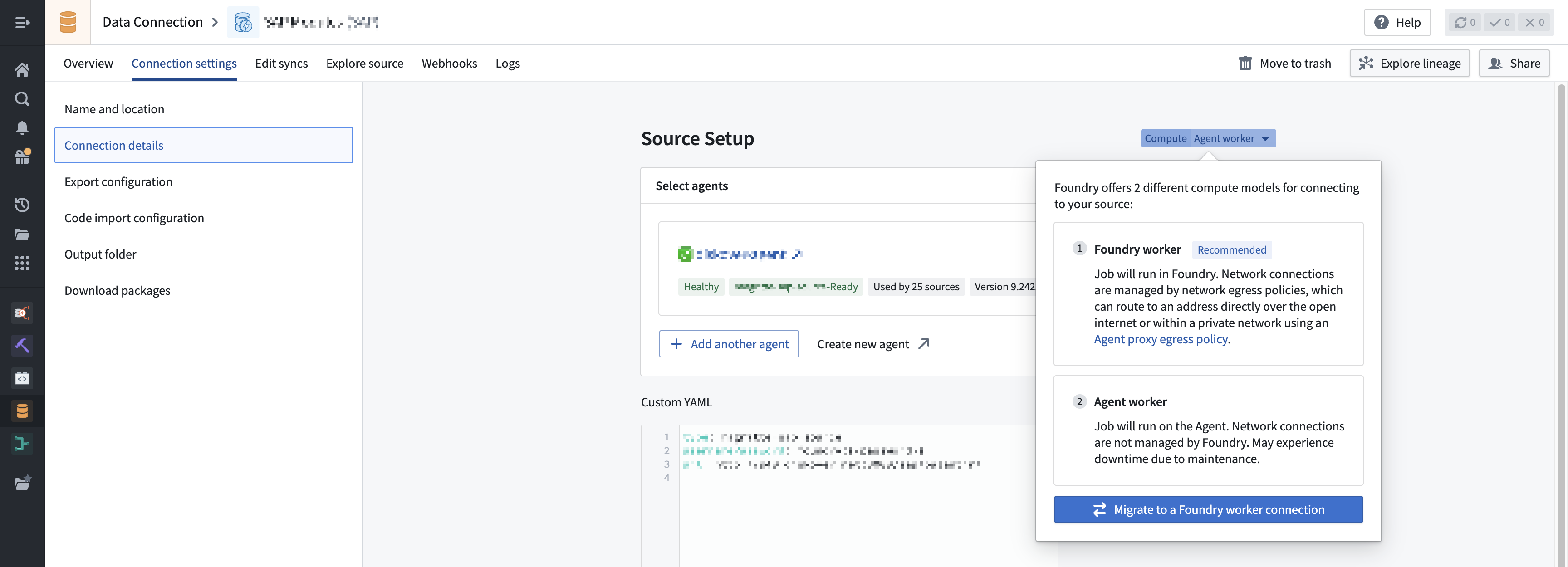
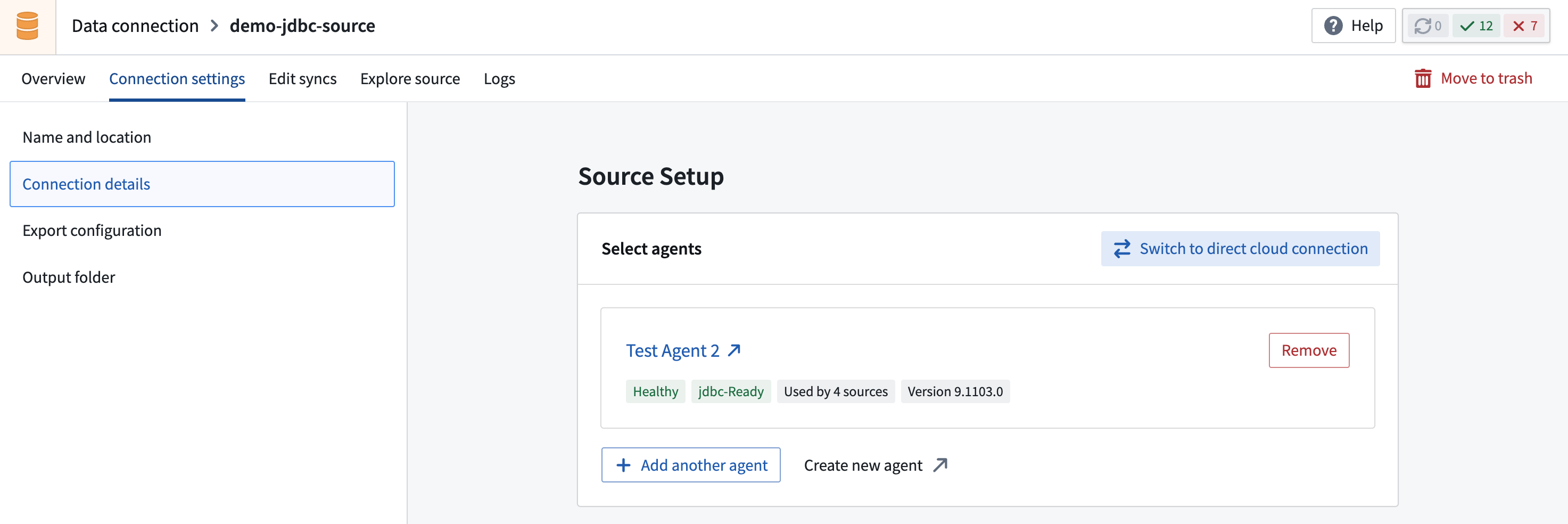
- Navigate to Connection settings > Connection details and select Compute: Agent worker. This opens a dialog where you can select Migrate to Foundry worker.
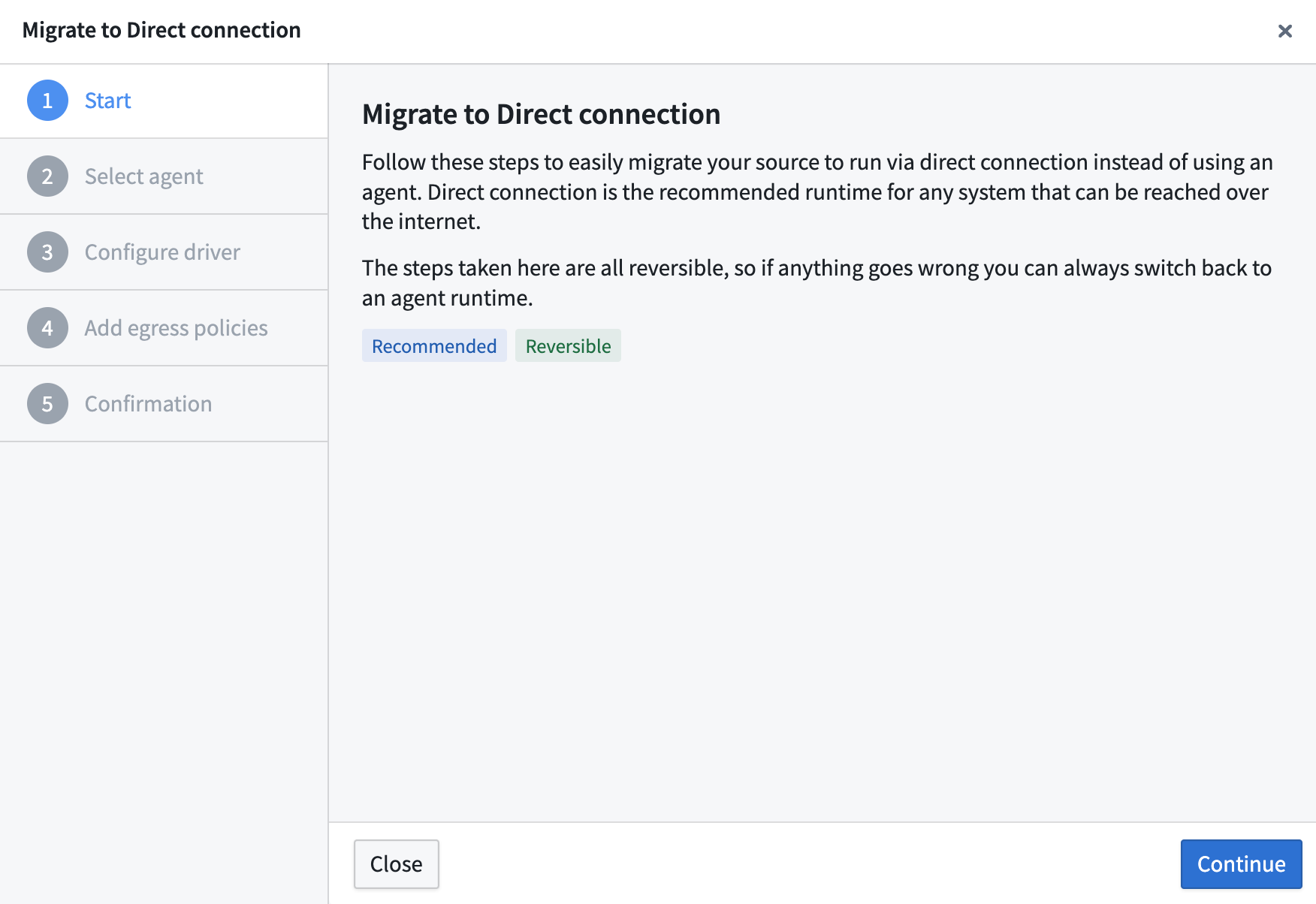
- Review the migration overview. The walkthrough dialog explains the steps involved and confirms that the process is reversible. Select Continue to proceed.
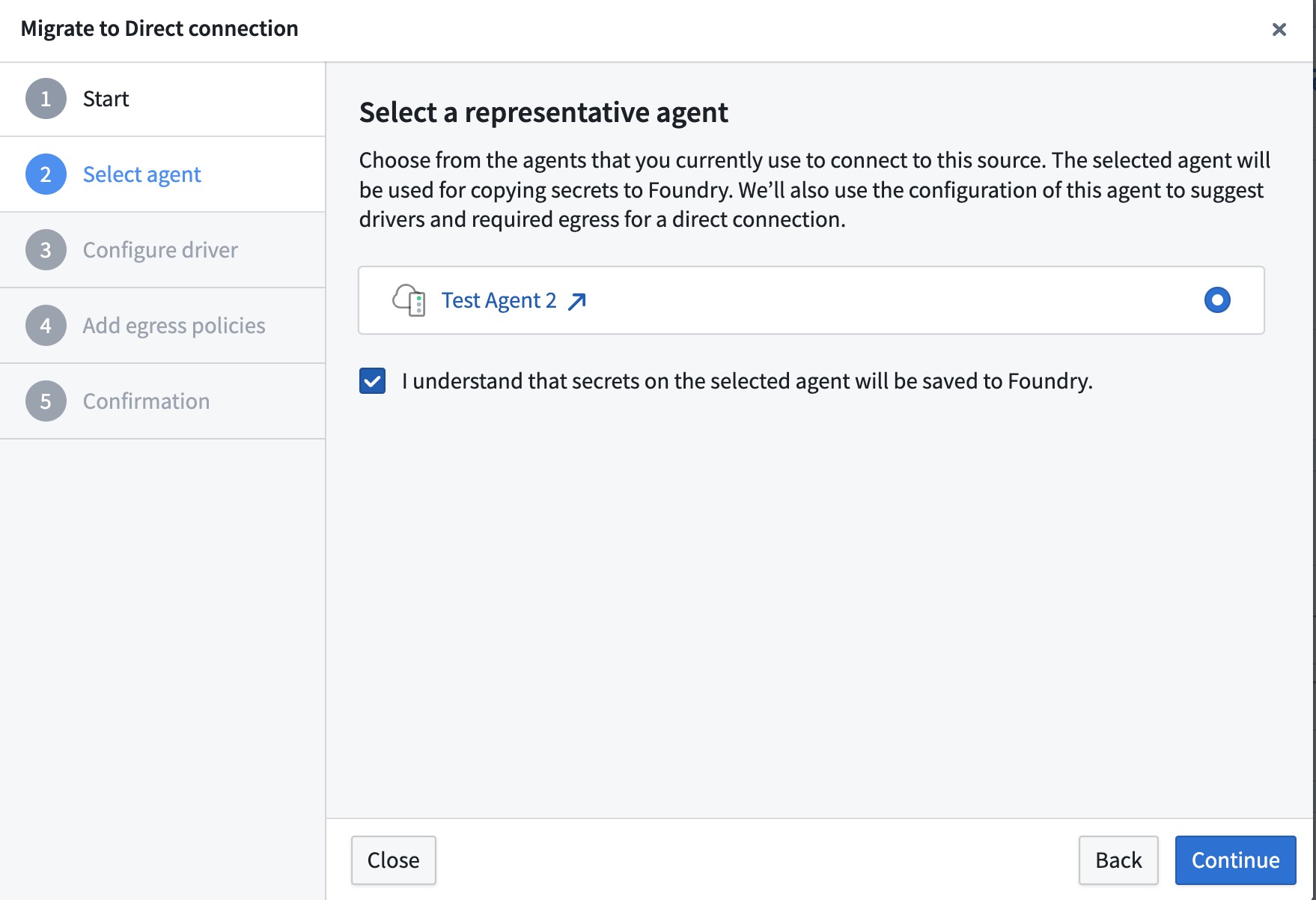
- Choose a representative agent. Select a healthy agent currently assigned to the source. The selected agent is used to copy secrets and certificates to Foundry and to suggest required egress configuration based on the agent's current setup. You must acknowledge that secrets on the selected agent will be saved to Foundry.
- Copy certificates to the source. With Foundry worker, certificates must be applied directly to the source rather than to the agent. Select the certificates from the representative agent that should be transferred to your data source. If no certificates are found on the agent, you can skip this step.
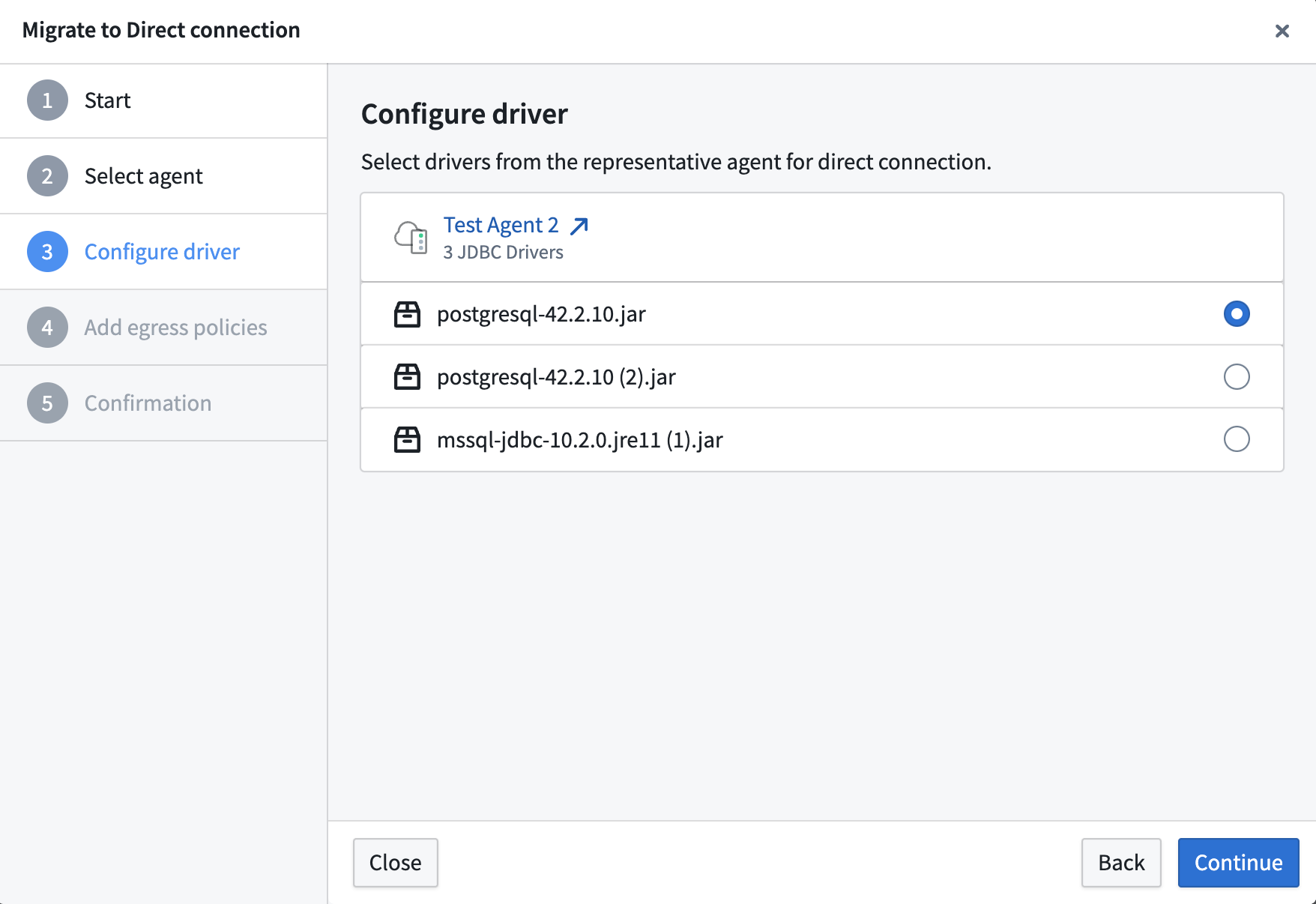
- (Optional) Configure a JDBC driver if required by the source type. Select a driver from the representative agent to use with the Foundry worker.
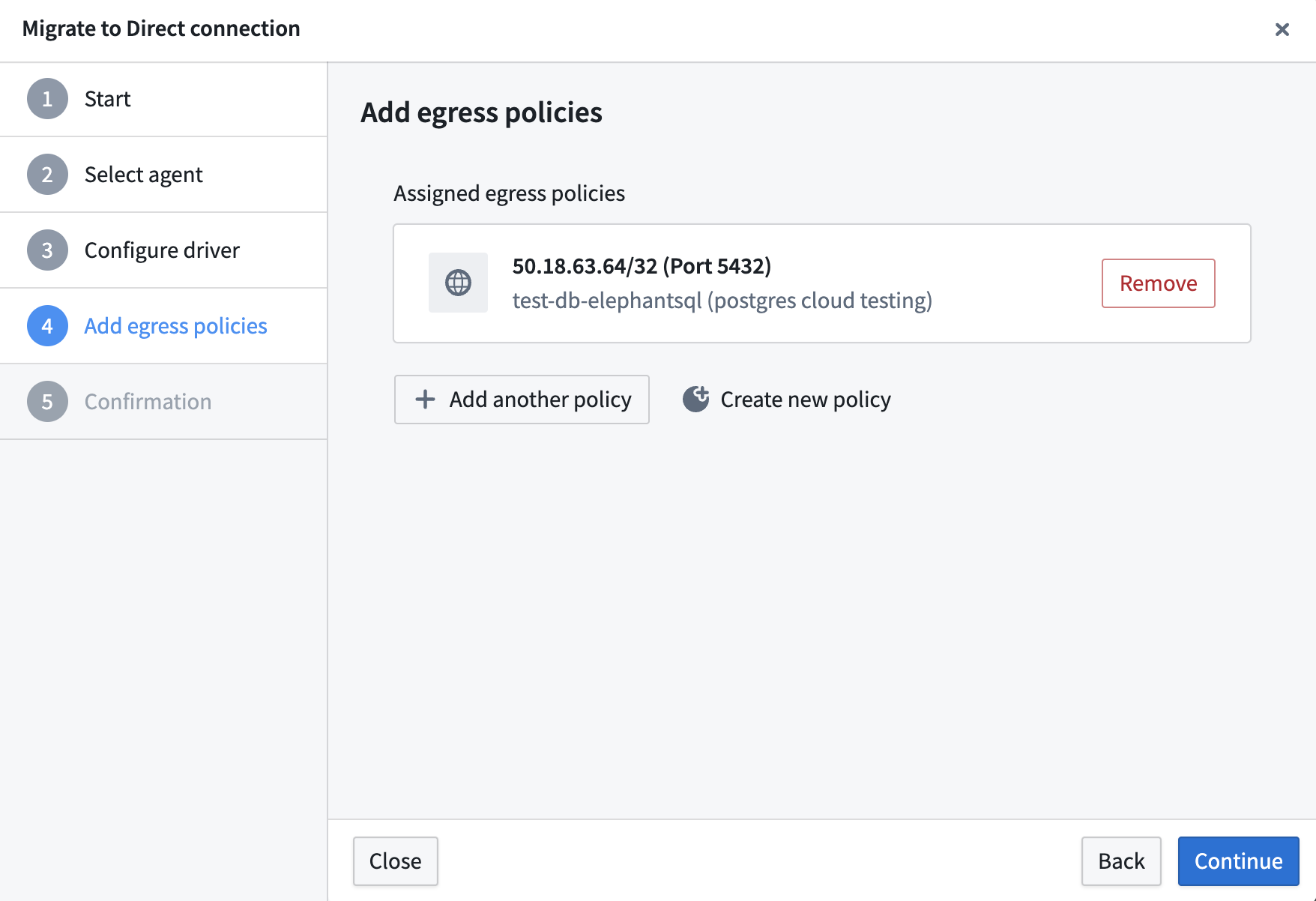
- Add egress policies. Configure direct connection or agent proxy egress policies to define how the Foundry worker should reach your source systems.
-
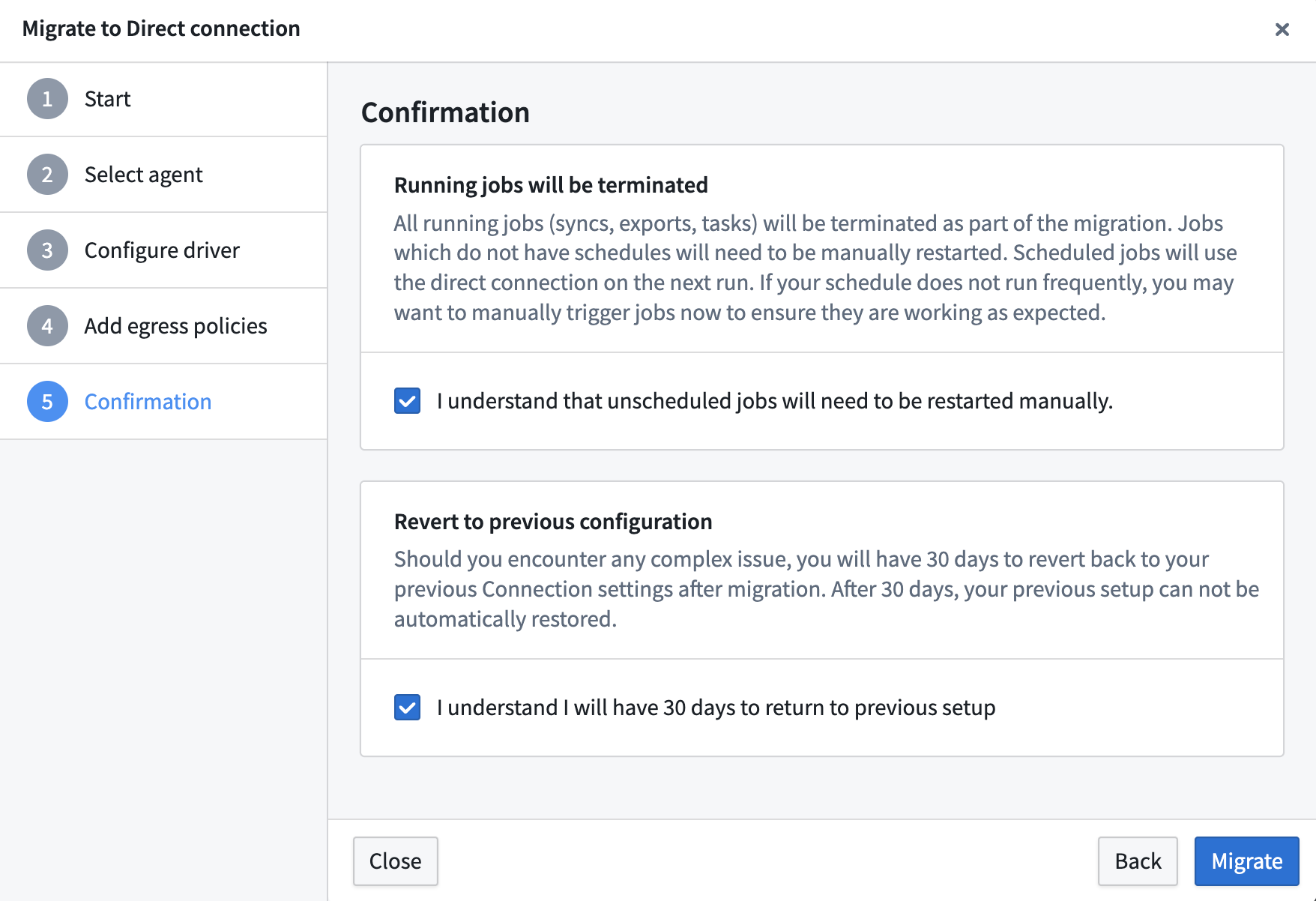
Review the confirmation step. Before completing the migration, acknowledge the following:
- All running jobs (syncs, exports, tasks) will be terminated as part of the migration. Scheduled jobs will run in Foundry on the next scheduled run, but unscheduled jobs must be manually restarted.
- You have 30 days to revert to your previous configuration, if necessary.
Select Migrate to complete the process.
Switch manually
If you prefer not to use the guided migration wizard, you can select Switch to Foundry worker manually from the migration dialog. When switching manually, credentials must be re-entered, as the automated secret transfer from the agent is not performed.
Revert to agent worker
For 30 days after a migration, you can revert the source to its previous agent worker configuration:
- Navigate to Connection settings > Connection details on the migrated source.
- In the Compute dropdown, select Agent worker > Revert.
- In the Revert source to Agent worker dialog, acknowledge that:
- All connection settings, including credentials, will be reverted to the state before migration. Any changes made since will be lost.
- Unscheduled jobs (syncs, exports, tasks) will need to be restarted manually. Scheduled jobs will use the pre-migration connection settings on their next scheduled run. Jobs that started successfully after the migration continue running with migrated settings until completion.
- Select Revert migration to confirm.
If you prefer to reconfigure the source on agent worker manually rather than restoring the pre-migration settings, select Switch to connect via Agent worker manually from the dialog.
Troubleshooting
This section describes situations that may occur during the migration, as well as suggested resolution steps. As a reminder, the migration is reversible for 30 days.
Could not resolve type id as a subtype of 'com.palantir.magritte.api.Source'
Suggested resolution:
- This happens when a dependency required for the source cannot be found. Ensure that you have configured all required certificates, proxies, and drivers required for a particular source, then retry the migration.
UnknownHostException
Suggested resolution:
- Ensure that correct egress policies are assigned to the source.
- Confirm that Foundry is able to access the endpoint that is throwing the exception.
Driver class not found
Suggested resolution:
- Confirm that the correct driver is uploaded to the JDBC source.
PKIX path building failed
Suggested resolution:
- Ensure that correct certificates are added to the source.