- Capabilities
- Getting started
- Architecture center
- Platform updates
Publish an Artifact
To add an Artifact to an Artifact repository, follow these steps to generate a token and view publish instructions:
-
Navigate to the Publish tab in the interface.
-
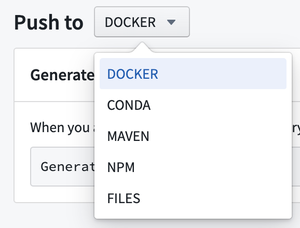
Select the type of Artifact to publish from the dropdown menu.
-
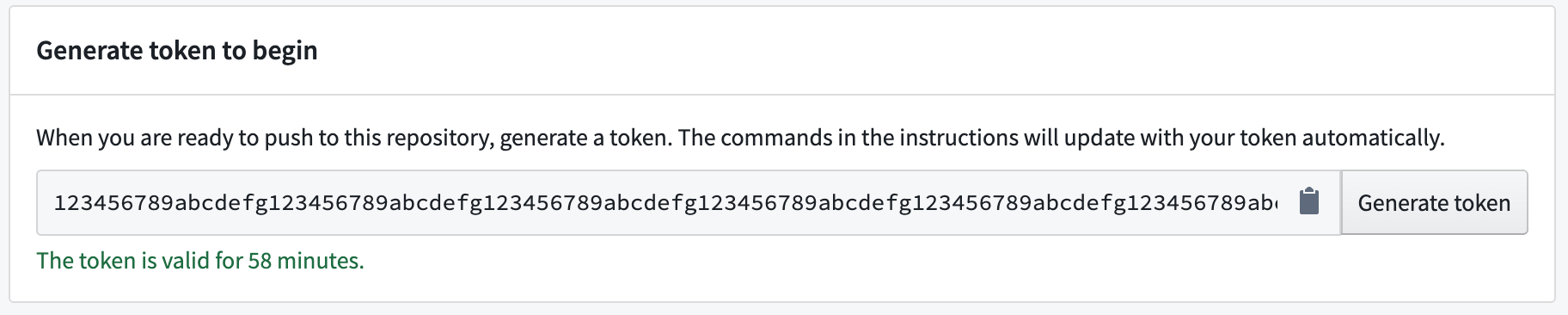
Select Generate token.

-
View the generated token in the token field. The text under the token field will show for how long the token is valid.
-
(Optional) For some Artifact types, you can update the publishing instructions with parameter commands. Add commands in the field of the Parameters section.

-
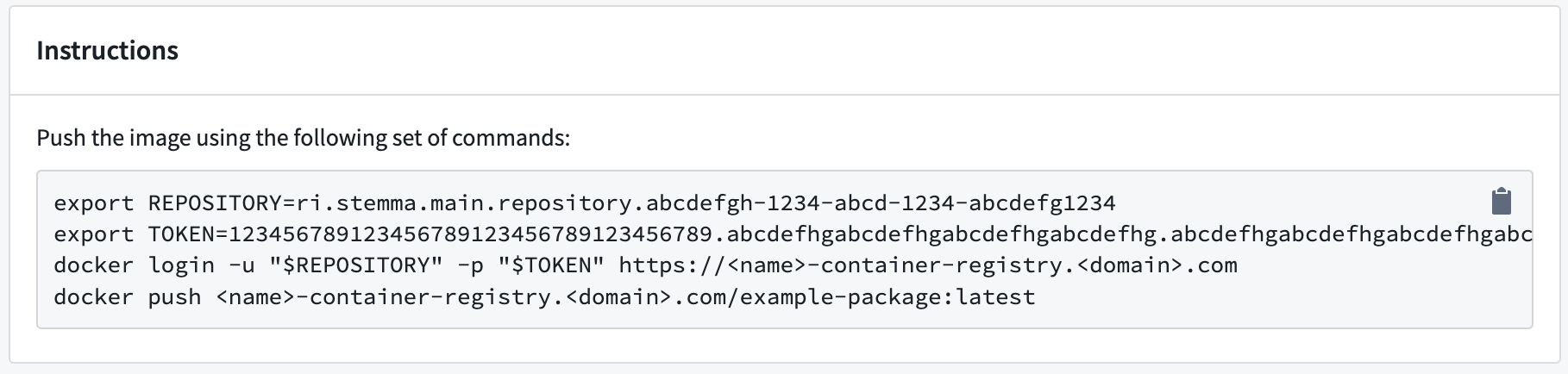
Run the commands listed in the Instructions section to publish your Artifact.
-
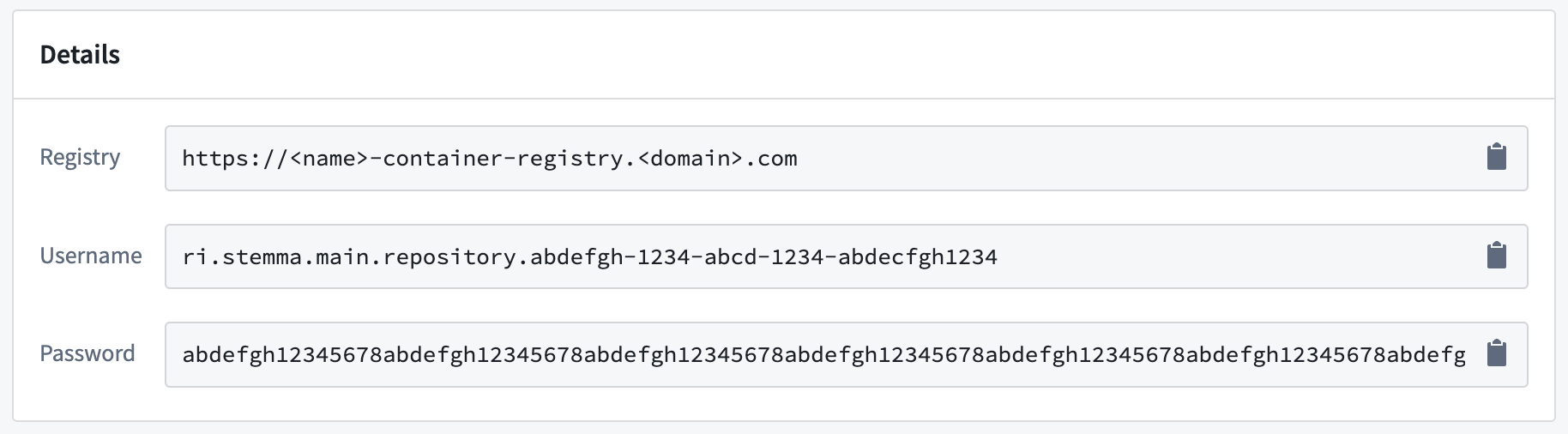
When prompted, provide the additional details listed in the Details section.
Now that you know how to publish an Artifact, learn how to recall Artifacts.
Find consumers of a Conda artifact
Consumer tracking is only available for Conda artifacts. To identify which repositories consume a specific Conda artifact:
- Navigate to the Search tab in Artifact Repositories.
- Set the format dropdown to Conda.
- Use the search bar to locate the artifact by name.
- Select the artifact from the search results to open its version history.
- Find the specific version you are interested in.
- Select the arrow to the right of the Downloads column.
- The </> Consumers section lists all repositories consuming that version of the artifact.