- Capabilities
- Getting started
- Architecture center
- Platform updates
External pipelines in Pipeline Builder
Pipeline Builder now offers external pipelines, which push down compute to external compute engines. This functions in a similar manner as compute pushdown in Python transforms, and allows Foundry's pipeline management, data lineage, and security functionality to be used on top of external data warehouse compute.
As with compute pushdown in Python transforms, all inputs and outputs from external pipelines must be virtual tables.
Tables built with external compute can be composed together with datasets and tables built with Foundry-native compute using Foundry’s scheduling tools, allowing you to orchestrate complex multi-technology pipelines using the exact right compute at every step along the way.
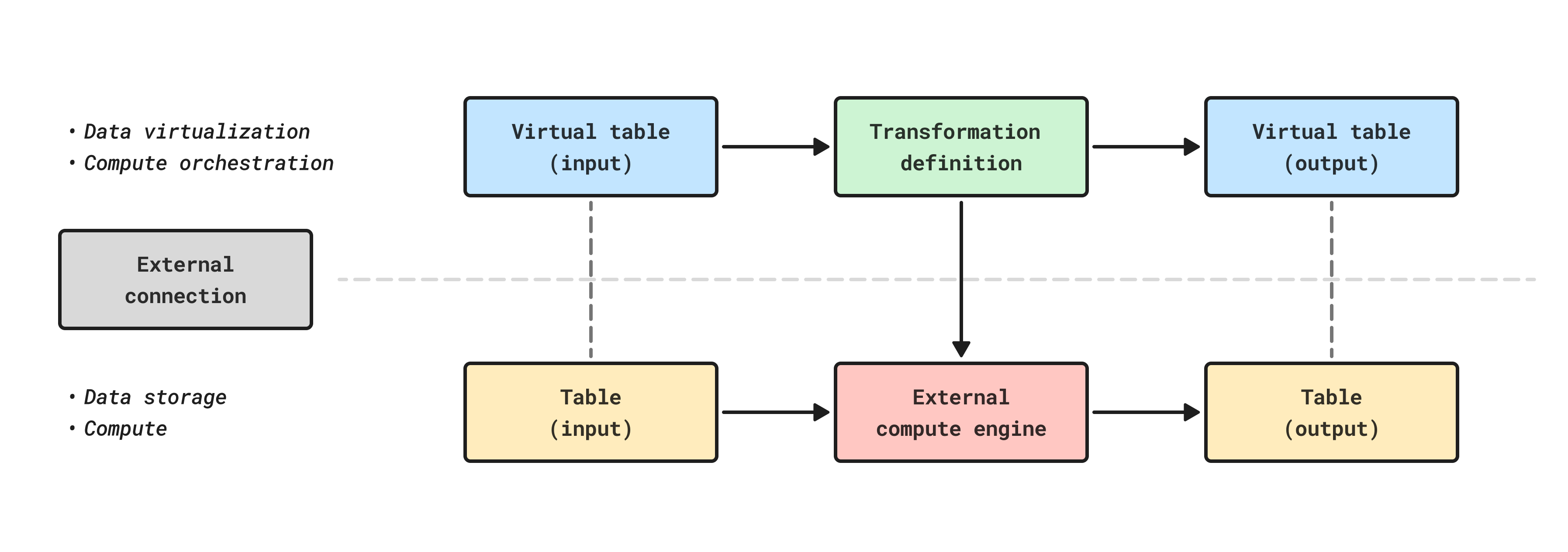
Supported external compute engines for Pipeline Builder
Currently, Databricks and Snowflake are supported external compute engines in Pipeline Builder. To use other external compute engines, such as BigQuery, use transforms with compute pushdown.
| Source type | Status |
|---|---|
| BigQuery | Not available |
| Databricks | Generally available |
| Snowflake | Generally available |
Create a new external pipeline
If you are new to Pipeline Builder, review how to create a batch pipeline in Pipeline Builder before proceeding.
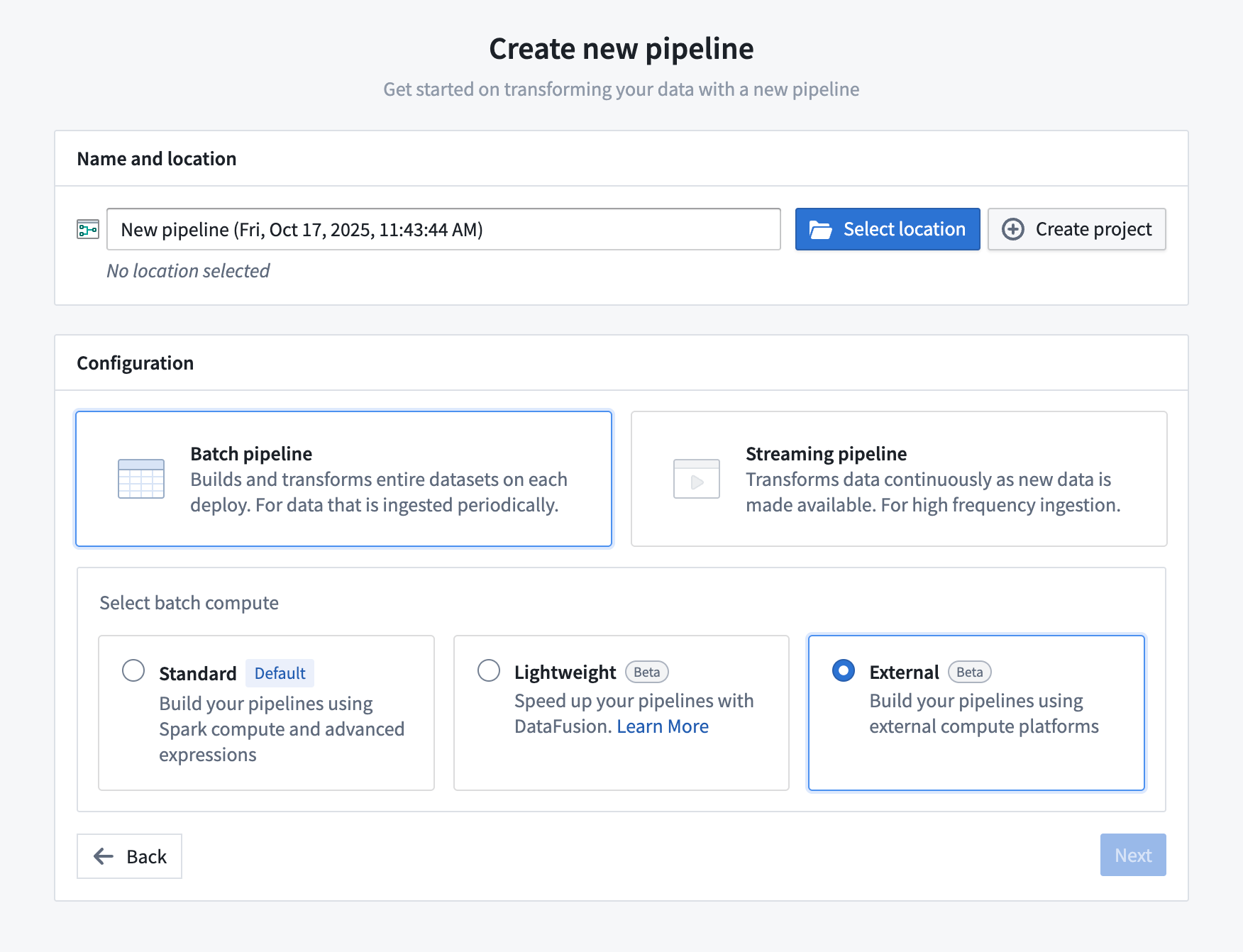
- Open Pipeline Builder and select Create new pipeline.
- After entering a name for your pipeline and the desired location, choose Batch pipeline > External in the configuration settings and select Next.
- Search for and select your supported external source and import it into the pipeline.
- Now you can add virtual tables from that source to the graph and create your pipeline as usual.
- All pipeline outputs will be virtual table outputs in the source.
- When ready to build, save and deploy the pipeline. The pipeline will run using external compute and then output the result as a virtual table with storage in the source system.
All input and output tables must be virtual tables from the same source you selected as part of the pipeline setup. For Databricks external pipelines, only Databricks tables are supported. For Snowflake external pipelines, only Snowflake virtual tables from the same external volume are supported. Foundry datasets are not supported as inputs or outputs when using external pipelines.
Configuring build settings
You can edit your pipeline source and configure source-specific compute options in the build settings panel.
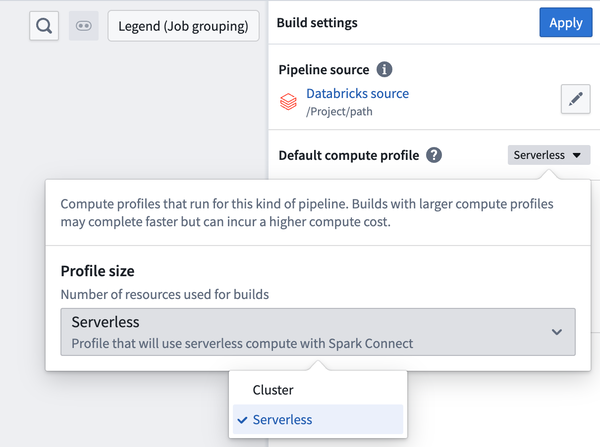
The configuration for external compute is available under the Default compute profile build setting.
| Source type | Compute profile | Description |
|---|---|---|
| Databricks | Serverless | Use serverless compute with Databricks Connect (default). Refer to the official Databricks documentation ↗ for more information on compute options in Databricks Connect. |
| Databricks | Classic compute | Specify the cluster ID of a classic compute cluster. If unspecified, the Spark cluster ID will be derived from the source configuration. Must be provided if the source is configured to use a SQL warehouse. |
| Snowflake | Compute warehouse | Specify the Snowflake warehouse to use for compute. If unspecified, the compute warehouse configured on the source will be used. |
Known limitations
External pipelines do not currently support the same set of transforms and expressions as standard batch pipelines.
Due to the differences between external and batch pipelines, you should always verify results using Preview or by examining build outputs.
Currently unsupported features and expressions include:
- Incremental computation
- LLM features
- Media set operations
- Union
- User-defined functions
- Geospatial operations