- Capabilities
- Getting started
- Architecture center
- Platform updates
Date and Time Picker
The Date and Time Picker widget can be used to allow a user to enter a single date and time value.
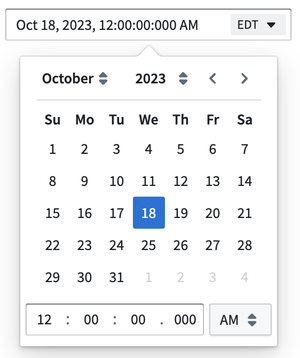
Configuration Options
-
Label
- Sets an optional label for the widget. This text is displayed across the top of the widget.
-
Selected timestamp
- Output variable of the widget, storing the user’s selected date and time value.
-
Date format
- Sets the date format displayed by the widget.
-
Time format
- Sets the time format displayed by the widget, either using a 12-hour clock or a 24-hour clock.
-
Time precision
- Sets the time precision used by the widget, down to the millisecond, second, or minute.
-
Timezone user editable
- Toggle controlling whether or not the timezone of the widget is adjustable in view mode by the user.
-
Default timezone
- Sets the default timezone used by the widget. This can be set statically by manually selecting the timezone, dynamically using a variable, or set to local which uses the viewer's local timezone. When using a variable to set the timezone dynamically, the value must be an IANA timezone identifier (for example,
Asia/DubaiorAmerica/New_York) rather than a GMT offset code.
- Sets the default timezone used by the widget. This can be set statically by manually selecting the timezone, dynamically using a variable, or set to local which uses the viewer's local timezone. When using a variable to set the timezone dynamically, the value must be an IANA timezone identifier (for example,