- Capabilities
- Getting started
- Architecture center
- Platform updates
Manual and automatic retries
Automations can sometimes fail to execute. When this occurs, Automate will display an error as shown in the screenshot below.
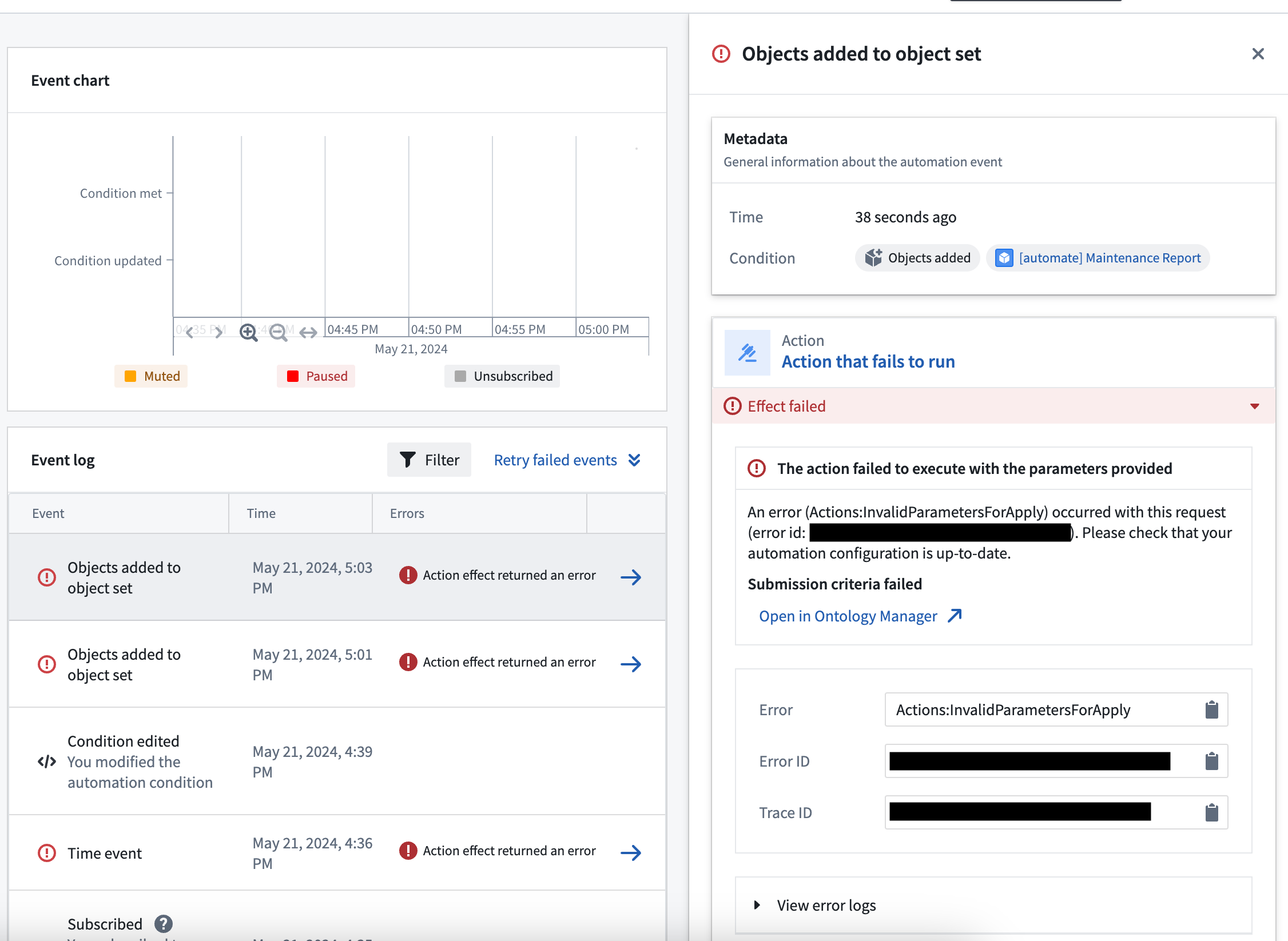
Errors can be transient (temporary) or due to an invalid configuration. Automate's retry functionality provides resilience for both of these error types.
Configure per-effect automatic retries
Automations can fail for reasons that are transient. These failures can be manually retried, but you can also configure automatic retries for individual effect executions that are prone to transient errors.
Examples of transient errors include:
- Rate limit errors from AIP models
- External service errors when using webhooks
The retry configuration can be modified on the specific effect, as shown below.
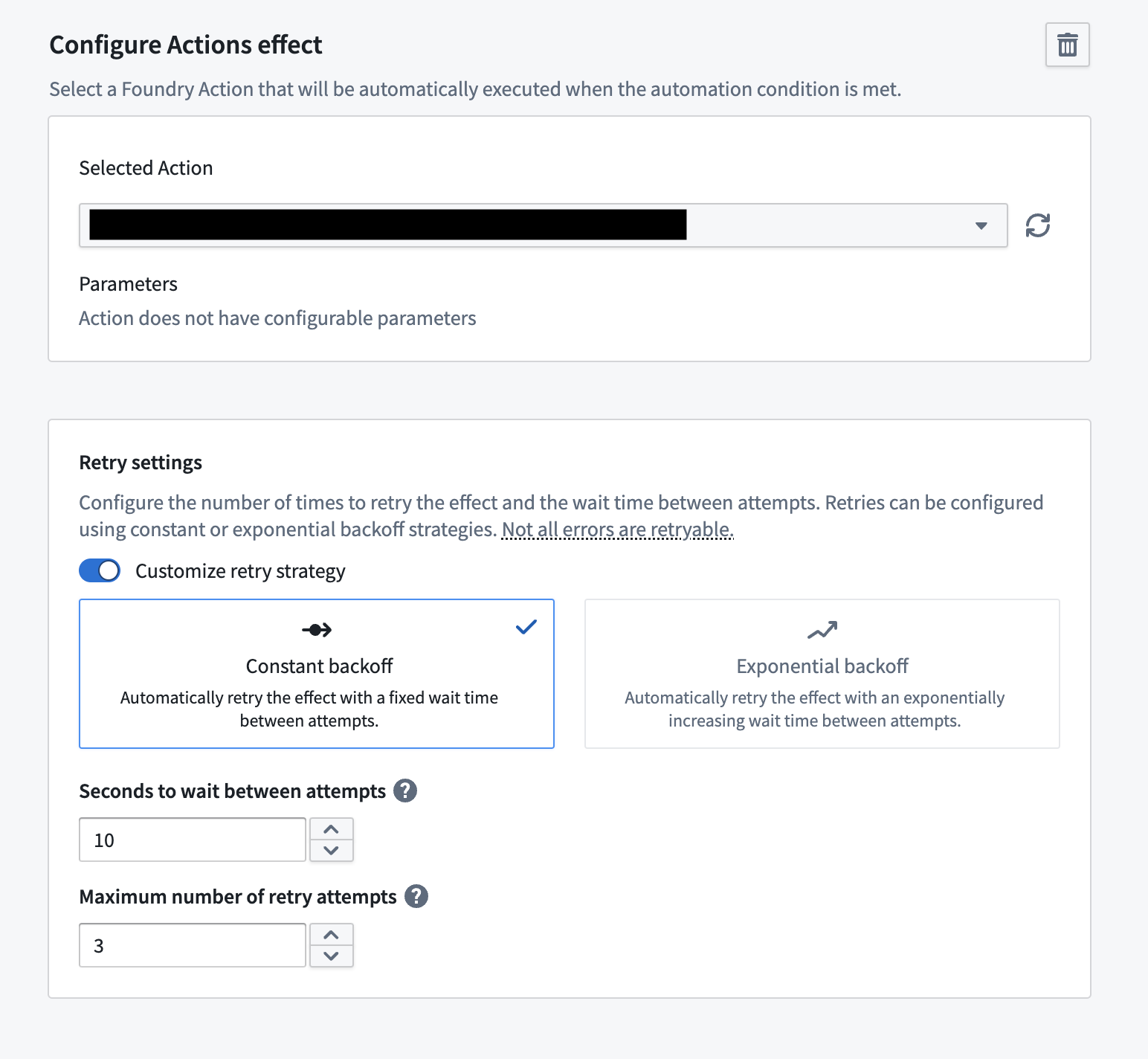
Effect retries can currently only be configured on the following:
- Action effects
- Logic effects
Manually retry failures
Automate errors can occur when effects are not configured correctly. For example, when an action is misconfigured such that there are action effect errors, automations using this action can fail. In order to remediate this, you can update the action configuration and rerun failed automations manually to ensure these events are correct.
You can retry failed events on paused automations. The warning shown during a retry confirms that scheduled and live triggers remain disabled. Expired, trashed, and otherwise disabled automations continue to block all execution, including retries.
These failures can be manually retried by selecting Retry failed events. This enables you to choose the specific events to retry, as shown below.
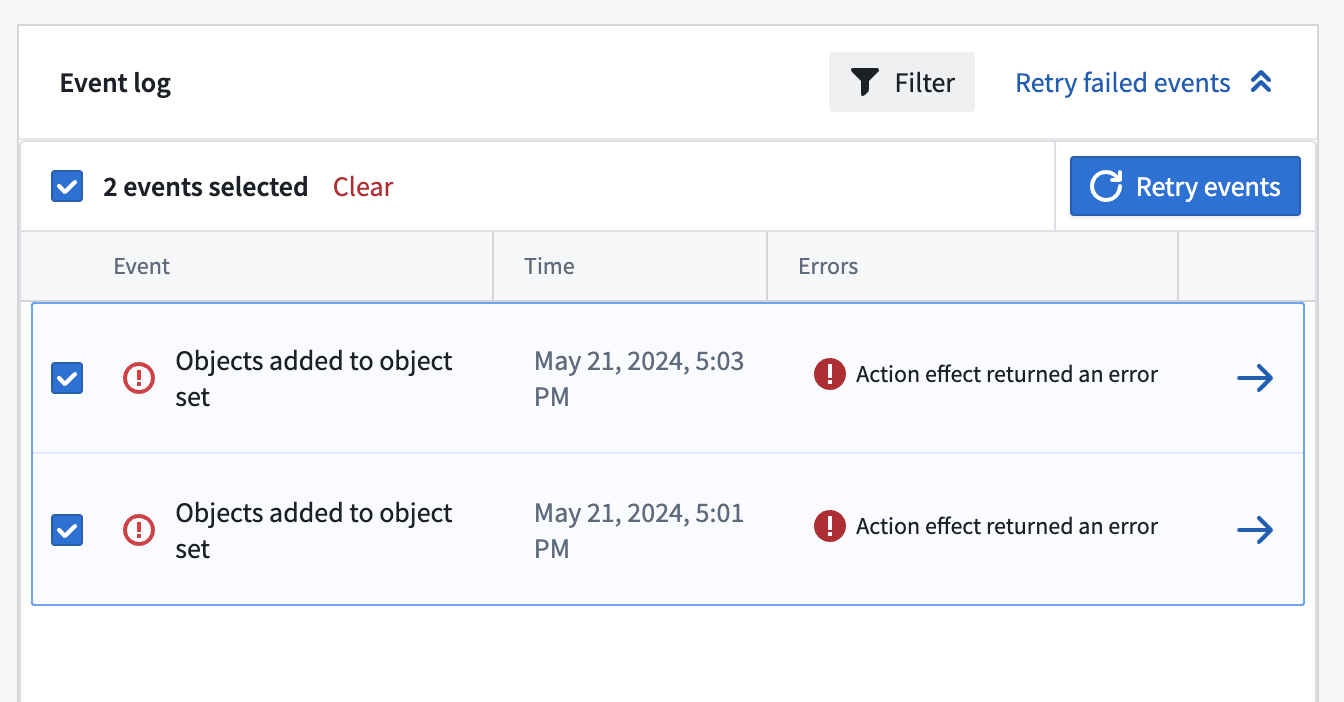
After choosing the events to retry, you can select the specific effects to retry. These effects will be retried on the latest configuration. If there is only one effect available to retry, that effect will be automatically selected.
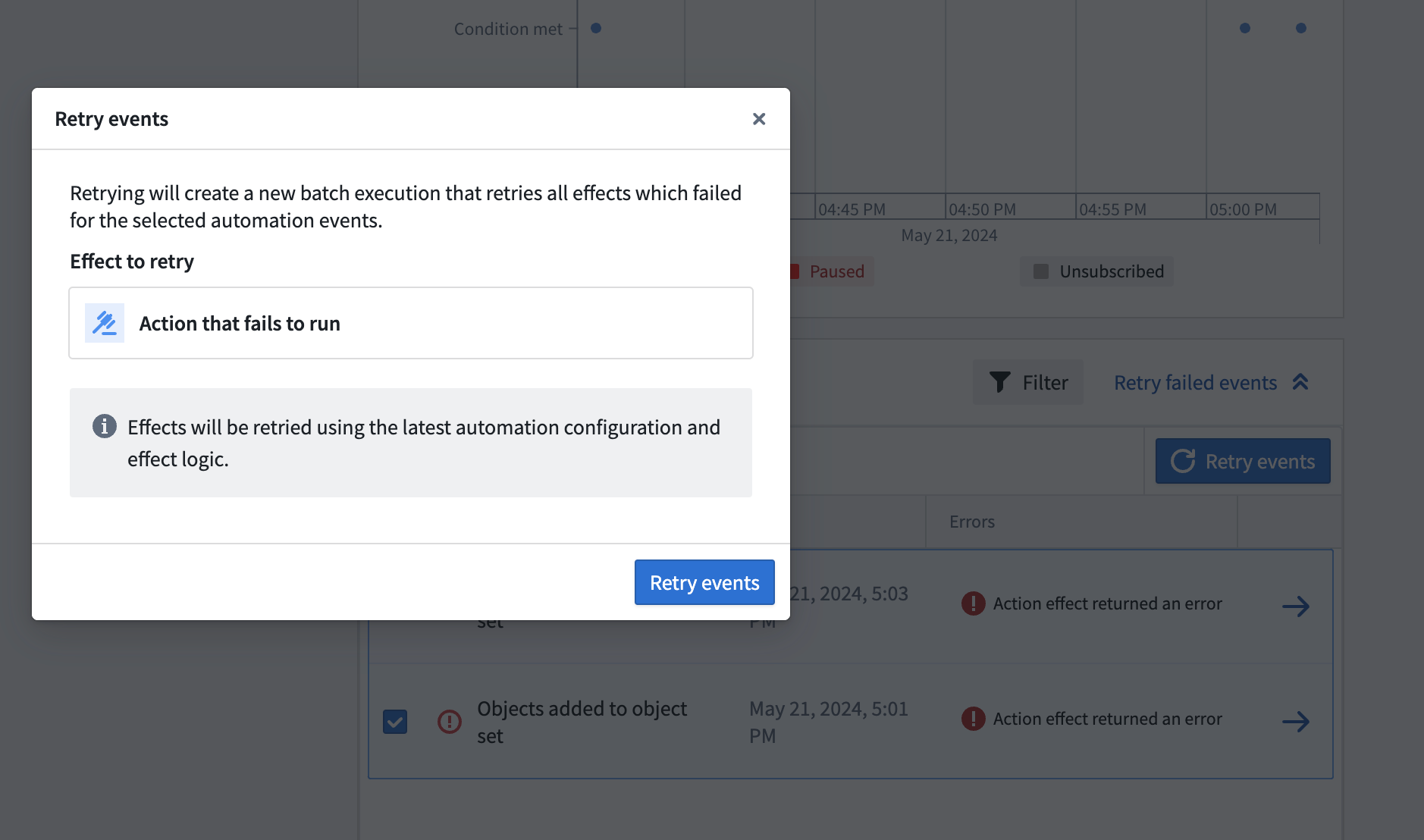
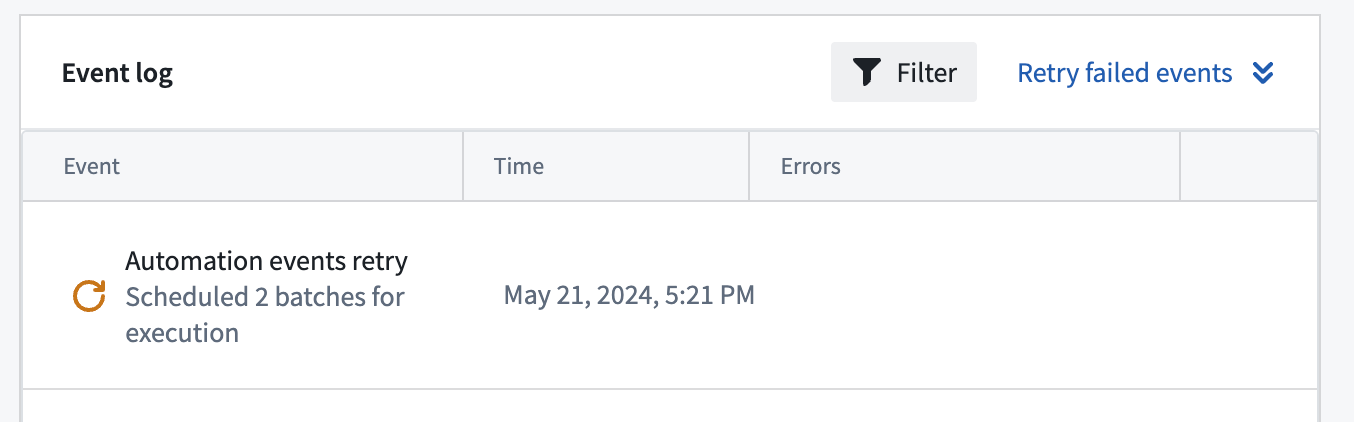
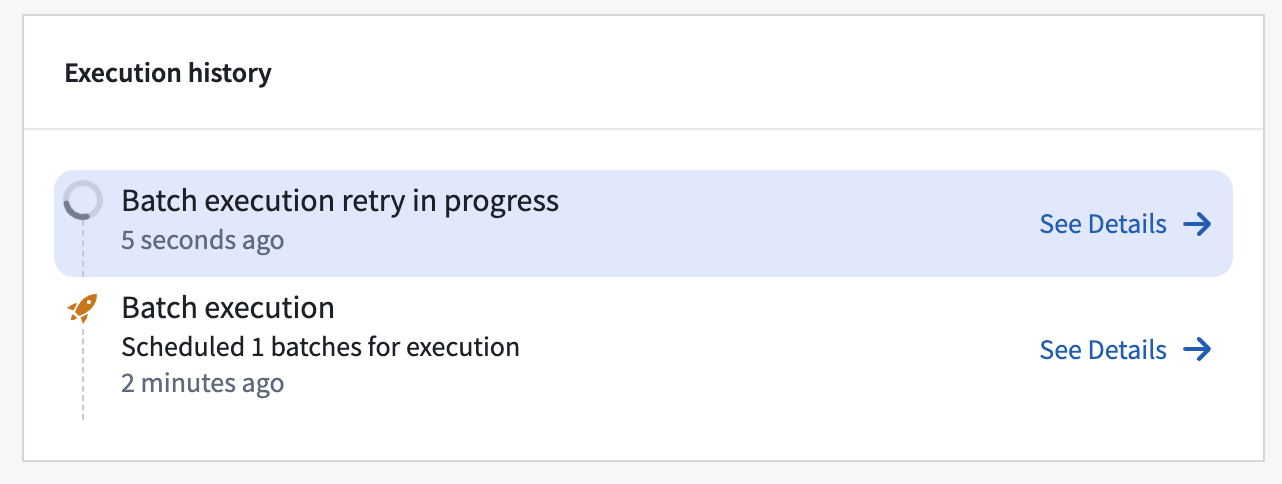
After selecting Retry events, a retry job will be scheduled and will appear in the Event log as shown below. More details about the scheduled retry job can be viewed on the manual execution page.
Manual execution failures
You can also retry manual executions which have failed effects. In order to retry failed batches, open up the sidebar for a manual execution run.
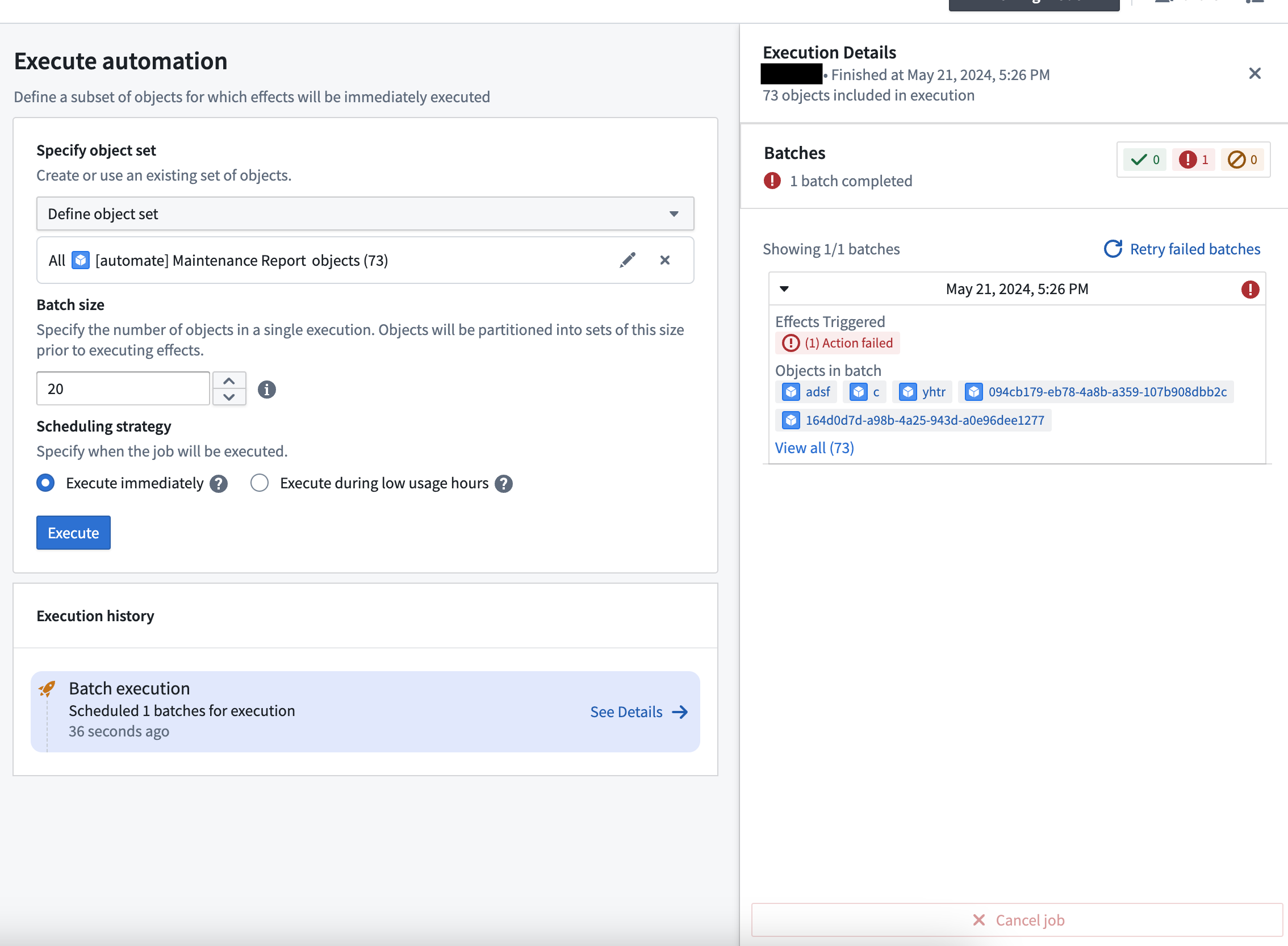
Selecting Retry failed batches will allow you to configure how you want the retried job to run, such as the batch size.
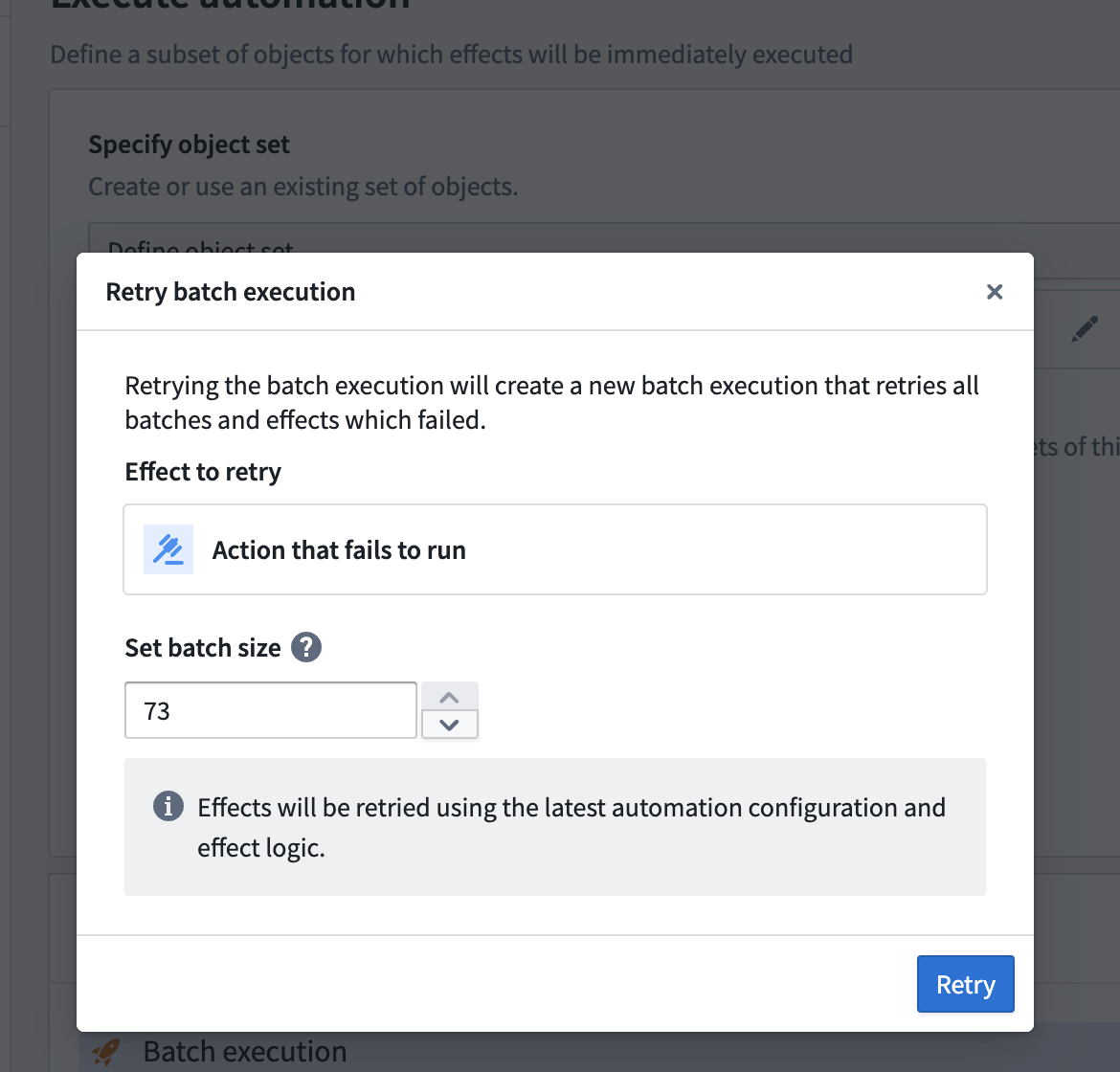
Selecting Retry will immediately schedule a re-run of the failed effects.
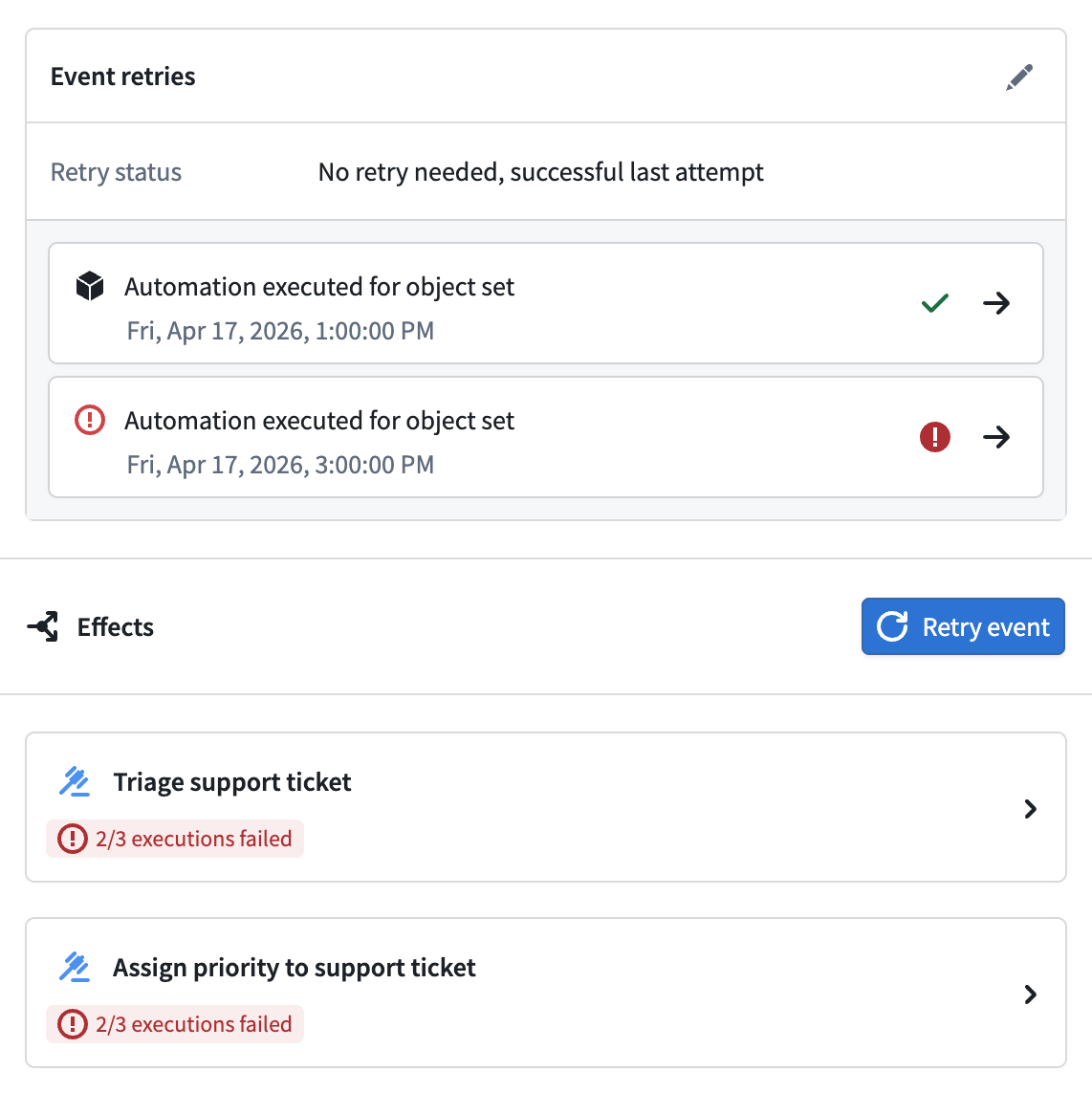
Event retries
Action, logic, and function effects may receive immediate, short-term retries within a trigger event to overcome ephemeral errors such as rate limits. However, errors such as service degradation and outages may require an event retry strategy.
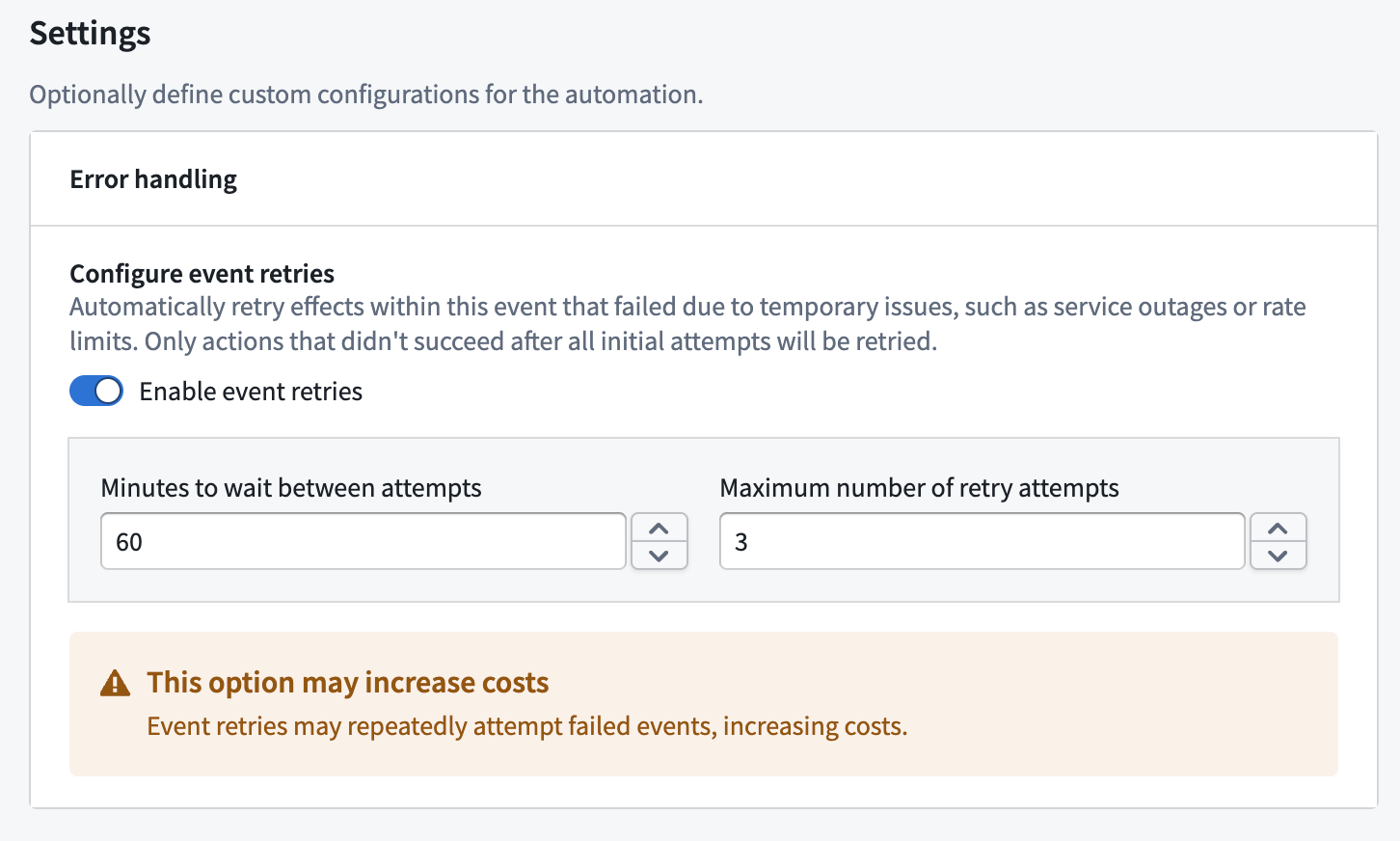
With event retries, users can configure retry strategies for entire trigger events, which will cause failed effect executions on individual objects to be attempted a specified time later, up to a certain number of times.
Configuration
Two parameters can be configured:
- Retry interval: The time interval between retries. This must be less than 24 hours.
- Number of retries: The maximum number of times an event will be retried, not including the initial attempt. This must be between 1 and 5.
Retry mechanism
If an event retry strategy has been configured, then for each effect, on each object, if the execution failed with a retryable error, the object on that effect will be considered eligible in the next retry.
Retryable errors include:
- Rate limits
- Service outages
- Ephemeral errors such as
Actions:ObjectVersionChanged
No retry is scheduled if there are no retryable errors on any object or effect, or if the maximum number of retries has been reached.
Fallback effects are not eligible for event retries. They execute only after an object fails with a non-retryable error or reaches the maximum number of retries.
Example
Event retries will appear as entirely new events in the event history page, with links to navigate between them.