- Capabilities
- Getting started
- Architecture center
- Platform updates
AIP Critic
AIP Critic is an AI-powered diagram review and analysis tool that helps you evaluate your solution architecture through an interactive conversation. AIP Critic examines your diagram, organizes it into logical sections, and answers questions about your architecture's design, implementation approach, and potential improvements. Within Solution Designer, AIP Critic provides a chat-based interface where you can ask questions about your diagram and receive contextual guidance. The tool automatically analyzes your diagram's structure, categorizes components, and offers insights based on Palantir platform best practices.
When to use AIP Critic
Use AIP Critic to:
- Validate your architecture design and identify potential issues.
- Get suggestions for alternative approaches or improvements.
- Understand how different components interact in your solution.
- Generate implementation recommendations based on your diagram.
Open AIP Critic
To open AIP Critic, select the AIP Critic icon in your Solution Designer diagram's toolbar. The AIP Critic panel opens on the left side of your workspace.

Diagram organization
AIP Critic automatically organizes the nodes in your diagram into the following sections:
- External Systems: Third-party systems, databases, or data sources outside of Foundry.
- Data Sourcing: Components that bring data into Foundry, such as sources created in Data Connection or manual file uploads.
- Data Processing: Transformations, pipelines, and data preparation components.
- Modeling: Machine learning models, predictions, and optimization components.
- Ontology: Object types, link types, actions, interfaces, and the semantic data model.
- Analytics: Dashboards, reports, and analytical applications.
- Application Building: Workshop applications, Slate, and other user-facing interfaces.
- Platform Management: Administration, governance, and platform configuration tools.
- Custom Components: Any other components that do not fit the above categories.
This organization helps AIP Critic provide context-aware responses and suggested questions relevant to each part of your architecture.
Ask AIP Critic questions
You can ask AIP Critic questions about your diagram in natural language. Type your question in the text input at the bottom of the AIP Critic panel and press Enter on your keyboard or select Send.
Example questions you might ask:
- "What are the potential bottlenecks in this data pipeline?"
- "How can the performance of this workflow be improved?"
- "What best practices should be followed for this architecture?"
- "Are there any missing components to consider?"
- "How should data quality issues be handled in this design?"
AIP Critic will analyze your diagram and provide a response based on the components, connections, and overall structure of your solution architecture.
Drill-down conversations
After receiving a response from AIP Critic, you can drill down into specific parts of the answer by asking follow-up questions. AIP Critic maintains the context of the conversation, allowing you to explore topics in greater depth.
To drill down on a response, review the initial response from AIP Critic and type a follow-up question that references or expands on the previous response. AIP Critic will provide additional details while maintaining the conversation context.
Drill-down conversations allow you to:
- Request clarification on specific points.
- Explore alternatives to suggested approaches.
- Ask for implementation details or examples.
- Investigate trade-offs between different options.
Generate implementation plan
AIP Critic can generate a structured implementation plan based on your architecture diagram. The implementation plan dialog provides a step-by-step breakdown of how to build your solution, including:
- Phases and tasks: Organized steps for implementing each component in your diagram.
- Dependencies: Which components need to be built before others.
- Best practices: Recommended approaches for each implementation step.
- Resource estimates: Approximate effort or complexity for each phase.
To generate an implementation plan, select Generate implementation plan at the bottom of the AIP Critic panel. AIP Critic analyzes your diagram and creates a structured plan before opening the implementation plan dialog, displaying the plan with collapsible sections for each phase. Review the plan, expand sections to see details, and use it as a guide for building your solution.
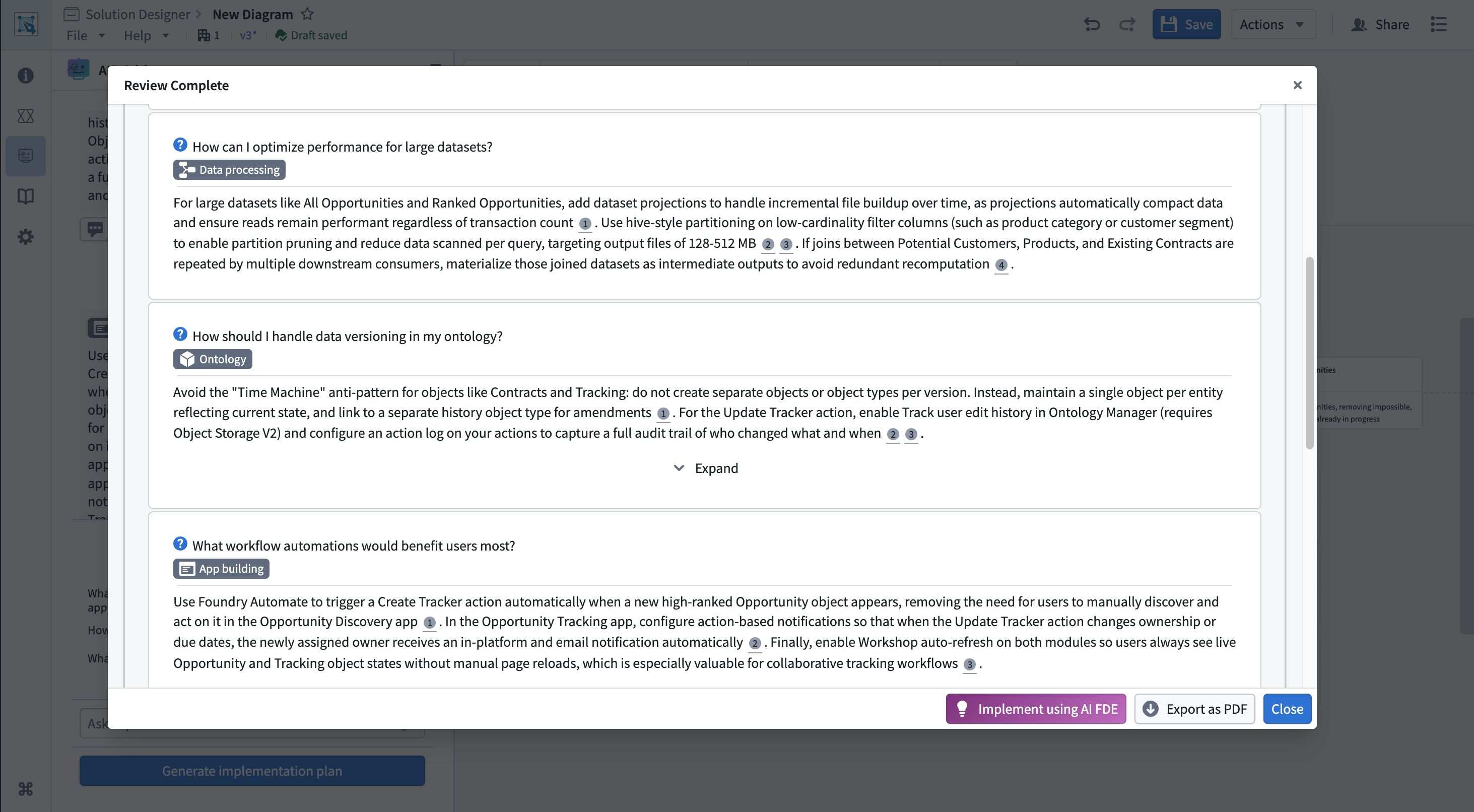
The implementation plan can be referenced alongside your diagram as you build, helping ensure you follow best practices and build components in the correct order. Additionally, you can use AI FDE to accelerate the actual construction of resources in your architecture. You can also export the implementation plan as a PDF for documentation or sharing with your team.
Review persistence
Your conversation with AIP Critic is automatically saved with your diagram. When you close and reopen a saved diagram, your previous conversation history will be restored, allowing you to continue the review where you left off.
Best practices
When using AIP Critic, consider the following best practices:
- Start with broad questions: Begin with high-level questions about your overall architecture before diving into specific details.
- Provide context: If your diagram represents a specific use case or has unique requirements, mention this in your questions.
- Iterate on designs: Use AIP Critic's feedback to refine your diagram, then ask follow-up questions about the updated design.
- Document decisions: Export implementation plans as PDF documents to preserve architectural decision records.
- Combine with AIP Architect: Use AIP Architect to generate initial workflow plans, then use AIP Critic to review and refine them.