- Capabilities
- Getting started
- Architecture center
- Platform updates
Automations on Ontology scenarios
Automate can run automations on Ontology scenarios. When you enable an automation to run on scenarios, the automation listens for active scenarios represented by objects belonging to the configured scenario object types. The automation continues to run on the main Ontology and also runs on any detected scenarios.
Use automations on Ontology scenarios
To configure an automation to run on Ontology scenarios, you must first have a scenario object type. For setup instructions, see Store scenario metadata as objects.
To extend an automation to Ontology scenarios:
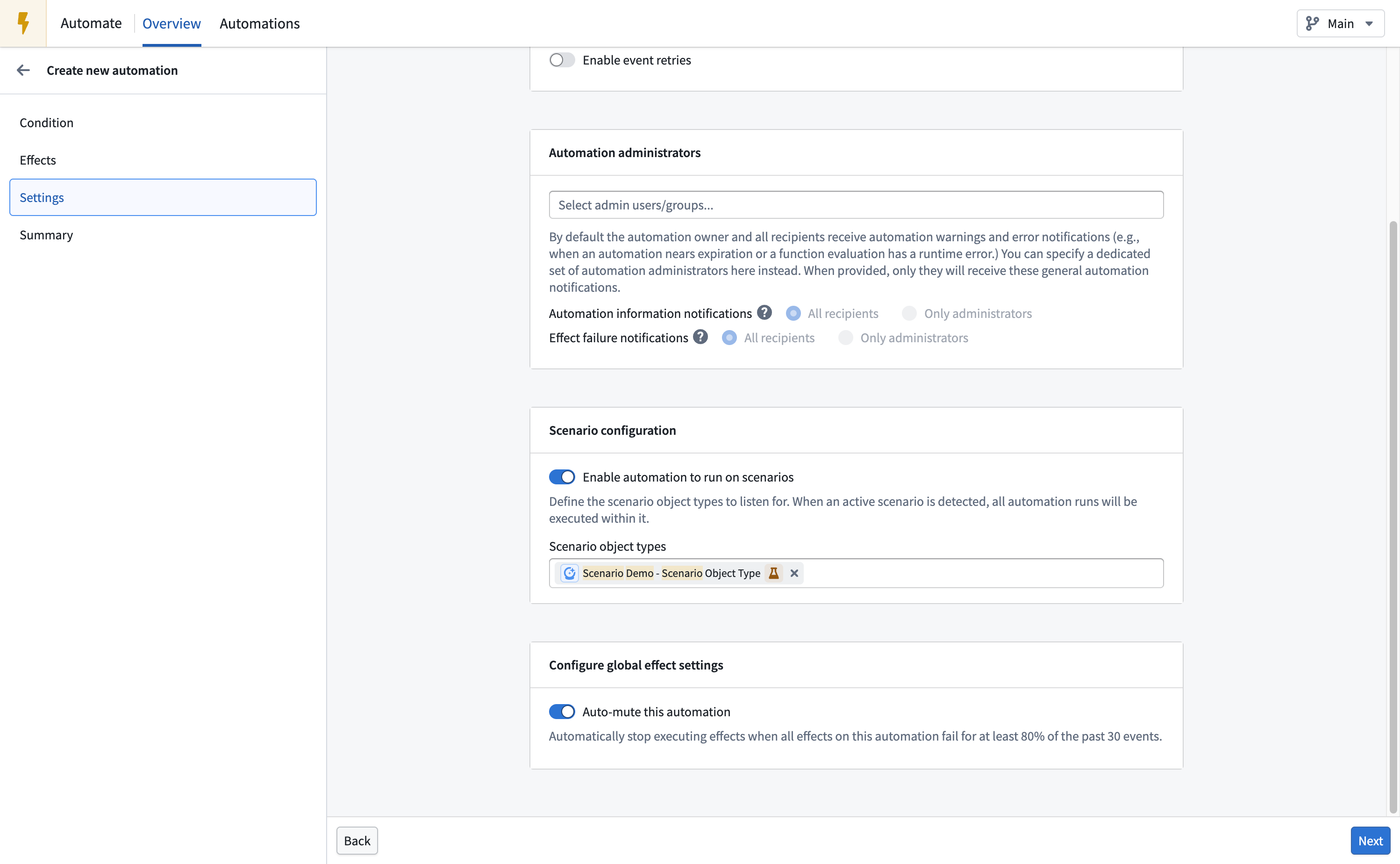
- Open the automation edit page and select Settings.
- Under Scenario configuration, choose to Enable automation to run on scenarios.
- Under Scenario object types, add the scenario object types that represent the scenarios on which you want the automation to run.
- Complete the remaining configuration and save the automation.
Expected behavior
When you enable an automation to run on scenarios, the following behavior applies:
- The automation evaluates its conditions and executes its effects on both the main Ontology and every scenario represented by an object belonging to the configured scenario object types.
- The automation evaluates conditions independently on the main Ontology and on each scenario.
- When a scenario is deleted, Automate stops monitoring it and no longer evaluates conditions or executes effects on it. This includes scenarios that are automatically deleted when their lifespan ends.
Effect execution on scenarios
When a condition is met on a scenario, effects behave as follows:
- Actions execute against the scenario.
- Logic and function effects execute in the context of the scenario.
Notification effects also use the context of the scenario on which the automation is executing:
- Dynamic recipients are determined from object property values in the scenario.
- Functions that produce function-generated notification content execute in the scenario context. The generated content therefore reflects object and property values from the scenario.
Supported conditions and effects
Not all Automate conditions are currently supported on Ontology scenarios.
The following conditions are supported on Ontology scenarios:
- Time: Triggers when a specific time is reached; for example, "Every Monday at 9 AM."
- Objects added to set: Triggers when a new object appears in a predefined object set.
- Objects removed from set: Triggers when an object leaves a predefined object set.
- Objects modified in a set: Triggers when an object is modified in a predefined object set.
- Run on all objects: Periodically runs effects on all objects in a given set.
The following conditions are not currently supported on Ontology scenarios:
- Threshold crossed: Triggers and remains in the triggering state when a metric threshold is crossed.
- Automation dependency: Triggers after another automation completes. See Known limitations.
- Time series: Triggers when a time series threshold is crossed.
- Stream [Beta]: Triggers on any new records in a stream.
- Metric changed [Sunset]: Triggers when an aggregated object set metric increases or decreases.
All Automate effects are supported on Ontology scenarios:
- Action: Executes an action when the condition is met.
- Logic: Executes an AIP Logic function when the condition is met, then either stages or applies the generated actions.
- Function [Beta]: Executes a function when the condition is met. These functions cannot perform Ontology edits.
- Notification: Sends a notification to selected recipients, with optional Notepad attachments.
Permissions
Automations use the automation owner's permissions to evaluate conditions and execute effects. For an automation to run on an Ontology scenario, the owner must have access to both the configured scenario object type and the scenario. The automation cannot run on scenarios that the owner cannot access.
Known limitations
- Automations can only run on scenarios represented by scenario object types configured in the automation settings.
- An automation can track up to 100 scenarios. You cannot save an automation that targets more than 100 scenarios. If the target grows beyond this limit after you save, scheduled evaluations will fail before Automate evaluates conditions or executes effects.
- Automations cannot run on temporary scenarios.
- Not all conditions are supported on Ontology scenarios. See Supported conditions and effects for the full list.