- Capabilities
- Getting started
- Architecture center
- Platform updates
Widget display optimization
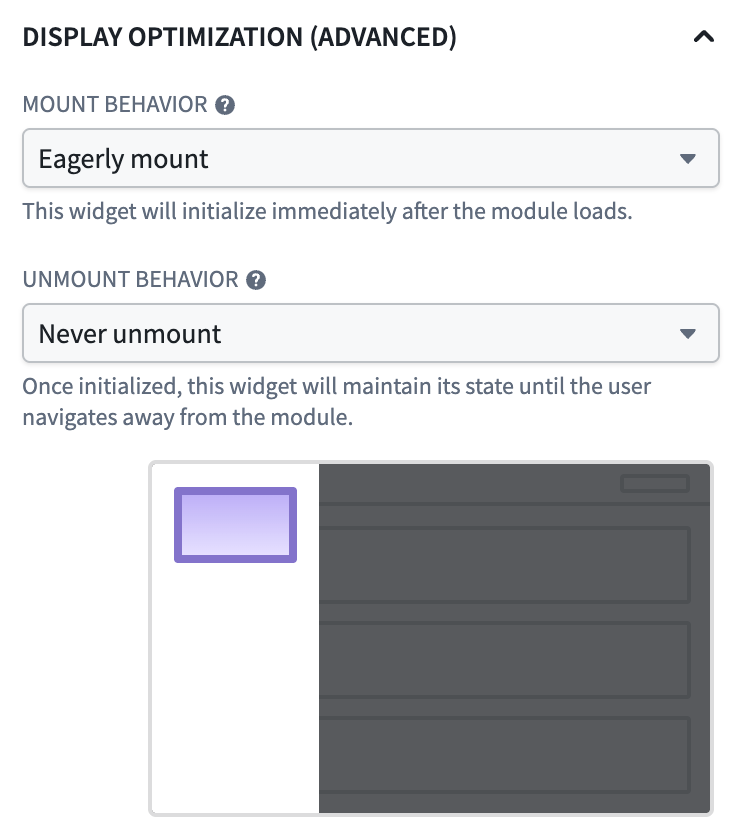
Widget display optimization is a Workshop setting that controls when individual widgets mount and unmount as users navigate within a module. By default, a widget mounts when the layout containing it renders and unmounts when that layout is no longer rendered, for example, when the user switches tabs. This frees up browser resources when widgets are not in view but means that widgets must reload their data and rebuild their state every time a user navigates back to them.
Display optimization is an advanced feature. Eagerly mounting widgets or keeping them mounted when not currently in view consumes browser memory, continues variable computation and data requests, and can degrade module performance if applied broadly. Configure non-default display behavior only on the specific widgets where it is needed.
When to adjust display behavior
The default values for each setting are tuned for most modules. Leave them in place unless one of the following scenarios, or something similar, applies:
Keep a custom widget alive across tab switches
Settings: Normal mount + Never unmount
When a custom widget is on an inactive tab, it normally resets completely. With Never unmount, the widget stays loaded in the background. When the user returns to the tab, the widget is instantly available with all its data and state intact.
Preload a widget in a hidden overlay or tab
Settings: Eagerly mount + Never unmount
The widget begins loading as soon as the module opens, even though the overlay or tab is not visible yet. When the user opens the overlay or switches to the tab, the content is already loaded and ready. This is useful for widgets on a destination page that users almost always reach, where the wait on first navigation would otherwise be disruptive. The tradeoff is a longer initial module load time.
Preserve scroll position and form state
Settings: Normal mount + Never unmount
Widgets configured to never unmount retain their internal state, including scroll position and any user input. This is helpful for widgets in drawers or tabs that users frequently open and close.
Optimize a long scrolling page
Settings: Delay until on-screen + Normal unmount
Widgets below the fold will not start loading until the user scrolls to them. This reduces the initial load time of the module, especially on pages with many widgets.
Virtualize a long scrolling page
Settings: Delay until on-screen + Unmount when off-screen
Widgets initialize as they scroll into view and reset as they scroll out. This keeps only the visible widgets active, which can significantly improve performance for pages containing many widgets.
Configuration options
Display optimization is controlled by two independent settings: a widget's mount behavior and its unmount behavior.
Mount behavior
Mount behavior controls when a widget initializes and begins loading its data.
- Normal: (default) The widget initializes when the layout containing it renders. This is the standard behavior.
- Delay until on-screen: The widget waits to initialize until it scrolls into the user's viewport. Widgets below the fold will not load until the user scrolls down to them.
- Eagerly mount: The widget initializes immediately when the module loads, even if it is hidden behind a tab, inside a closed overlay, or otherwise not visible.
Unmount behavior
Unmount behavior controls when a widget resets and clears its state.
- Normal: (default) The widget unmounts when its containing layout is no longer rendered; for example, when the user switches to another tab or page.
- Unmount when off-screen: The widget unmounts whenever it is scrolled out of view, in addition to the default condition. This is the most aggressive unmount setting and is useful for widgets that are the source of expensive computation while off screen.
- Never unmount: Once mounted, the widget remains mounted for as long as the user stays in the module. Subsequent navigation back to the widget is immediate and any widget state is preserved.
Not all mount and unmount behaviors can be paired. Normal mount supports Normal unmount or Never unmount; Delay until on-screen supports any unmount behavior; and Eagerly mount only supports Never unmount.
Configure widget display behavior
To set display behavior for a specific widget:
- In edit mode, select the widget in the canvas.
- Open the widget configuration panel's Display tab and locate the Display optimization options.
- Choose the desired mount and unmount behavior from the available modes.
The configuration panel contains a short description and animation of each mode and disables options that do not apply to the selected widget or layout type.
Performance considerations
The default display behavior is tuned for modules with many widgets across many pages or sections, where unmounting widgets keeps memory usage and rendering work bounded. When you opt a widget into staying mounted:
- The widget's DOM, React state, and any in-memory data remain in the browser, and the widget may continue to request new data as variables update in the module.
- Widgets configured to Eagerly mount and Never unmount add their initialization work to the module's initial load time, which can increase noticeably if this is done broadly.
- Modules that keep large numbers of widgets mounted are more susceptible to slowdowns, memory pressure, and browser tab crashes on lower-spec devices.
Use the Performance Profiler to measure the impact of widget display optimization changes on your module's load and reload times.
Limitations
- Navigating away from the module, including switching between Carbon tabs, resets all widgets regardless of their display optimization settings.
- If a widget inside an embedded module uses Eagerly mount, the embedded module widget must also use Eagerly mount.
- In loop layouts, display optimization only applies to the currently visible page, and widget state may reset when the user navigates to another page.
- Widgets mounted while hidden may not have accurate size measurements, which can cause brief layout changes when they become visible.
- Widget behaviors that run when the widget first appears or its input object set changes, such as automatic object selection, may run while the widget is mounted but visually hidden when using Eagerly mount or Never unmount.