- Capabilities
- Getting started
- Architecture center
- Platform updates
Configure events
In Vertex, an event is an object of an object type that represents something occurring over a period of time. Examples include an equipment alarm, a maintenance window, or a shipment delay. To configure an object type for events, it must have timestamp properties that record when each event starts and ends. Events are different from time series properties, which store measured values over time; see events and time series for more information.
To configure an object type for events, open its Capabilities tab in Ontology Manager and enable the Event toggle. Assign timestamp properties to Event start time and Event end time, optionally set Description and Linked object, then select Save.
Ontology Manager saves these assignments as event metadata, using the primary key as the event identifier. Vertex uses the designated start-time, end-time, and description properties in preference to the corresponding legacy type classes.
Event time filtering requires both a designated start property and a designated end property. An individual event can have an empty end value; the filter treats that event as open-ended. An empty value is different from an object type with no end property configured.
Legacy type classes
Object types without event metadata can still use the following property type classes. The notation below combines the Kind (timeseries) and Name values; see the type class reference for details:
| Type class | Property |
|---|---|
timeseries.event_id | The event identifier, typically the primary key. |
timeseries.event_start_time | The timestamp at which the event begins. |
timeseries.event_end_time | The timestamp at which the event ends. The property must be designated, but an individual event's value can be empty. |
timeseries.event_description | An optional string description for Vertex. |
Existing configurations do not need to be removed to use Vertex. Use the Event capability controls described at the top of this page to configure or update these assignments in Ontology Manager.
Event color and severity
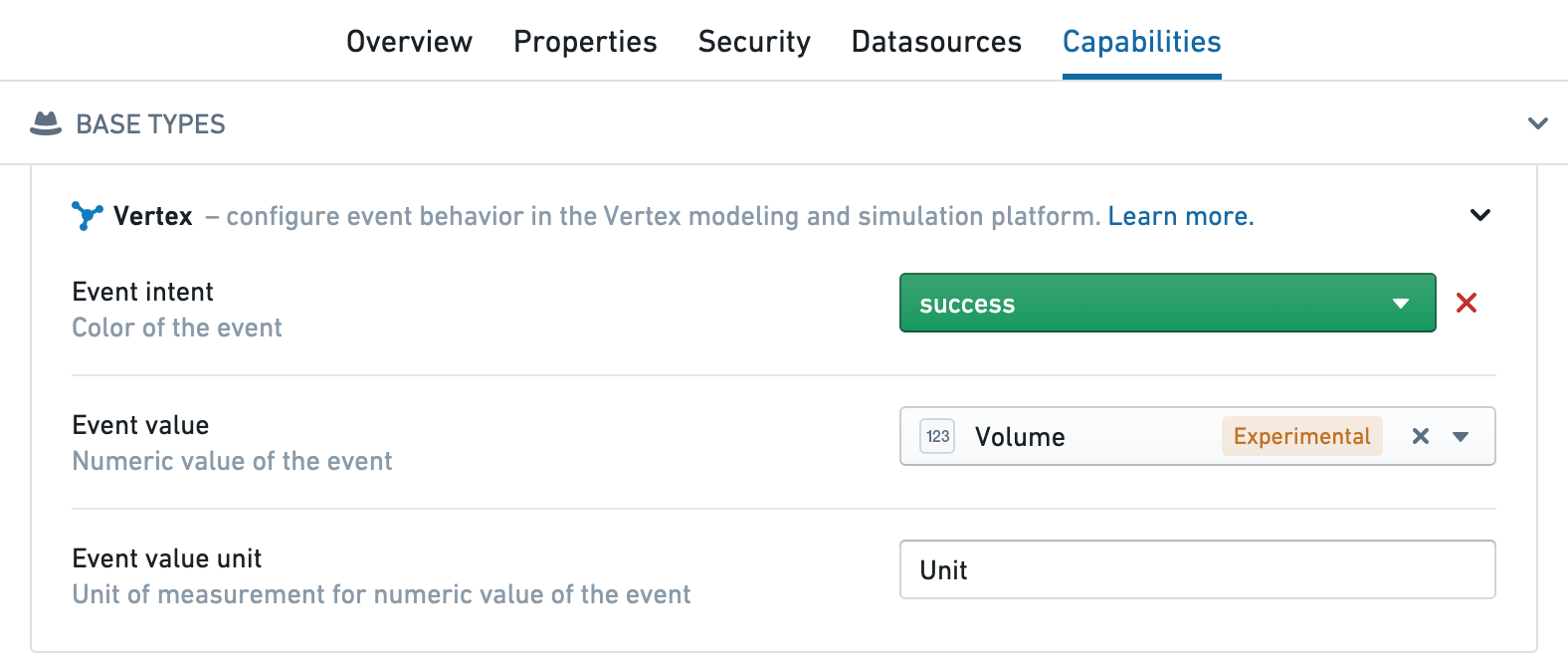
Add a Vertex type class to set the event color or severity. You can place it on any property, typically the primary key:
- Orange:
kind:vertex,name:event_intent.warning - Red:
kind:vertex,name:event_intent.danger - Blue:
kind:vertex,name:event_intent.primary - Green:
kind:vertex,name:event_intent.success
You can configure these type classes in the Capabilities tab for the event object in Ontology Manager or directly in the type classes for the properties of the object.