- Capabilities
- Getting started
- Architecture center
- Platform updates
Use a Python function in Pipeline Builder
Pipeline Builder supports both Java and Python user-defined functions (UDF). This page describes Python UDFs; to use Java instead, learn more about Java UDFs.
Prerequisites
This guide assumes you have already authored and published a Python function. Review our getting started with Python functions documentation for a tutorial.
Architecture
Python functions run in a Pipeline Builder pipeline as a sidecar container. This means that the function does not need to be deployed and scales dynamically with the size of your pipeline. Embedded functions can be previewed similarly to other transforms in Pipeline Builder.
How Python functions process data
When you use a Python function as a user-defined function (UDF) in Pipeline Builder, the function runs once per row. Pipeline Builder does not pass an entire table, pandas DataFrame, or Spark DataFrame to your function. Instead, you map one or more input columns to the function's parameters, and Pipeline Builder invokes the function for every row, passing that row's cell values as the parameter arguments.
The value your function returns becomes a new column in the output table, with one value produced per row. For this reason, a Python UDF returns a scalar (single-value) type such as str, int, float, bool, or datetime rather than a DataFrame. There is no DataFrame type to return: the column that Pipeline Builder assembles from each row's return value is the resulting tabular output.
The following example takes two columns as input and returns one str value per row, which Pipeline Builder writes to a new column:
Copied!1 2 3 4 5from functions.api import function @function def full_name(first_name: str, last_name: str) -> str: return f"{first_name} {last_name}"
When you configure the transform, map the first_name and last_name parameters to the corresponding input columns. When the transform runs, Pipeline Builder evaluates full_name for each row and writes the returned string to a new output column.
For the full list of supported input and output types and their Python equivalents, review the types reference. The Ontology types in that reference are not supported in Pipeline Builder: a function that accepts or returns one of them cannot be imported and does not appear in the list of available functions.
Return a struct
To return multiple related values from a single function, return a custom type (struct) instead of a scalar. Pipeline Builder adds the returned value as a single struct column with one field for each attribute of the custom type. You can then extract individual fields with the Get struct field transform.
Copied!1 2 3 4 5 6 7 8 9 10 11 12from dataclasses import dataclass from functions.api import function, Double @dataclass class Stats: total: Double average: Double @function def compute_stats(a: Double, b: Double) -> Stats: total = a + b return Stats(total=total, average=total / 2)
Use your function in a Pipeline Builder pipeline
Follow the steps below to prepare and configure a Python function in your pipeline:
- Open the Pipeline Builder pipeline in which you want to use your Python function.
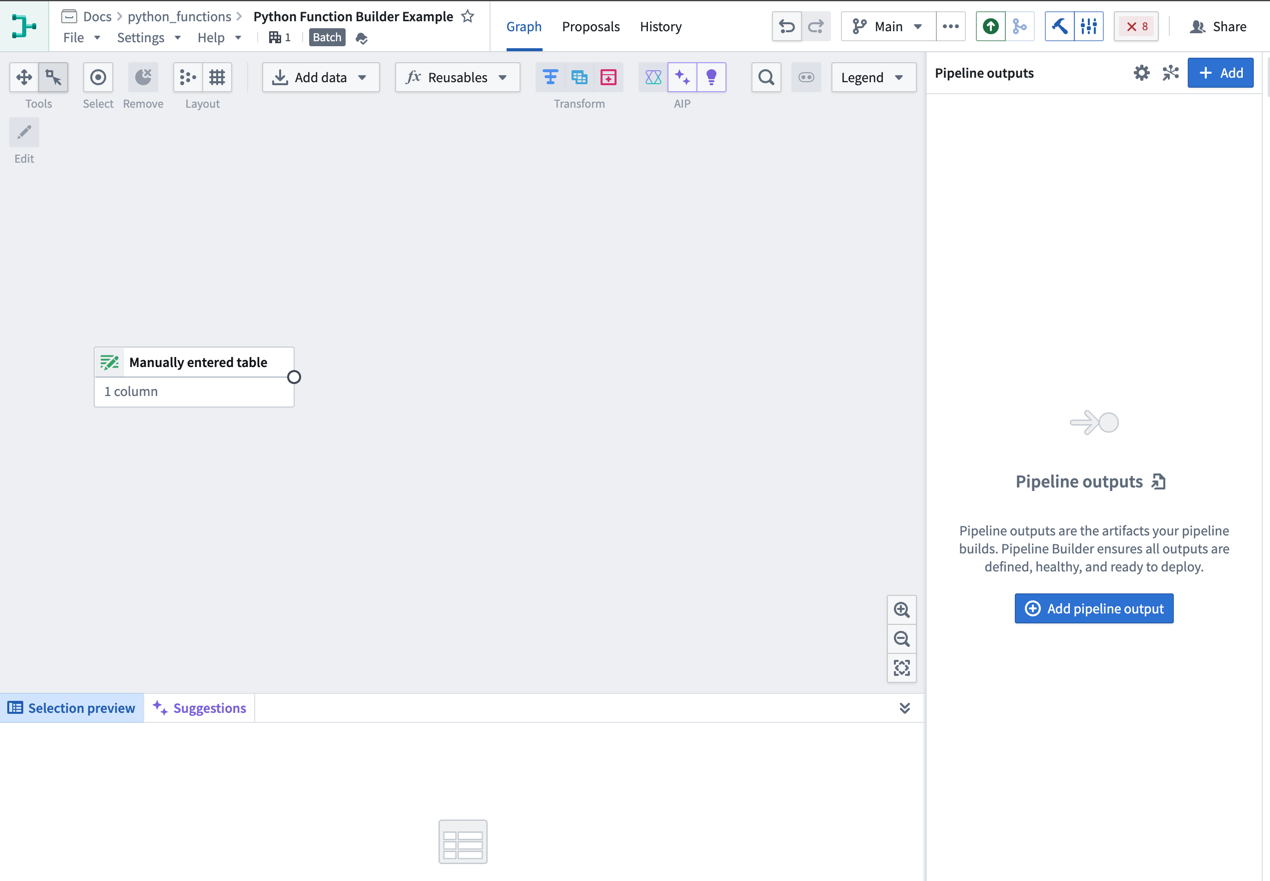
- Import your UDF into Pipeline Builder using one of two methods:
- From the graph view:
- Select Reusables from the upper part of the pipeline graph, then choose User-defined functions.
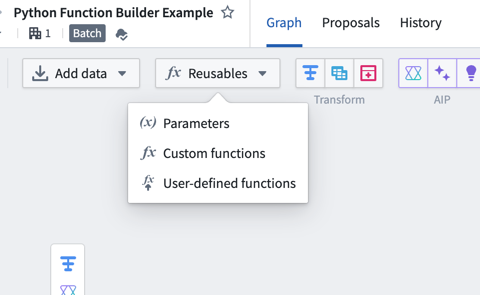
2. Select Import UDF and search through the available functions to find the one you want to use 3. Choose Add next to the function name. The function should then display an Imported tag.
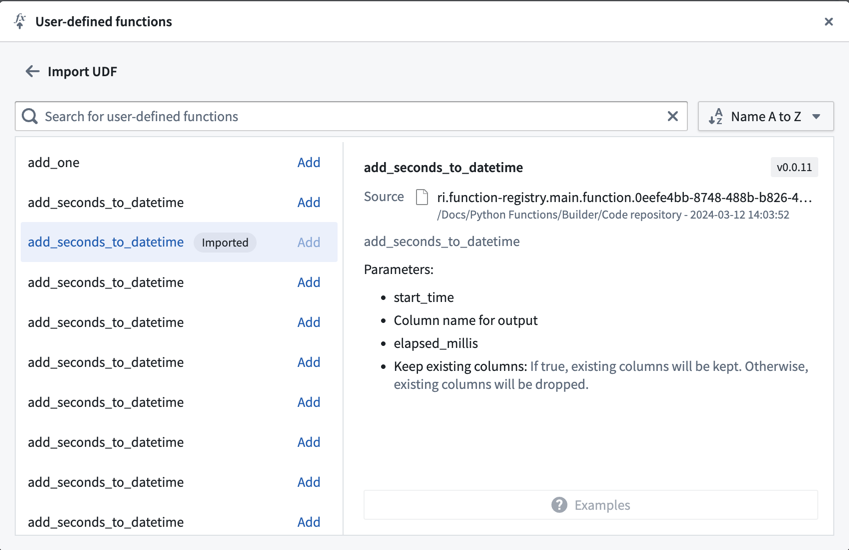
4. Close the import dialog and select Transform on your Pipeline Builder graph where you would like to use the function. 5. From the list of transforms, find the UDFs tab to the left to view your imported functions.
- Select Reusables from the upper part of the pipeline graph, then choose User-defined functions.
- Use the transform picker:
- Select Transform on the pipeline builder graph.
- Enter the name of the UDF you want to import.
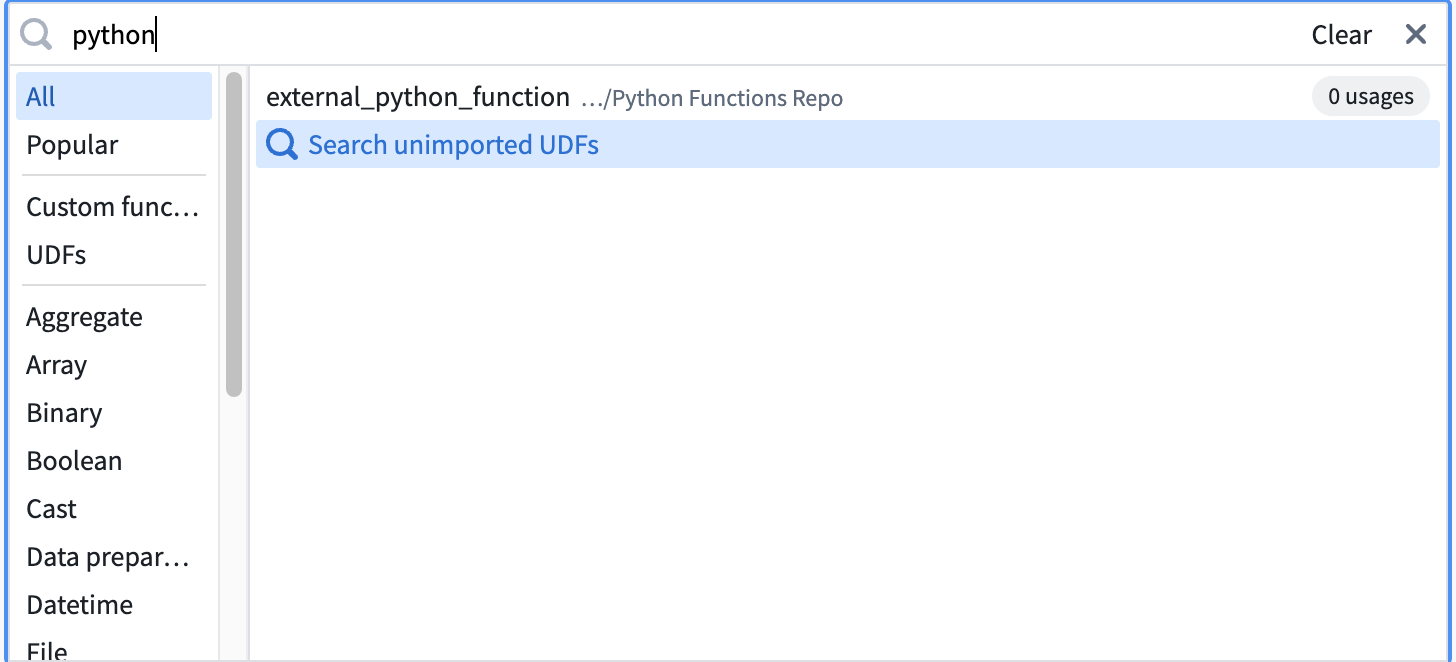
3. Select Search unimported UDFs. 4. Hover over the desired UDF and select Import.
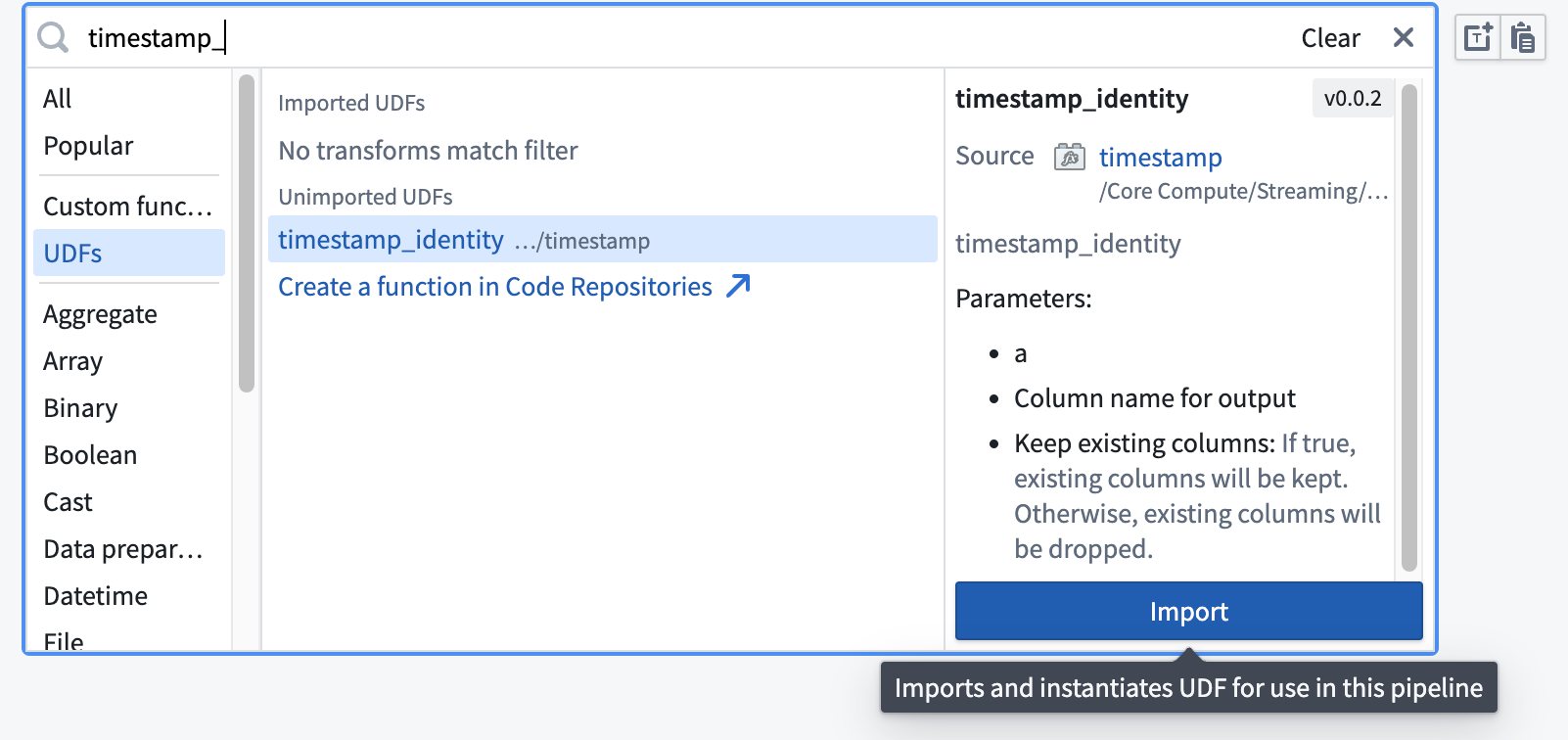
- From the graph view:
- Fill out the transform definition specifying the input columns and parameters, then select Apply.
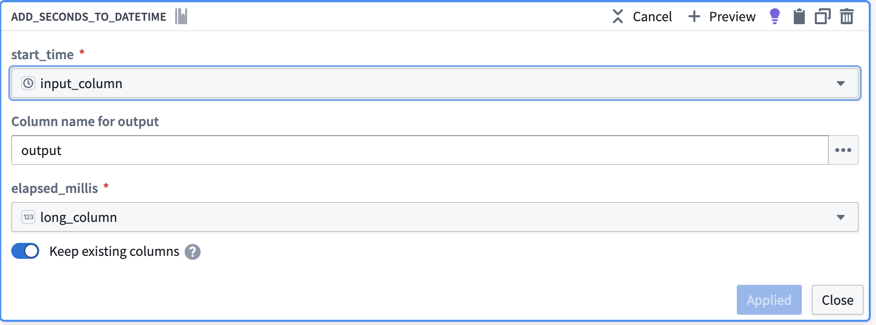
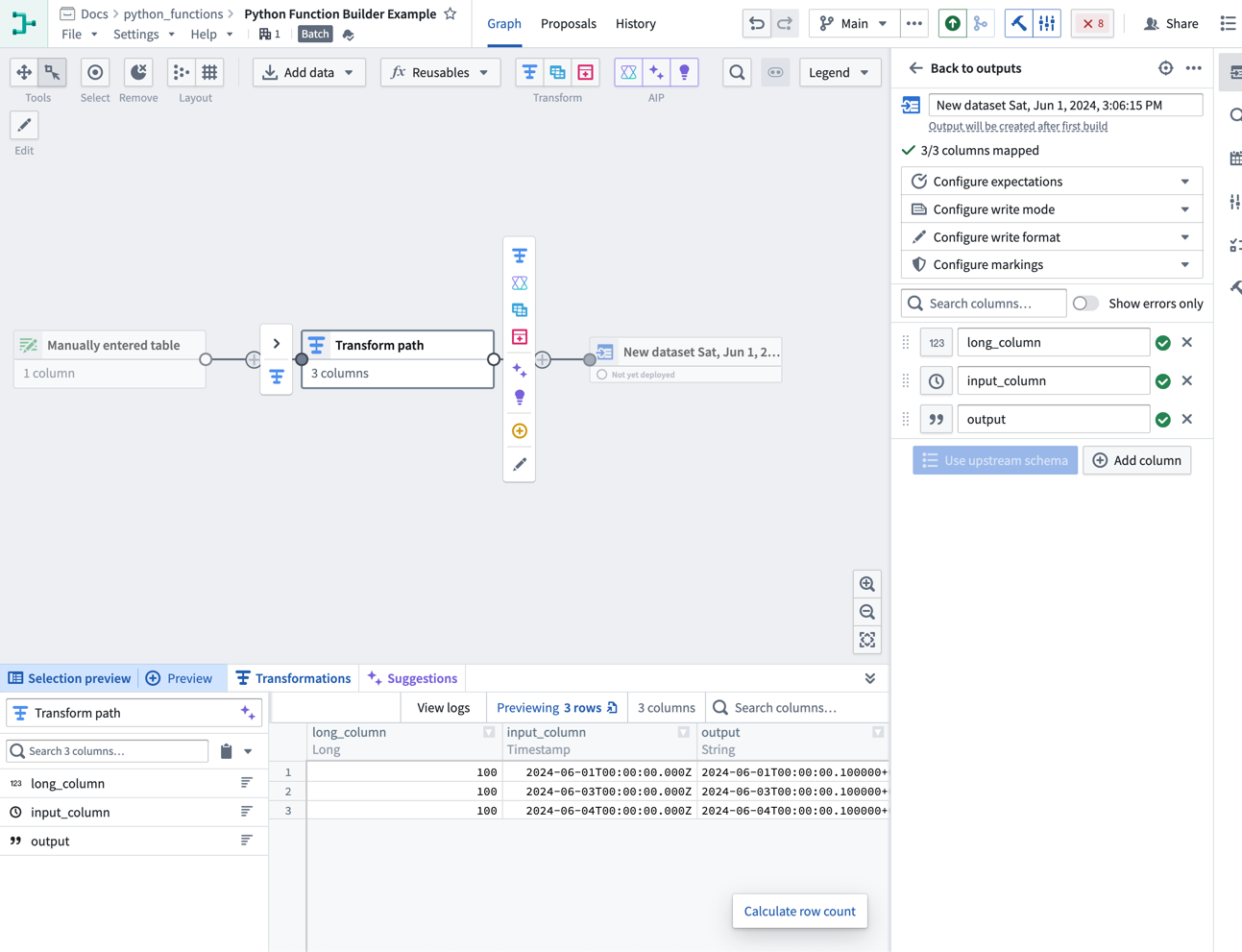
You should now see your Python function on your Pipeline Builder graph and can preview the output of the function.
External API calls in Pipeline Builder
To make API calls to an external system from Pipeline Builder, you can publish a Python function with access to external systems. This will allow you to write logic that communicates with external systems and use it as part of your pipeline.
To be used as a user-defined function (UDF) in Pipeline Builder, all sources used in your function must be configured to be importable into pipelines. To configure this setting, navigate to the source in Data Connection, then to the Connection settings > Code import configuration tab:
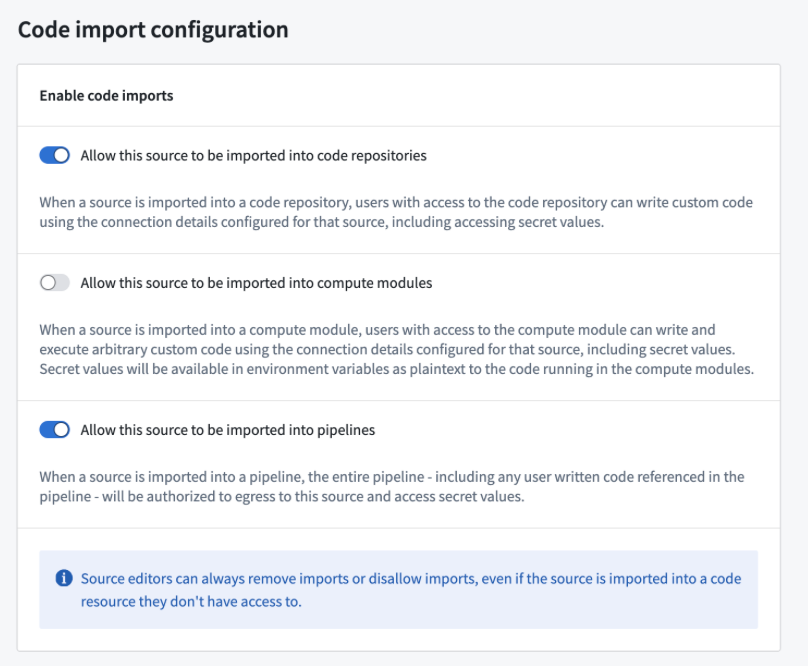
Once you have enabled this option on your source and published your Python function, it can be used in your pipeline in the same way as any other Python function.
Ontology access in Pipeline Builder
Pipeline Builder UDFs do not support direct Ontology access through FoundryClient() or the Ontology SDK (OSDK). Instantiating FoundryClient() and accessing the Ontology from a UDF returns an EnvironmentNotConfigured error. This restriction helps prevent data from being unmarked or leaked across builds.
To access Ontology data from a Pipeline Builder UDF, consider the following approaches:
- Use an external source: Create an external source for the Python function that performs the Ontology query, then import the source into your Pipeline Builder UDF. This avoids authentication and permission issues from direct Ontology queries in the UDF context. To configure the source, navigate to it in Data Connection and enable Connection settings > Code import configuration as described above.
- Join Ontology-backed datasets: If your use case allows, maintain a separate dataset with the relevant Ontology-backed data and join it into your pipeline. This avoids Ontology API calls and supports deduplication or existence checks.