- Capabilities
- Getting started
- Architecture center
- Platform updates
Use value types
Once you have created a value type, you can use it as a data type or reusable constraint across Foundry. Supported use cases include:
- Assigning a value type to an object type property.
- Assigning a value type to a shared property.
- Assigning a value type to a Pipeline Builder pipeline property as a logical type using the
logical type castexpression and selecting the value type on the property when you write to the objects target. - Constraining the values accepted by an action parameter.
Assign a value type to a property
To assign a value type to a property, select the value type from the dropdown menu during property configuration.
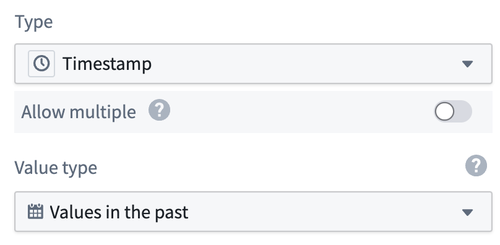
If you apply a value type to an object property that contains property values that fail validation, that object type will fail to index. You can view such index failures in the object type health status in Ontology Manager, where you can correct your data or update your value type to fix the issue.
Constrain an action parameter with a value type
Use a value type constraint to apply reusable validation rules to an action parameter:
- In Ontology Manager, open the action type and select the Parameters tab.
- Select the parameter that you want to constrain.
- In the Constraints card, select Value type as the constraint type.
- Select a value type.
- Save your changes.
The value type selector only displays value types whose base type is compatible with the parameter type. Value type constraints are available for String, Integer, Long, Double, Decimal, Date, and Timestamp parameters, including list parameters of these types. For a list parameter, select an Array value type to constrain the list as a whole. To apply the same constraint to each item in the list, select a compatible non-array value type. Value type constraints cannot be applied to struct parameters or their fields. You can configure other supported constraints on individual struct parameter fields.
During action validation and submission, the parameter value must satisfy the selected value type constraint. If validation fails, the action cannot be submitted and displays the value type's Failure validation message. Non-breaking updates to the value type automatically propagate to the action type. Learn more about value type versions.