- Capabilities
- Getting started
- Architecture center
- Platform updates
Merge scenarios
Scenarios are merged through action types that provide granular control over the scenario edits and enforce fine-grained execution permissions. At minimum, the merge action requires the single Scenario parameter, which is the RID of the scenario and includes all actions executed on the scenario. The parameter value can be passed from a Workshop variable or OSDK application.
Apply edits on a scenario
When working within a scenario, all edits (creating objects, modifying properties, deleting objects, and adding or removing links) exist only within that scenario's isolated sandbox. These edits do not affect the main Ontology. Applying the scenario commits all those staged edits to the Ontology as a single transaction via the merge action.
Configure the merge action
- In Ontology Manager, navigate to the Action types tab and select + New action type. In the creation wizard, select the Scenario tab.
- Within the Scenario tab, define the scope of your scenario edits by adding the relevant Object types and Link types.
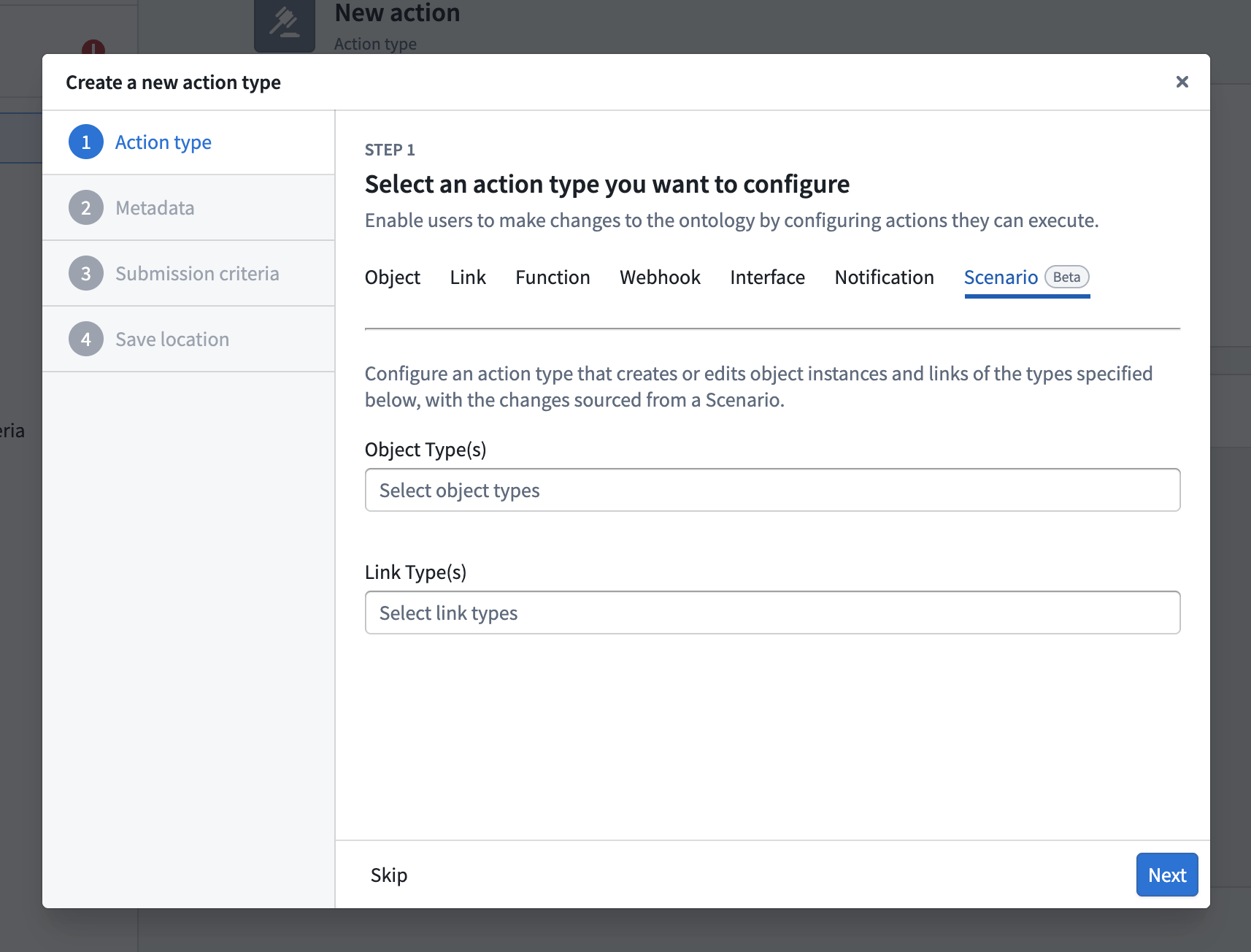
- After completing the wizard, open the Security & Submission Criteria tab of the newly created action to define which users are permitted to execute the merge action.
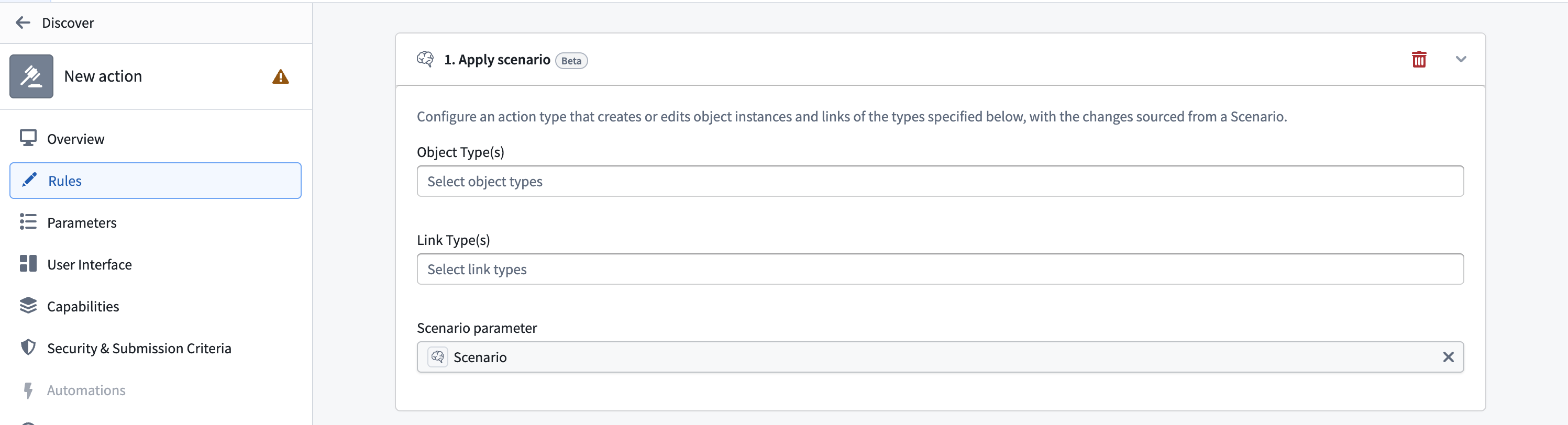
If you have an existing action that you want to use as a merge action, you can add an Apply Scenario rule to it from the Rules tab in the action configuration in Ontology Manager, rather than creating a new action type.