- Capabilities
- Getting started
- Architecture center
- Platform updates
Debug conflict errors
This page explains common causes of conflict errors and how to reduce conflict failures in your workflow.
Common causes
Another action edits the same object
An action can fail with Actions:ConcurrentModification or Actions:ObjectVersionChanged if another action changes the same object while it runs. In snapshot isolation mode, the platform rejects the edits to avoid overwriting the other action's changes. This applies even when the actions edit different properties.
Example: Imagine you have a Ticket object type with two properties: priority and assignee. You run two actions on the same ticket at the same time, both using snapshot isolation:
- Action A changes
priorityfromLowtoHigh. - Action B changes
assigneefromAlextoSam.
Action A commits first. Action B then fails its conflict check because the ticket has changed, even though Action A changed a different property.
To resolve these conflicts:
- Configure automatic retries for the action.
- Refactor your workflow to coordinate actions that edit the same objects.
- If you cannot make these changes, consider using read committed isolation mode.
The backing datasource updates
An action can fail with Actions:ObjectVersionChanged when the object type's backing datasource updates while the action is running. The conflict check tracks datasource updates for the whole object type. The action can fail even when the updated datasource rows do not correspond to the objects the action edits.
Example: An action using snapshot isolation tries to change ticket A's assignee. While it runs, a datasource update changes the priority of tickets B and C. The action editing ticket A can fail, even though ticket A's values have not changed.
To resolve these failures:
- Configure automatic retries for the action.
- Where possible, refactor your workflow to wait on datasource updates before running actions, or reduce how often the datasource updates.
- If you cannot make these changes, consider using read committed isolation mode.
The object database performs maintenance
The object database periodically performs maintenance to keep it running efficiently. This maintenance can run more frequently for object types that receive many edits. An action running during this maintenance can fail with Actions:ConcurrentObjectTypeModification or Actions:ObjectVersionChanged.
Maintenance can also affect object types that do not have a backing datasource.
Configure automatic retries for the action. A retry should succeed after maintenance finishes. If these failures persist after automatic retries, contact Palantir Support.
Configure automatic retries for the action
Enable retries on the action type
In Ontology Manager, open the action type's Capabilities tab and choose a setting under Retry mode on transient errors. The options are:
- Only actions without external calls (default): Retry only actions that do not call external systems.
- All actions: Retry all actions.
- Disabled: Return the first failure to the caller.
The platform classifies OSDK access as an external call, even for read-only requests. TypeScript v2 and Python function-backed actions that use the OSDK are therefore not retried by default. If these actions encounter conflict errors, consider selecting All actions.
Do not select All actions if the action makes external calls that might not be safe to repeat (idempotent). For example, retrying a webhook that calls another action to edit the Ontology can produce duplicate edits.
Learn more about retry behavior.
When retries are enabled, the platform tries to run the action up to five times. If conflicts persist, use the guidance for the common causes above. Adding more retries in Automate or an API client can increase delays and load on the system without resolving the cause.
Coordinate updates to the same objects
Identify every way your workflow edits the same objects, including actions submitted from Workshop, the OSDK, the Actions API, and Automate. Actions submitted through any of these clients can conflict with each other.
Find the error details
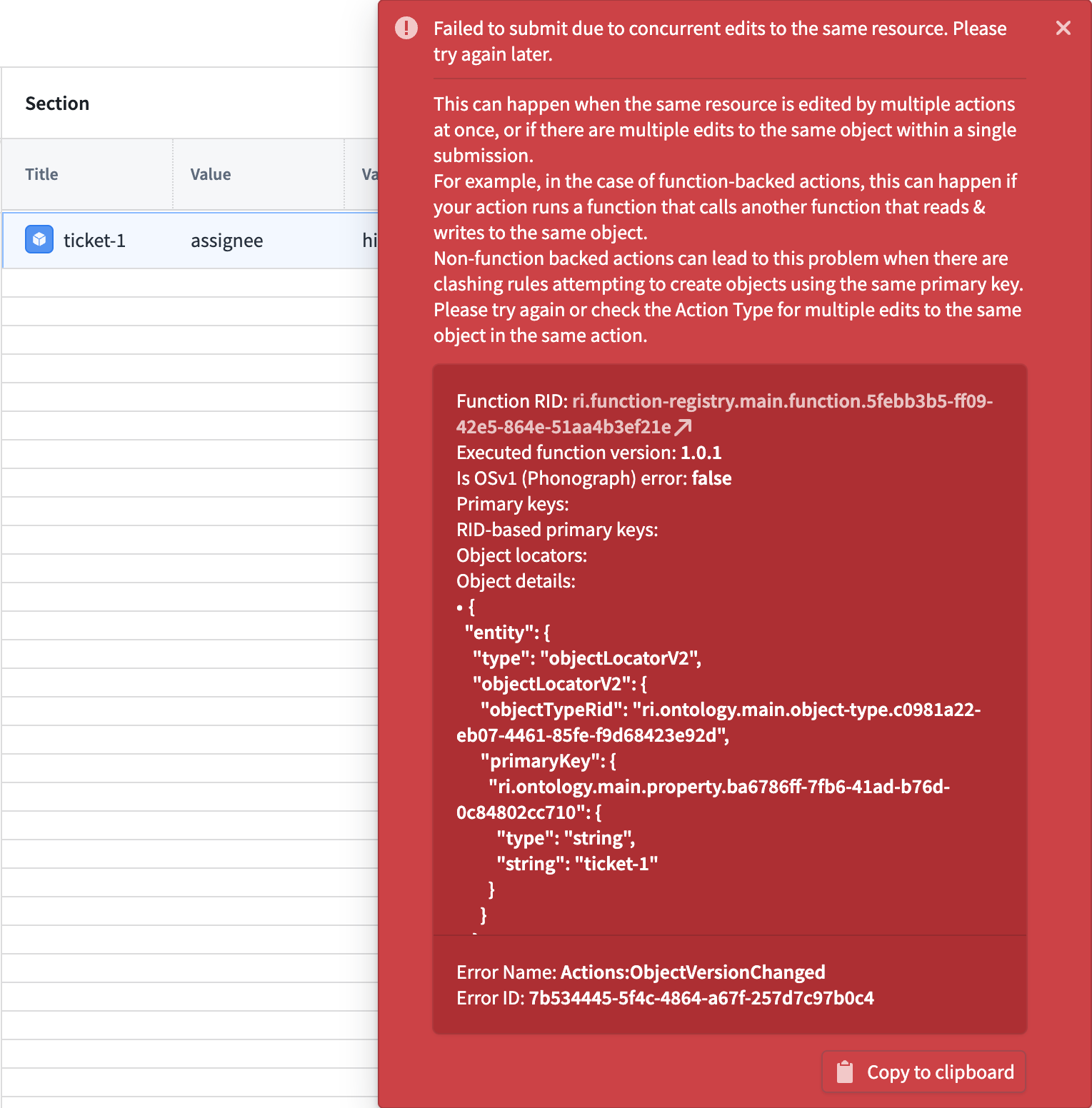
If you are using Workshop, review the error toast after the action fails. Error Name identifies the error, and Object details can help you find the affected objects.
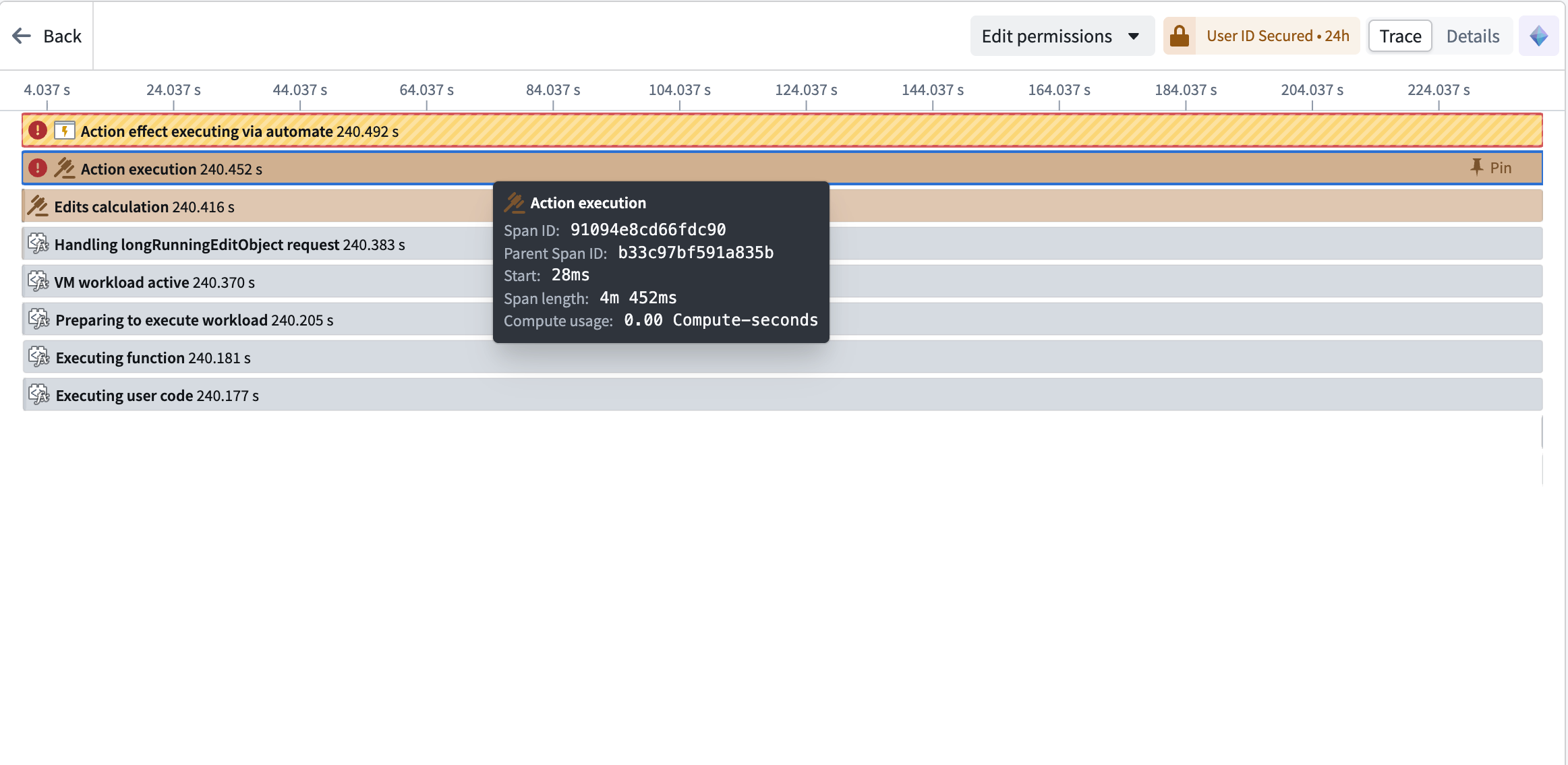
If you are using Automate, open the automation's History tab, select the failed event, and select the action effect to view its execution details. The trace marks the failed action execution.
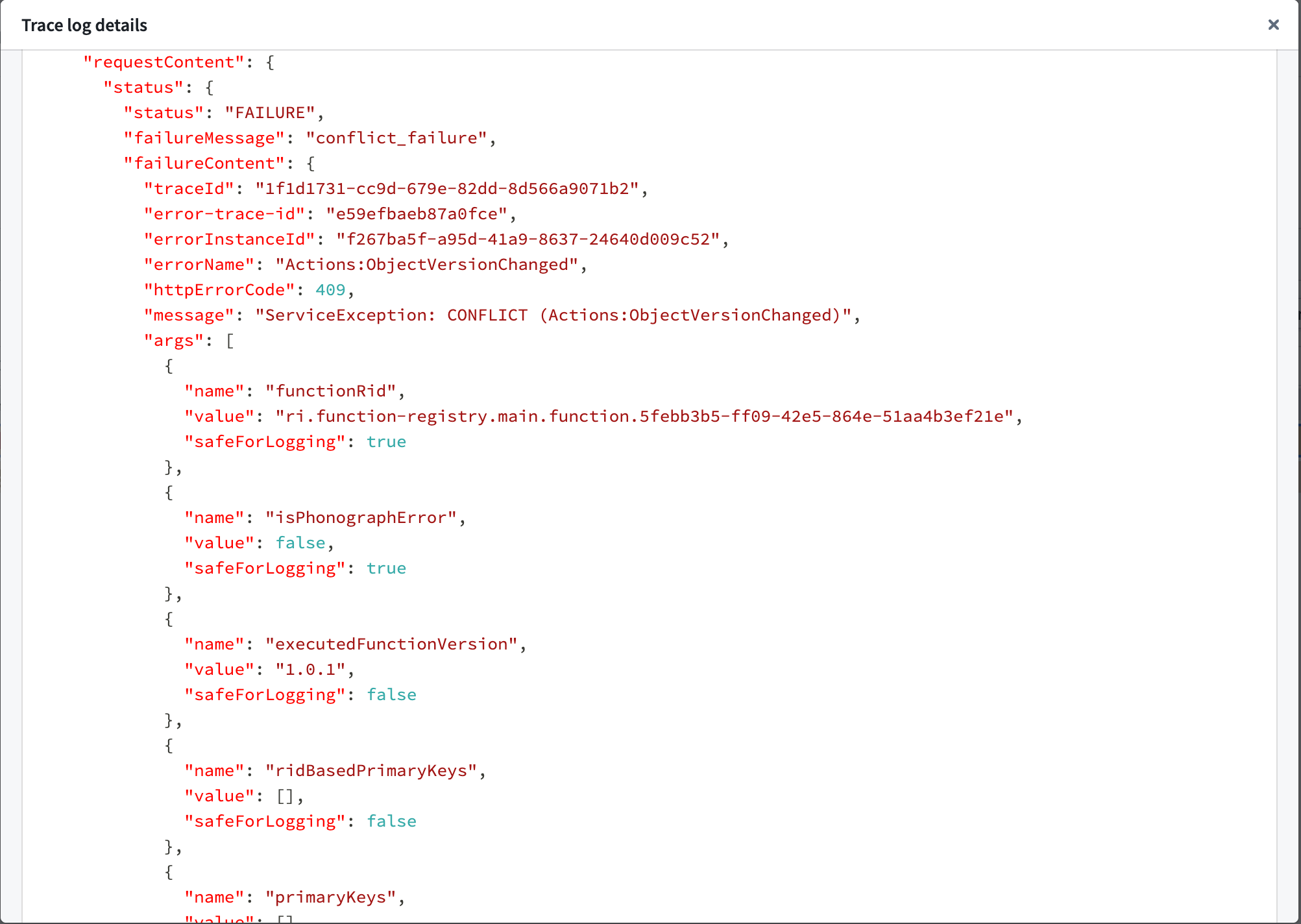
In the Details view, select the failure log entry's Content field to open its log details. This example shows Actions:ObjectVersionChanged with HTTP status 409.
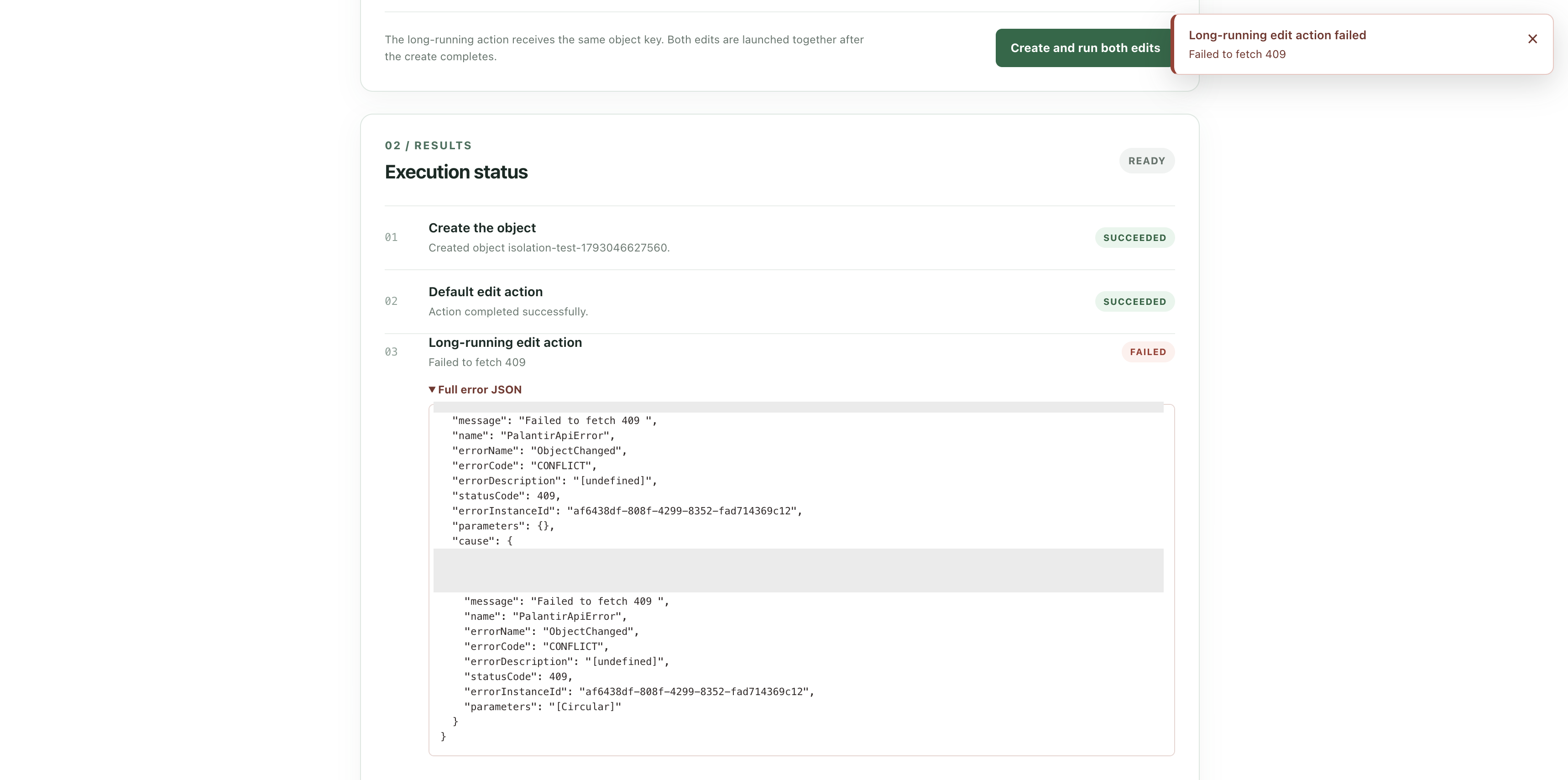
If you are building an OSDK application or calling the Actions API, inspect the error returned by the action request. In this example, the API returns ObjectChanged with error code CONFLICT and HTTP status 409.
Investigate conflict sources
Enable Track user edit history on the object type's Datasources tab in Ontology Manager. Use the Edit History widget in Workshop or an object view to find edits to the same object while the failed action was running. This helps identify the successful action execution that caused the conflict. Display all properties, since an edit to a different property can still cause a conflict.
Edit history records edits made after it is enabled and does not include backing datasource updates.
Run actions on the same object one at a time
If you are building an OSDK application or calling the Actions API directly, wait for each action that edits the same object to finish before submitting the next action.
If you are using Automate, choose the setting that matches where the actions overlap:
- Several effects in one event: Put each action in a separate effect and run the effects sequentially. Adding several actions under Configured Actions in one effect does not guarantee their order.
- Several events from one automation: On the Condition page, expand Advanced settings and enable Queue effect executions. Each event waits for the previous one to finish. Configure sequential effects as well if effects within an event edit the same objects.
- Two automations in one workflow: Configure an automation dependency to trigger the second automation after the first finishes.
Combine actions that update the same object
If several actions in your workflow edit the same object, consider combining them into one action. If the combined action needs to read its own edits, use staged writes.
For example, a project has three tasks with status set to Open. Your workflow runs one action per task to mark it Completed and update the project's completedTaskCount. All three actions share and edit the same project, so they can conflict.
Combine them into one staged-writes function-backed action that:
- Marks all three tasks
Completed. - Queries how many tasks in the project are complete.
- Sets the project's
completedTaskCountto the result of step 2. Because the action uses staged writes, the query includes the three tasks marked in step 1, so the count is3.
Avoid patterns that cause conflicts
Review your workflow for these patterns:
- Avoid running actions that edit the same object at the same time. They can conflict even when they change different properties or come from different applications. Run them one at a time or combine them into one action.
- Avoid running actions while their object type's backing datasource updates. Where possible, wait for those updates to finish before submitting actions, or reduce how often the datasource updates.