- Capabilities
- Getting started
- Architecture center
- Platform updates
SQL console
SQL console is in the beta phase of development and not all features may be available on your environment. Functionality may change during active development. Contact Palantir support to request access to Beta features.
SQL console provides an interface for writing and executing SQL queries in Foundry.
Using SQL console
You can access SQL console in the bottom panel of supported applications. The starter query is prepopulated based on your currently selected resource.
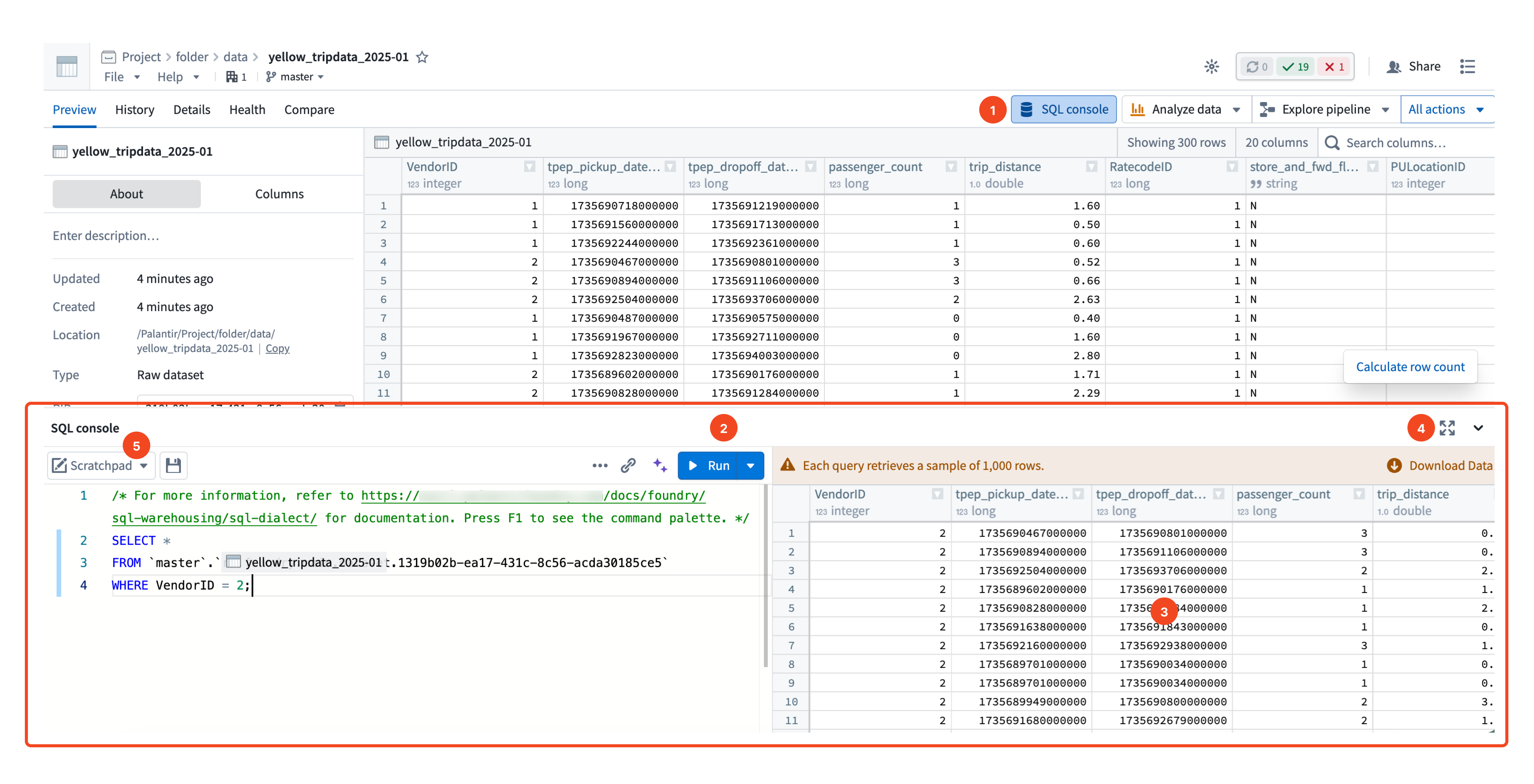
The SQL console interface includes the following controls:
- SQL console button: Open the SQL console panel.
- Run button: Execute the current query.
- Results panel: Displays the output of the executed query.
- Full-screen expand button: Expand the SQL console into full-screen view.
- Worksheet selector: Switch between the scratchpad and saved SQL worksheets.
Supported modes and applications
SQL console is available in the following modes and applications:
| Mode | Compute engine | Available in |
|---|---|---|
| Data mode: Query structured tabular data | Furnace Legacy Spark engine | Dataset Preview Data Lineage Ontology Manager |
| Object mode [Beta]: Query ontology object types | Ontology SQL | Ontology Manager |
Functionality
Core functionality
SQL console provides the following core functionality:
- Query tabular data (
SELECT). - Autocomplete dataset schema and column names.
- Search for other datasets within backticks (
) to perform efficientJOIN` queries. - Use editor-friendly features such as keyboard shortcuts to run a highlighted query.
- Output a preview table for results of the executed SQL query.
- Resize columns and the bottom panel to fit your preferences.
- Optionally expand the SQL console to full-screen view.
- Save SQL worksheet resources.
Beta functionality
Additionally, SQL console provides the following beta functionality, which can be enabled on request:
- Query Ontology object types in Ontology Manager.
- Create tables (
CREATE TABLE). - Modify Iceberg tables (
INSERT INTO,UPDATE,DELETE).
Full-screen view
You can optionally expand SQL console into a full-screen view by selecting the expand button. This provides a full-screen SQL editor, and includes a catalog browser for the project location from which you launched the console.
SQL worksheets
You can work in Scratchpad mode for temporary, session-only queries, or save your work as a SQL worksheet. SQL worksheets can be saved as a private resource accessible only from SQL console, or saved in a project to be shared with other users in that project.
Object mode [Beta]
To access SQL console in object mode, navigate to an object type in Ontology Manager. When viewing an object type, you can find the option to open SQL console in the bottom toolbar.
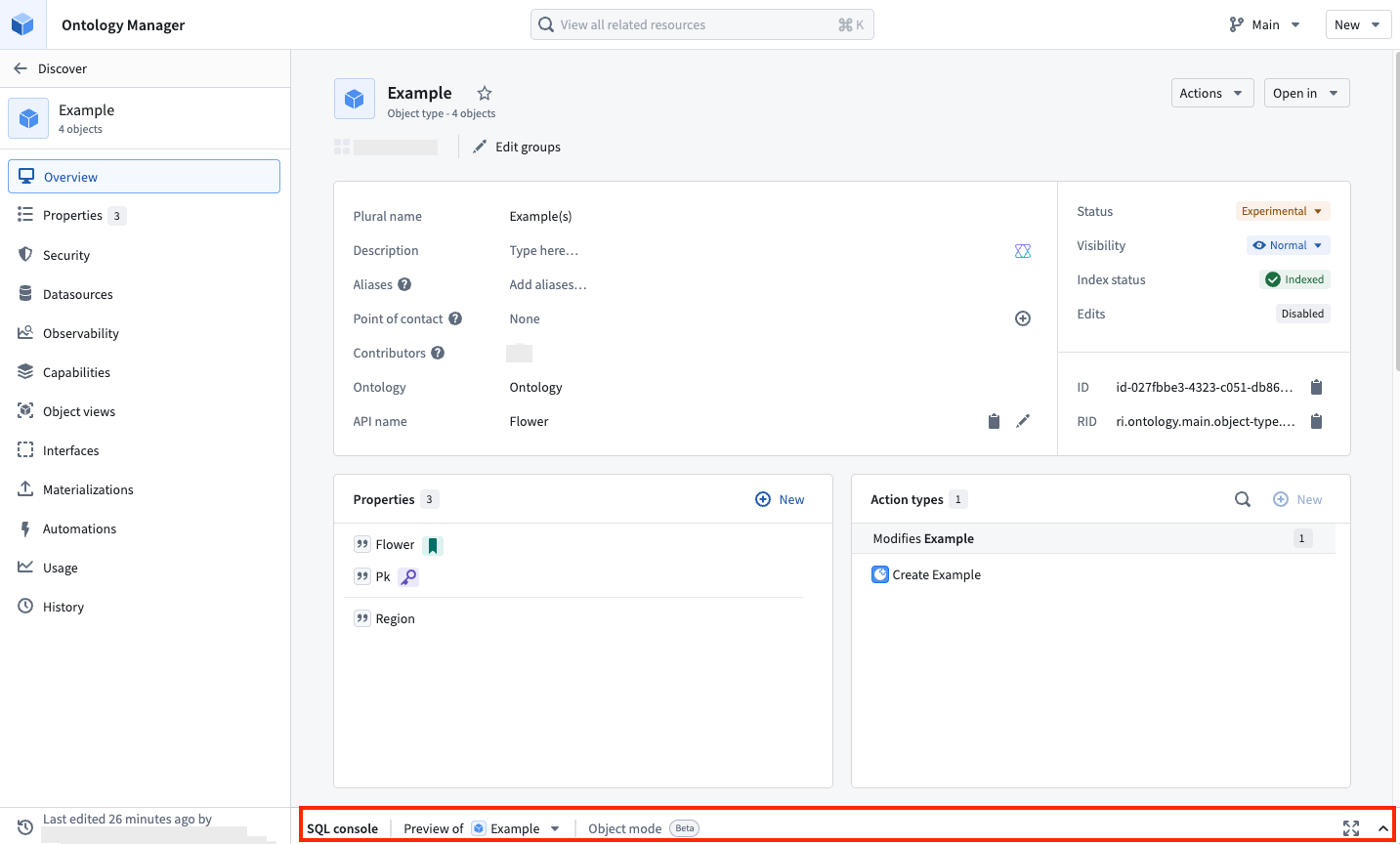
Similar to data mode, after opening SQL console, you can create and run queries. Note that SQL console in object mode will use a tabular format for outputs.
When accessing the SQL console in Ontology Manager, you can select between object mode and data mode. The object type's backing and materialized dataset is suggested in the dropdown menu.

You can write any supported SQL query following the supported Spark SQL dialect. In Spark SQL, identifiers such as table names should be quoted using backticks ( ` ) rather than single or double quotes. You can also leverage auto-complete features, such as searching for dataset names or column names using backticks.
SQL console roles and permissions
In order to use SQL console in data mode, you must have access to at least one of the following roles:
| Role | Permissions |
|---|---|
Preview datasets using SQL | Allows previewing data using SQL, with a limit of 1000 rows. |
Query datasets using SQL | Allows querying data using SQL, without a limit. |
If your organization has set up custom roles or download controls, Query datasets using SQL may have been restricted. Enable Preview datasets using SQL to allow previewing data while restricting full table downloads.