- Capabilities
- Getting started
- Architecture center
- Platform updates
Listener subdomains
Listeners can be mounted to dedicated subdomains allowing for granular ingress control, comprehensive governance workflows, and isolation of less secure endpoints from the environment's primary enrollment domains. All requests to the mounted listeners will then be required to be made over that subdomain.
Listeners can only be mounted to a single subdomain, but a subdomain may be shared by many mounted listeners.
Subdomains for listeners are not available self-service in every Foundry enrollment. For use in FedRAMP and on-prem enrollments, contact Palantir Support.
Creating a listener subdomain
Before mounting a listener to a subdomain, you need to create the subdomain in Control Panel.
Navigate to Control Panel > Domains & certificates, find the domain that you would like to create a new subdomain for, and select Request a listener subdomain. Once requested, the new subdomain will need to be approved by a user with the Information Security Officer role for the enrollment.
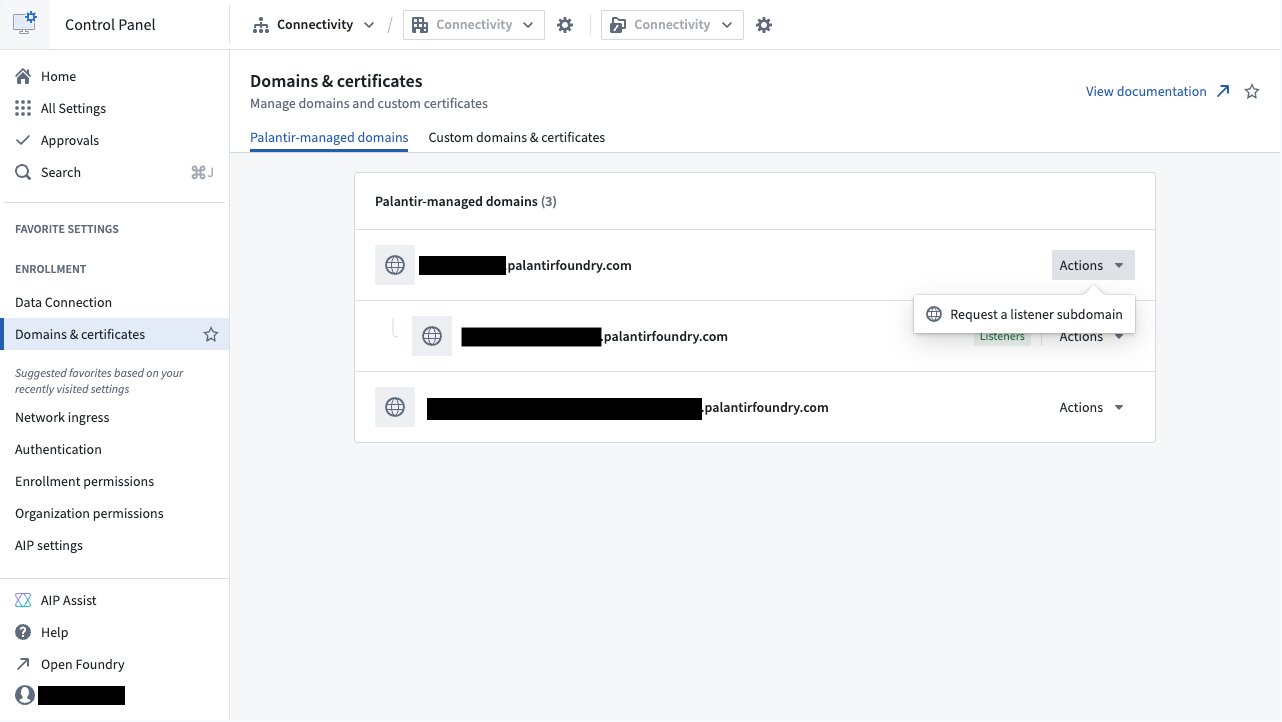
There is a limit of three listener subdomains per enrollment. Contact Palantir support if more are needed.
Ingress allowlisting
Listener subdomains can be configured in one of two modes: custom ingress or inherited ingress.
Custom ingress
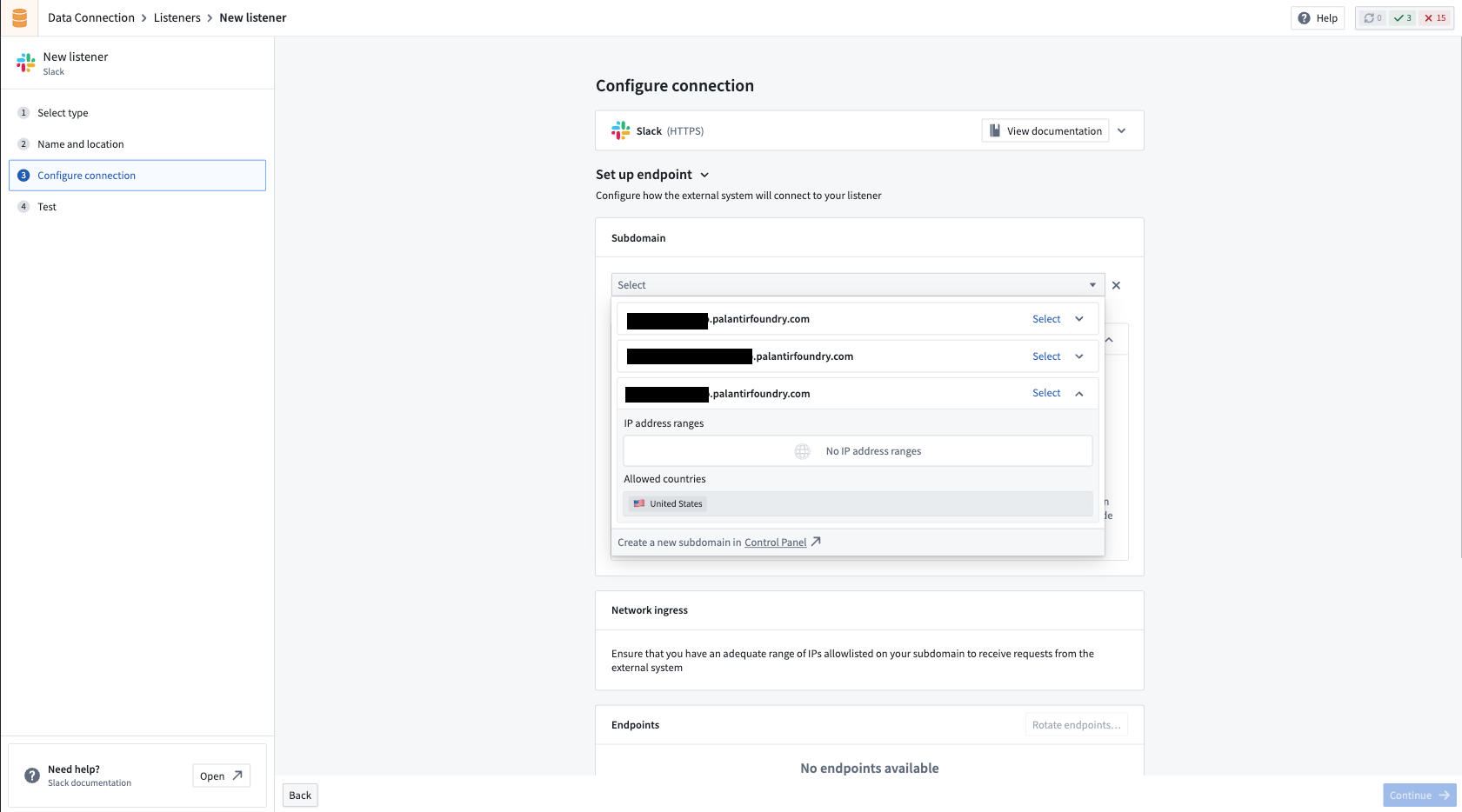
A subdomain with custom ingress will have a separate ingress configuration from its parent domain. For example, your enrollment may allow ingress from only your corporate IP addresses. However, listener subdomains can be configured to allow ingress from entire countries or specific IP ranges that you otherwise do not want to allow to access the rest of your enrollment.
Configuring appropriately sized ingress allowlists for specific use cases enables you to reduce risk, particularly in instances where listeners are using nonstandard authentication or authorization protocols.
Some example scenarios of ingress configurations for listener subdomains might include:
- Adding country-wide ingress in the regions that the external system is hosted in when they do not publish any specific list of IP addresses, or if their published list changes frequently.
- Configuring a small IP range (smaller than the primary enrollment ingress allow list) to allow requests to a listener with only basic authorization or header secret verification available.
Once the subdomain is created, you can manage ingress in Control Panel > Network ingress. Learn more about ingress configuration.
Inherited ingress
In some situations, the ingress allowlist configured for the primary domain is sufficient for usage with listeners. In these cases, you can create subdomains to inherit the ingress allowlist configuration from the parent domain. Any changes to the ingress configuration of the parent domain will be reflected automatically by the subdomain.
Once created, the subdomain cannot be reconfigured with custom ingress.
Using a listener subdomain
- Navigate to the Listeners tab in Data Connection and select a listener.
- In the Configure connection step of the listener settings wizard, select a listener subdomain.
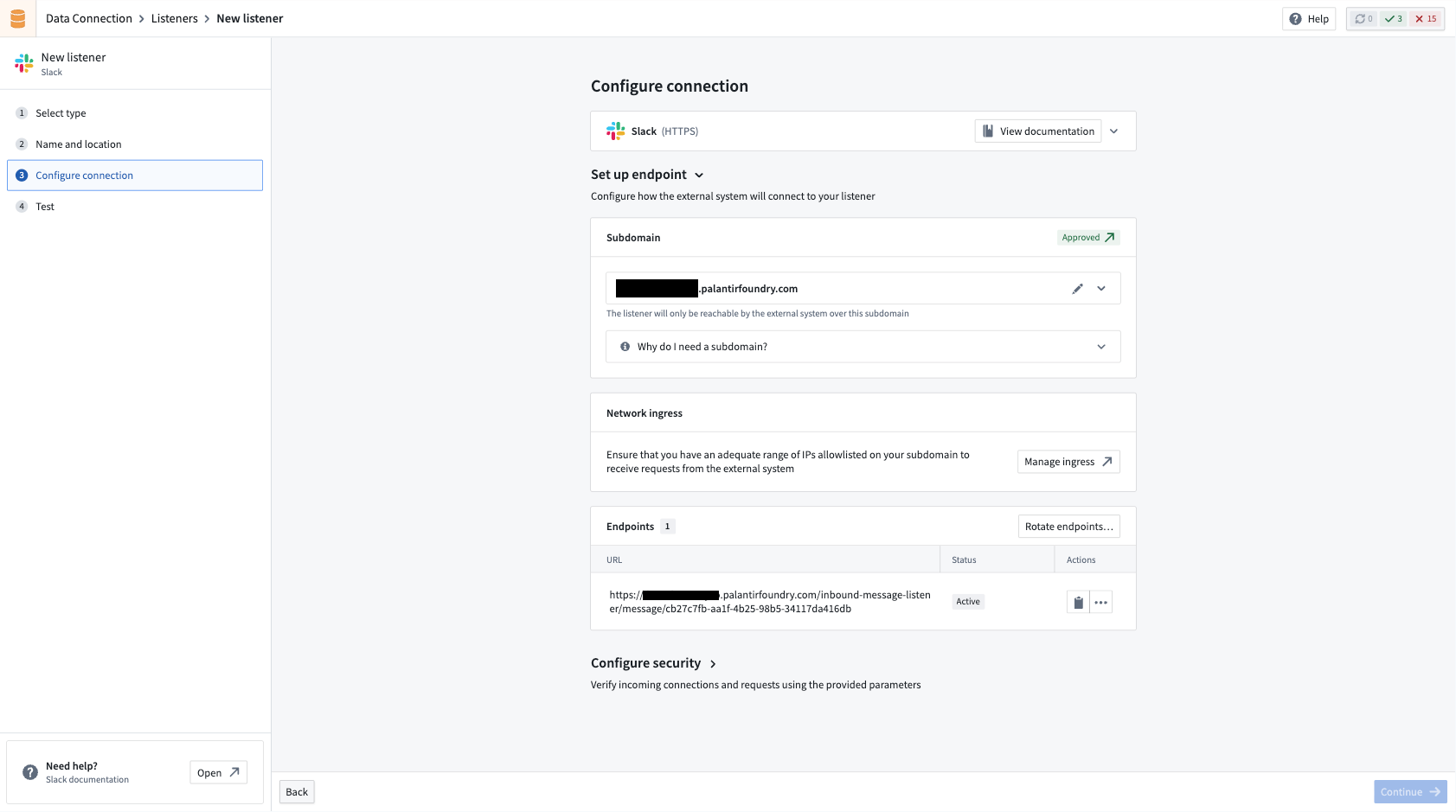
- After requesting a subdomain for your listener, an Approvals request will be created, which an administrator will need to approve before the listener becomes accessible.
When the mount is approved, the listener will be able to process requests over the given endpoints (after the listener is started, if it is not already running).
Changing the subdomain for a listener
If you need to change the subdomain that a listener is using, you can select a new one from the Configure connection step. This is a destructive action that will cause downtime if the listener is being actively used.
The listener will immediately stop processing requests over the old subdomain, and will not be able to process any further requests until the new subdomain mount is approved. At that point, any usages of the old endpoints will need to be swapped over to the endpoints with the new subdomain.
Migration to subdomains
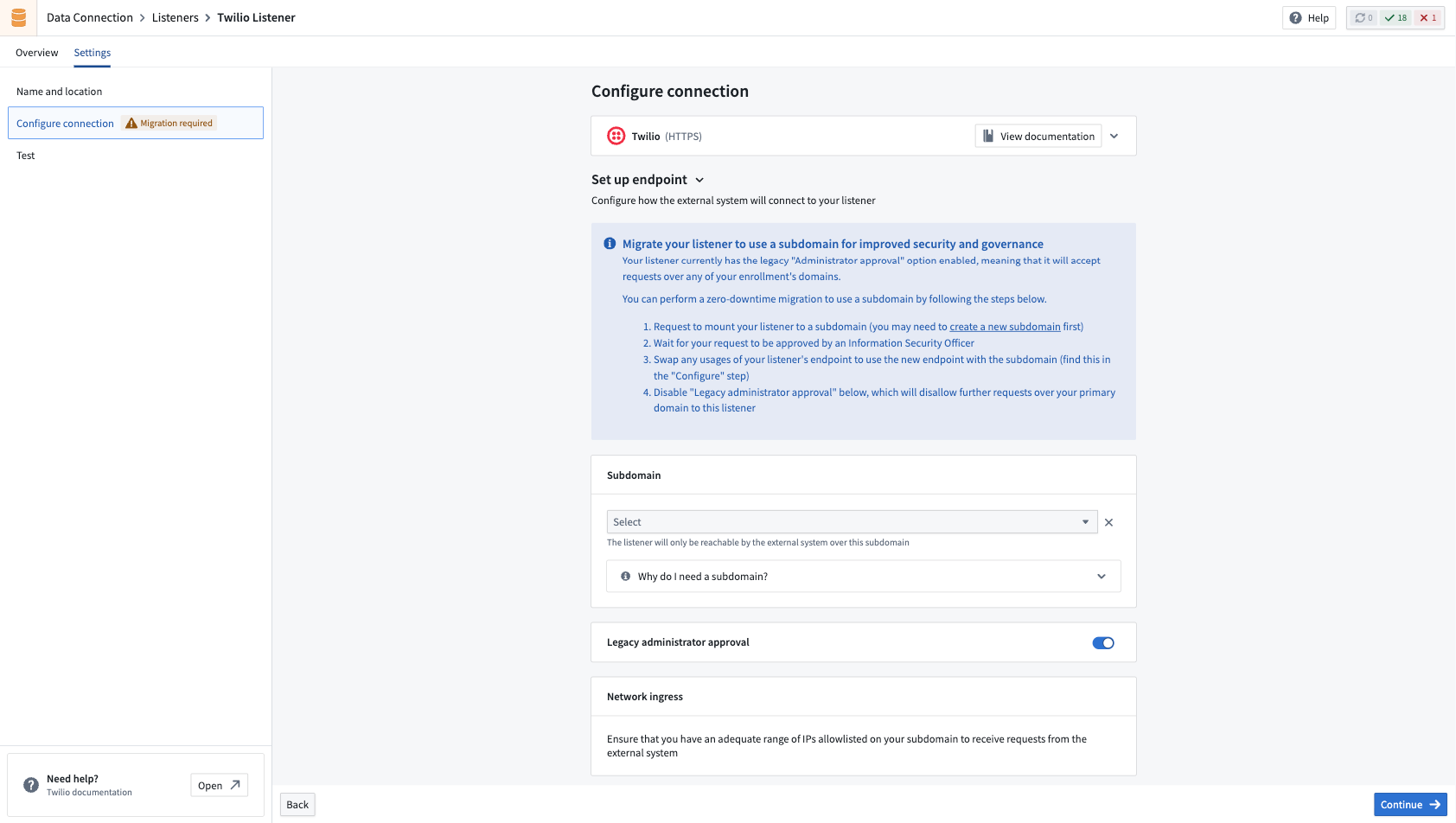
For listeners created before subdomains were available in an enrollment, a zero-downtime migration path is available. After creating a new listener subdomain, navigate to the Configure connection step of the listener settings wizard and follow the provided instructions.
All product names, logos, and brands mentioned are trademarks of their respective owners. All company, product, and service names used in this document are for identification purposes only.