- Capabilities
- Getting started
- Architecture center
- Platform updates
Language models in TypeScript v2 and Python functions
To use Palantir-provided language models, AIP must be enabled on your enrollment. You must also have permissions to use AIP builder capabilities.
Palantir provides a set of language models that can be used within functions. Learn more about Palantir-provided LLMs.
Import a language model
To begin using a language model, you must import the specific model into your functions code repository by following the steps below:
- Open the Platform SDK tab in the Resource imports panel.
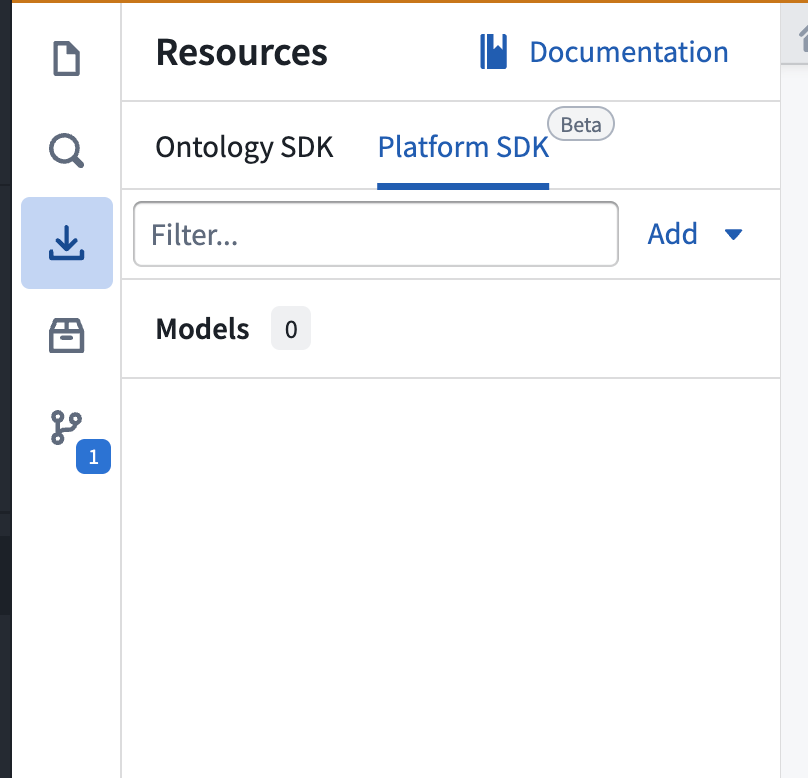
- To import a new language model, select Add > Models in the upper right corner. A window will open in which you can view available Palantir-provided and registered models.
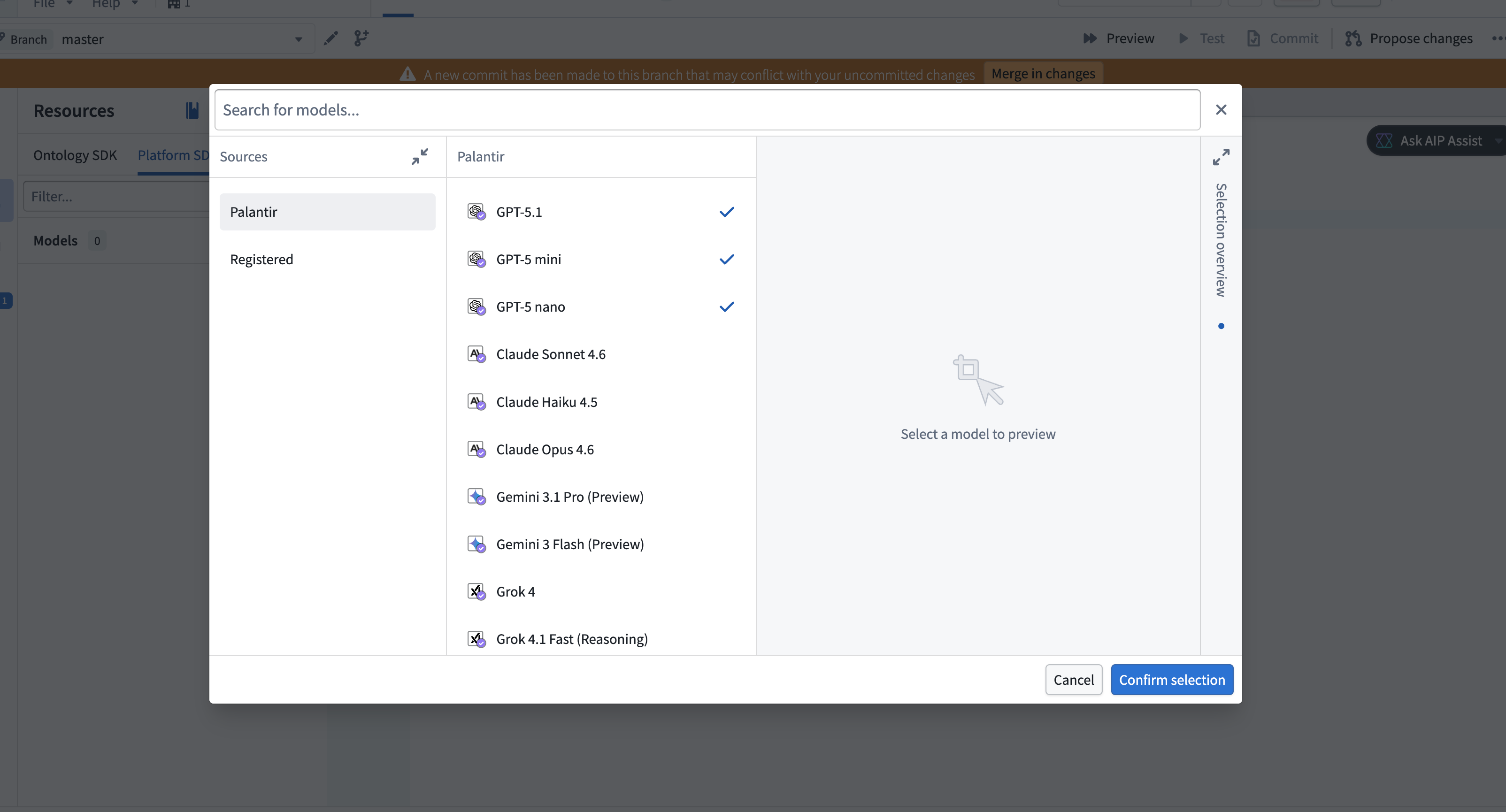
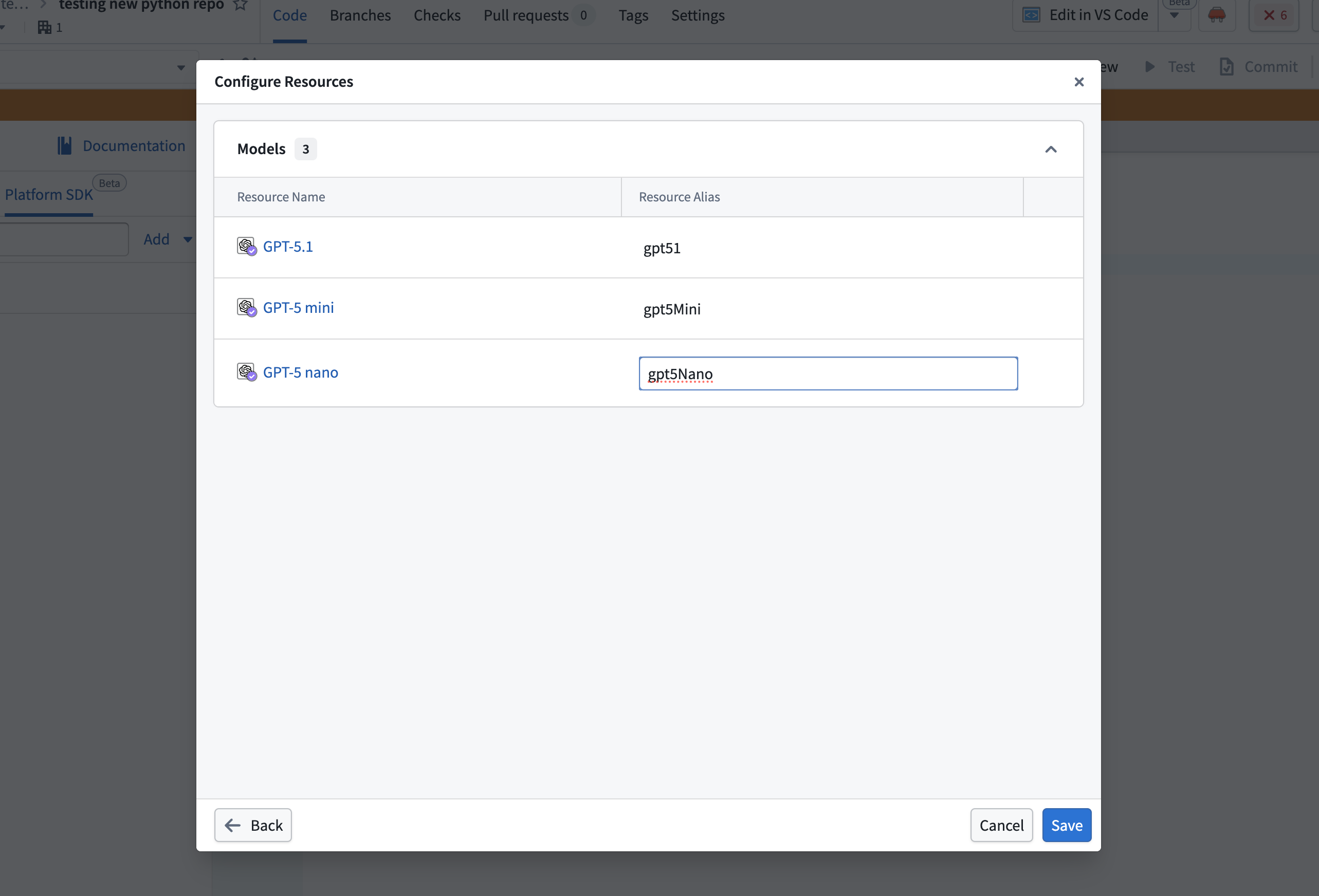
- Select the models to import, then choose Confirm selection. A configuration dialog will open in which you can configure aliases for each selected model. Select the pen icon near the alias to make edits, or choose to keep the defaults.
Each model must have an alias, and the alias must be unique within the repository.
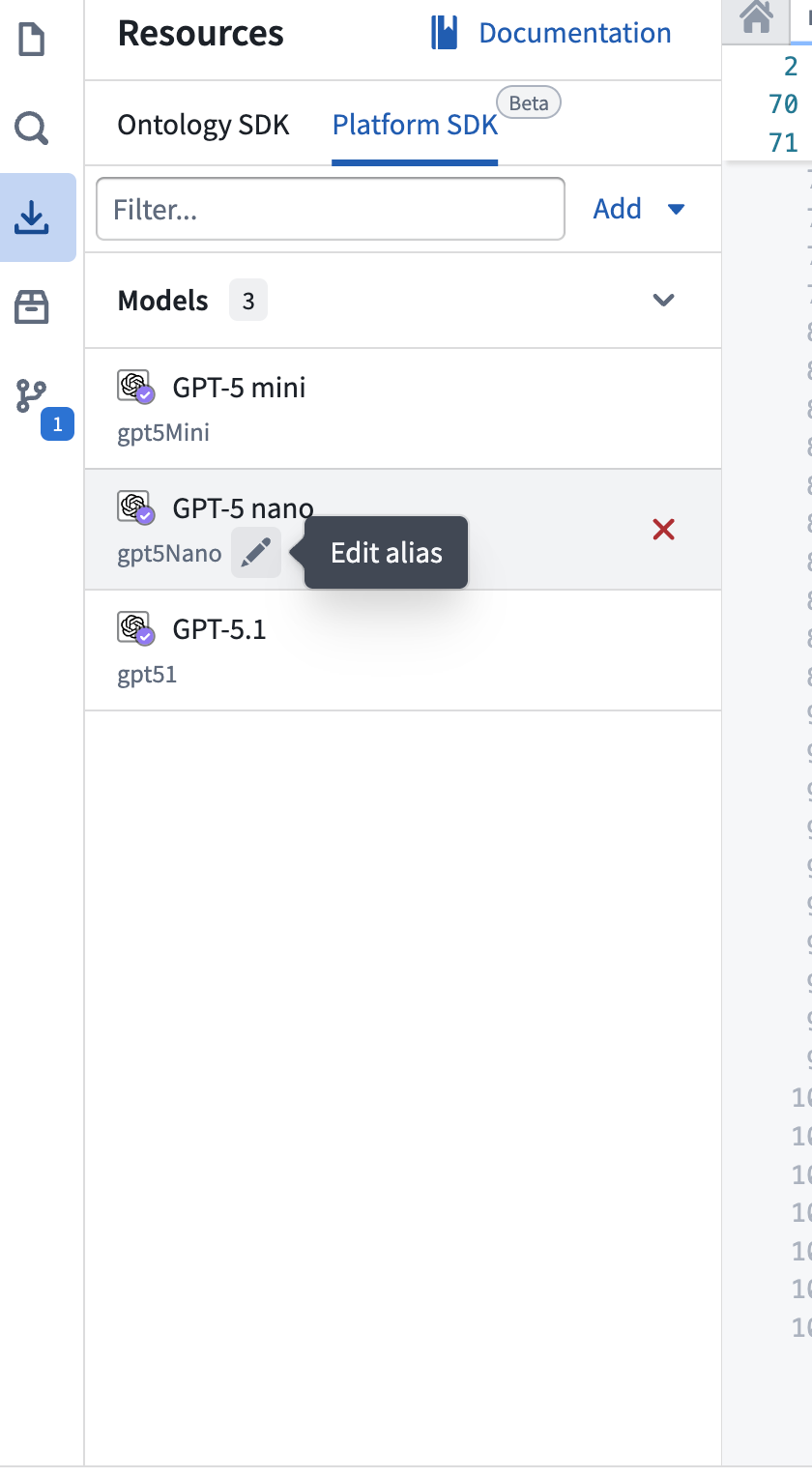
- The imported models will appear in the Platform SDK tab in the Resource imports side panel. You can edit any alias inline by selecting the pen icon next to the alias.
Write a function that uses a language model
Language models in TypeScript v2 and Python functions use proxy endpoints to interact with models. The following example uses the OpenAI responses proxy endpoint. You can select other providers from the documentation side panel.
To use an imported language model in your function, begin by importing the necessary utilities:
Copied!1 2 3 4import { PlatformClient } from "@osdk/client"; import OpenAI from "openai"; import { Aliases } from "@osdk/functions"; import { getFoundryToken, getOpenAiBaseUrl, createFetch } from "@osdk/language-models";
Copied!1 2 3 4 5 6 7 8from openai import OpenAI from functions.api import function from functions.aliases import model from foundry_sdk.v2.language_models import ( get_openai_base_url, get_foundry_token, get_http_client, )
Directly call the model using the model aliases you configured along with the imported utilities. This approach is simpler than the TypeScript v1 workflow and reduces the need to hardcode resource identifiers.
Copied!1 2 3 4 5 6 7 8 9 10 11 12 13 14 15 16 17 18export default async function callOpenAi(client: PlatformClient, prompt: string): Promise<string> { const oaiClient = new OpenAI({ apiKey: await getFoundryToken(client), baseURL: getOpenAiBaseUrl(client), fetch: createFetch(client), }); const completion = await oaiClient.chat.completions.create({ model: Aliases.model("{MY_ALIAS}").rid, messages: [ { role: 'user', content: prompt }, ], reasoning_effort: "minimal", max_completion_tokens: 200, }); return completion.choices[0]?.message.content ?? ""; }
Copied!1 2 3 4 5 6 7 8 9 10 11 12 13 14 15 16 17 18 19@function def get_chat_completion(prompt: str) -> str: client = OpenAI( api_key=get_foundry_token(preview=True), base_url=get_openai_base_url(preview=True), http_client=get_http_client(preview=True), ) completion = client.chat.completions.create( model=model("{MY_ALIAS}").rid, messages=[ { "role": "user", "content": prompt, }, ], ) return str(completion.choices[0].message.content)