- Capabilities
- Getting started
- Architecture center
- Platform updates
Object and property security policies
Object and property security policies are being rolled out across Foundry enrollments. Contact Palantir Support to request access to this feature on your enrollment.
Object security policies allow you to configure view permissions on an object instance by configuring security policies on the object type, independently of the permissions on the backing data source. These are used to achieve row-level security.
The visibility of specific properties can be guarded using additional property security policies. These are identical to object security policies, except they only apply to a selection of properties. These are used to achieve column-level security.
By default, object security policies are applied to all properties. When a property security policy includes a property, the user must pass both the object security policy and the property security policy to view the property value. The combination of object and property security policies is used to achieve cell-level security. If a user does not pass the object security policy, the object instance will not be viewable to that user. If they pass the object security policy but do not pass the property security policy, they will see a null value in place of the property value.
Configure object and property security policies
Access to an object instance and its properties is determined by the following conditions:
Vieweraccess to the object type.- Passing a granular policy, if configured.
- Passing any marking, organization, or classification checks.
When an object or property security policy is configured, users do not need Viewer permissions to the object type's backing data sources to view object instances.
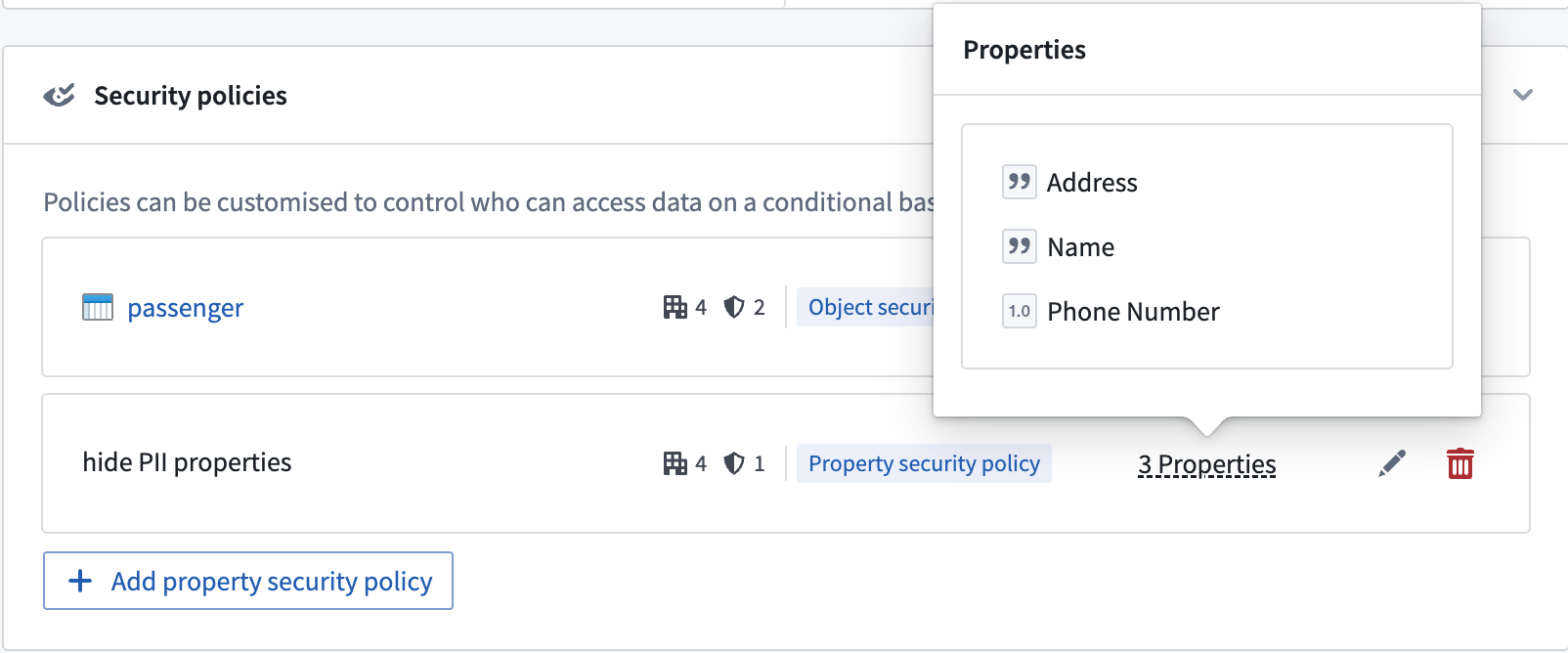
Consider an example where a Passenger object type has the properties User ID, Flight Number, Seat Assignment, Name, Address, and Phone Number. Some passengers are VIPs, whose information can only be seen by users who have access to a VIP marking. Additionally, some properties, such as Name, Address, and Phone Number, should be visible only to users who have the PII marking, and are authorized to view personally identifiable information. Since the backing dataset consists of sensitive data, it should be marked with PII and VIP. However, users without sensitive markings should still be able to access a passenger’s flight details.
The following steps can be taken to secure the Passenger object type using object security policies.
- Navigate to the Security tab of the object type.

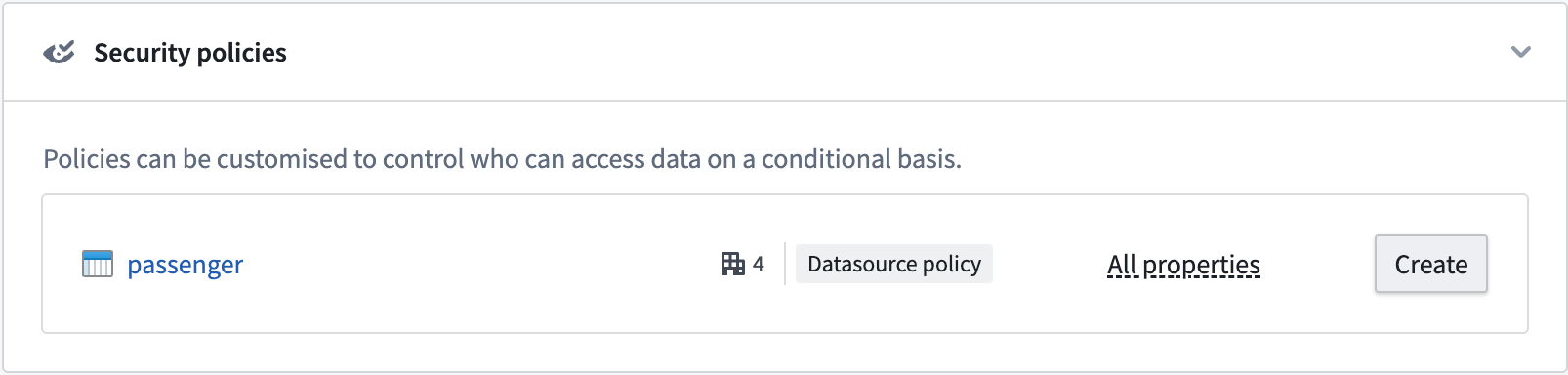
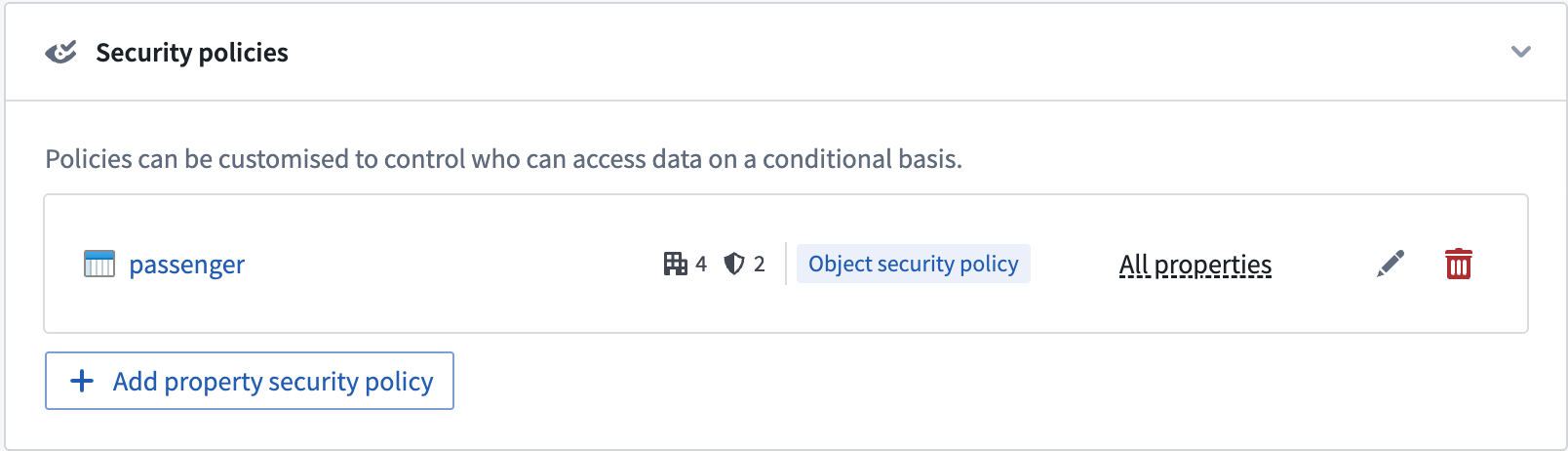
- Select Create under the Security policies section to override data source policies with object security policies.
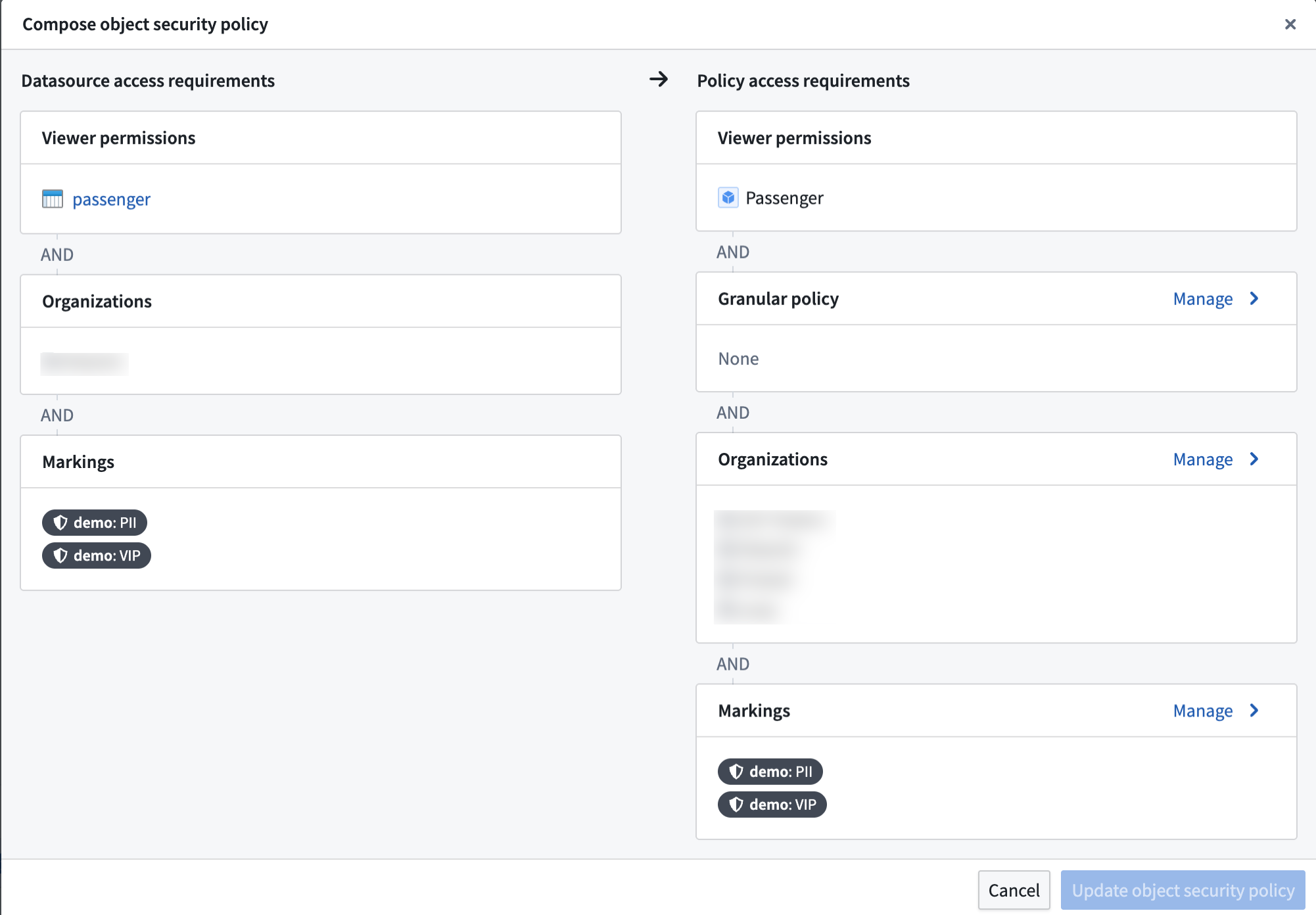
- Create the object security policy that edits view permissions for object instances. You have the option to add a granular policy and edit the organization and markings.
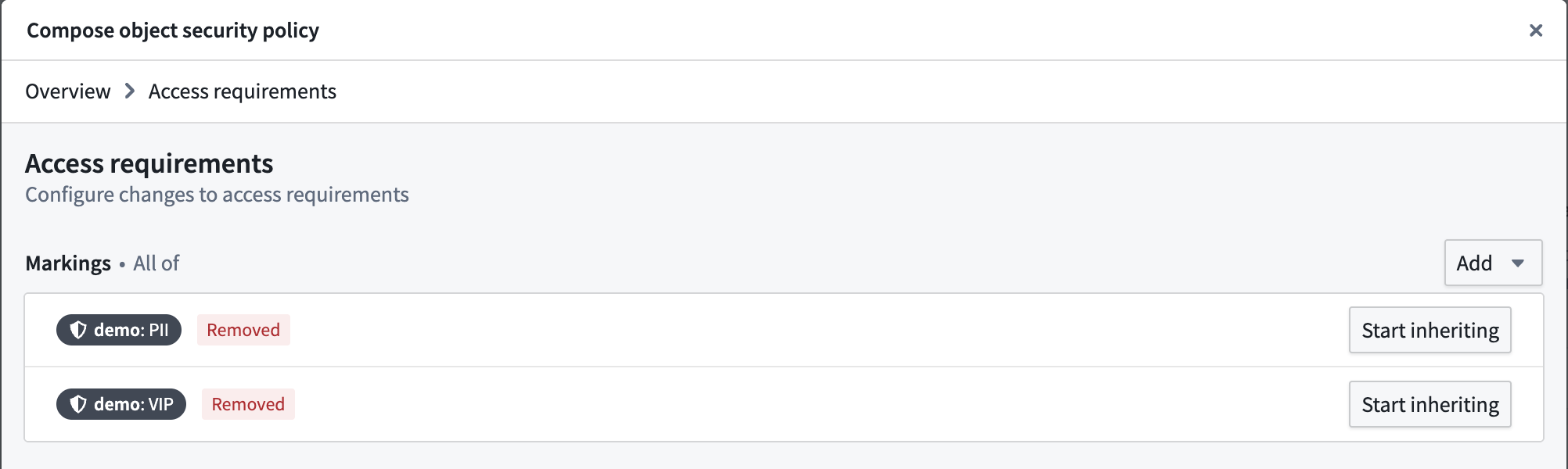
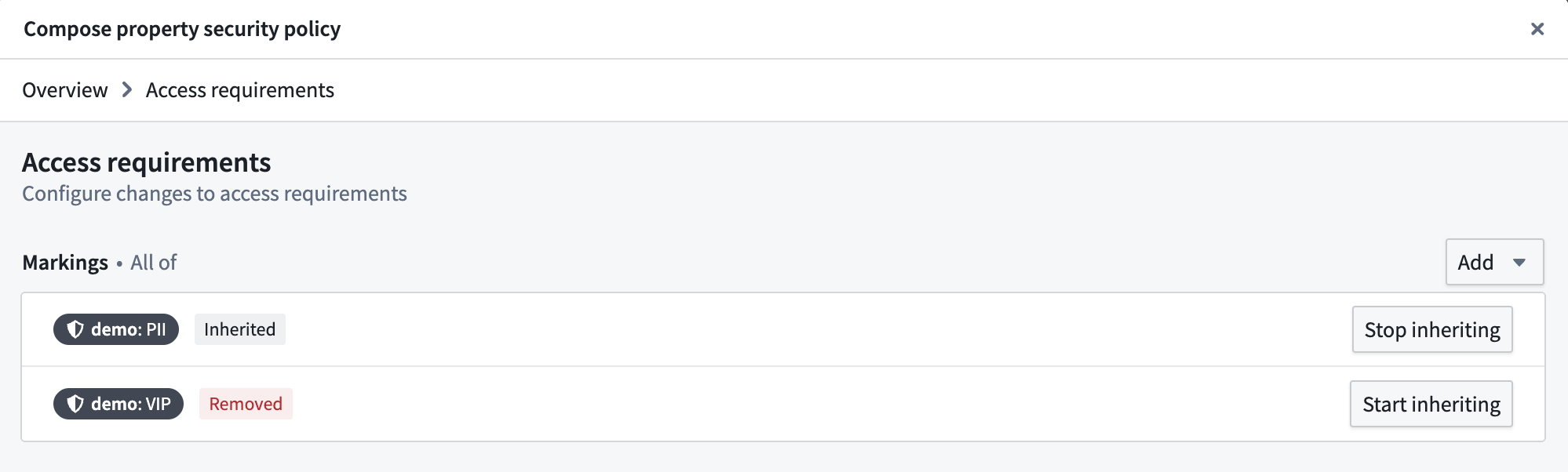
- In the Markings configuration, stop inheriting the
PIIandVIPmarkings so that users without those markings can see object instances.
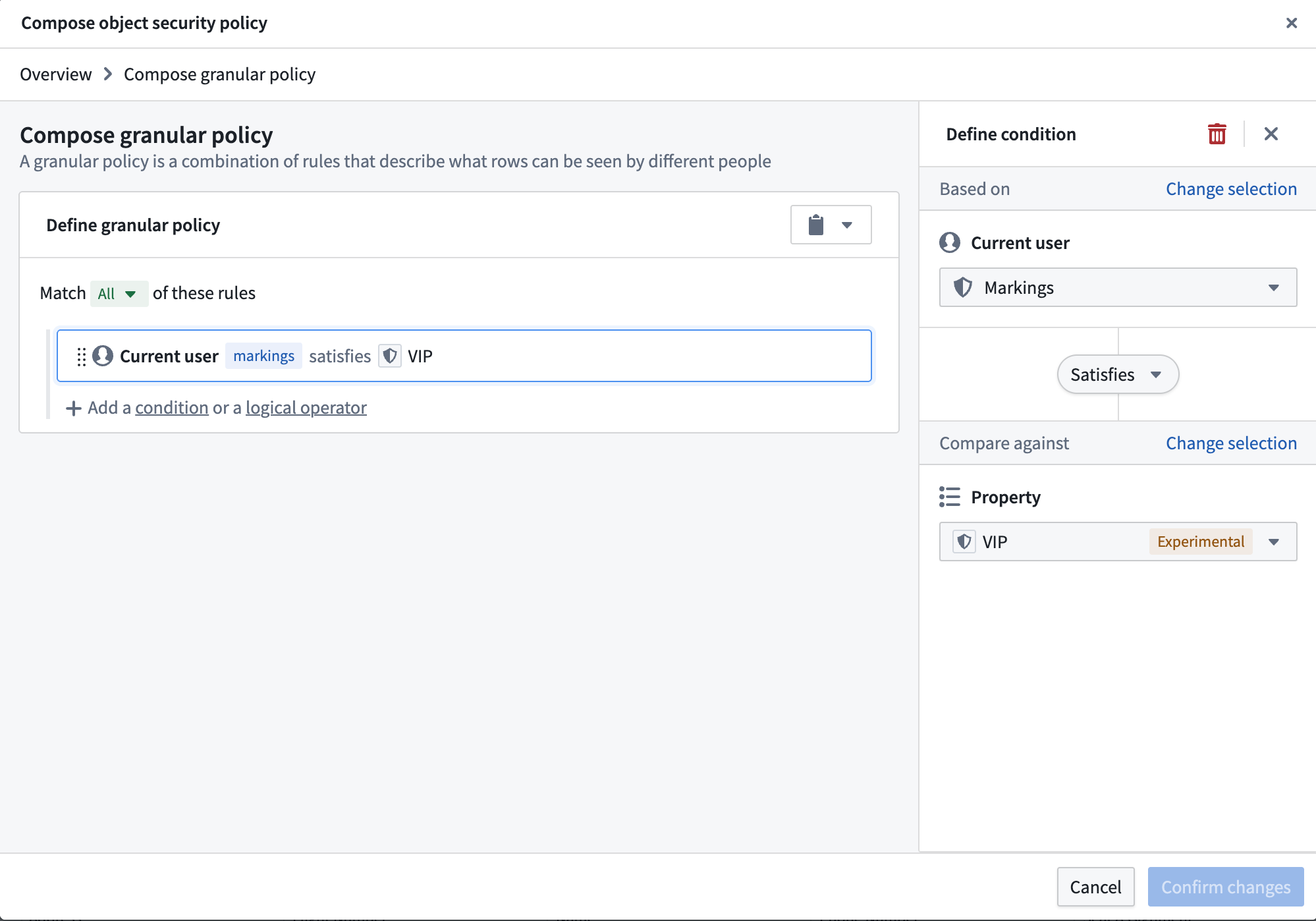
- Add a Granular policy to limit access to VIPs. The
VIPmarking is added as a mandatory control property. Every row has a set of markings in the mandatory control property that need to be satisfied by a user to access that object instance.
- This creates the object security policy. Now, we need to secure the
PIIproperties with thePIImarking. We can do this by adding a property security policy.
- Select the properties that need to be secured and give the policy a name. Then, add the
PIImarking in the Manage markings setting. The configuration settings for property security policies are identical to object security policies.

Select Manage markings for the property security policy and add thePIImarking.
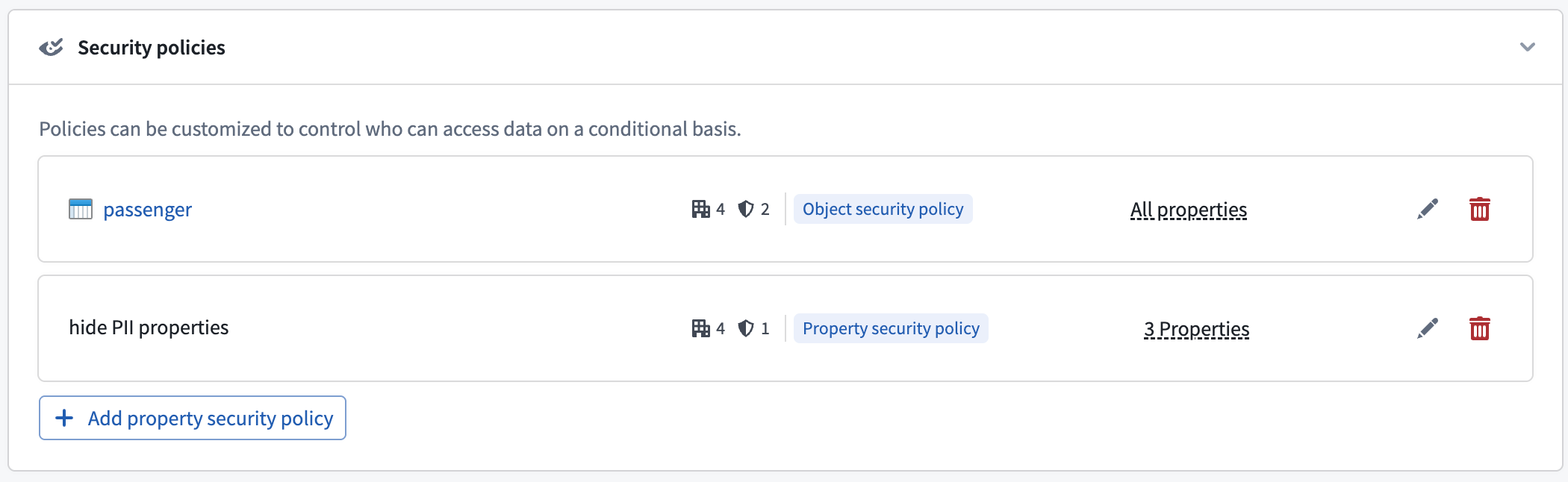
- This will create the property security policy. The properties included in the policy are now secured by the object security policy and the new property security policy. Properties not included in any property security policy will still be secured by the object security policy.
Property security policy restrictions
The following restrictions apply when configuring one or more property security policies:
- An object security policy must already be configured.
- The primary key property cannot be a member of any property security policy.
- A non-primary key property can be a member of at most one property security policy.
Configure access to object types
Access to object types can be configured in the ontology metadata permissions. The user needs to be able to view the object type definition and instances.
Configure a granular policy
Learn more about configuring granular policies for row-level security.
Configure mandatory controls
By default, an object security policy will inherit all mandatory controls from its data sources. These include markings, organizations, and classifications.
The object security policy can then be further customized to add new mandatory controls and remove inherited mandatory controls that are no longer necessary.
Materializations with object security policies
Object security policies also determine the permissions for viewing materialized data in the object type.
Currently, object types with object security policies can only be materialized to Foundry datasets. The most restrictive permissions are applied to materialized data. This includes the following:
- All markings from the backing data sources.
- Additional markings applied on object or property security policies.
- Markings from all mandatory controls properties used in the granular policies of all object and property security policies.
Transactions on materialized datasets are secured by the security policies generated at the time of the materialized dataset build. When users add or remove a marking in their object or property security policies, the marking will only be reflected in the transactions committed at the time that the marking is present. Transactions are committed when the materialization is scheduled to build, which is configured by the user. After adding a marking to an object or property security policy, make sure to do the following:
- Build the materialization dataset if the markings need to propagate to the materialization dataset immediately.
- Mark the materialization or backing dataset with the marking to secure all historical transactions on the materialization dataset.