- Capabilities
- Getting started
- Architecture center
- Platform updates
Prepare for your first deployment
SuperRepo is in the beta phase of development and may not be available on your enrollment. Functionality may change during active development.
SuperRepo deployment is built on Foundry Marketplace. Your SuperRepo compiles into a native Marketplace product, which you install on an enrollment with the Foundry CLI.
You can deploy from anywhere, depending on where your SuperRepo source lives: from the Palantir platform through Foundry CI (Jemma), from your own machine, or from any CI system.
Step 1: Configure your deployment
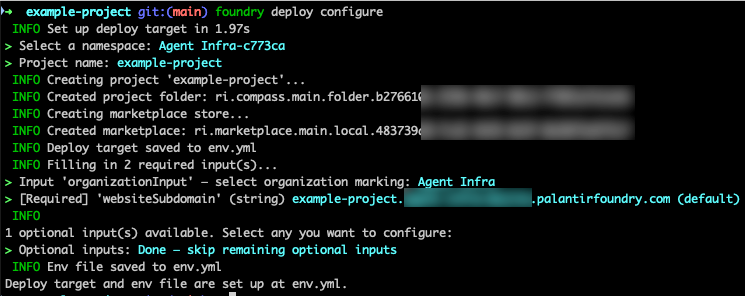
Configure your deployment target and map required inputs, such as the target namespace, Project, and website domain.
Run foundry deploy configure from your SuperRepo root. It walks you through the configuration interactively.
When it completes, it writes env.yml to your repository root. This file holds your deployment configuration and is reused by every subsequent deployment.
Commit env.yml to your repository. Foundry CI reads it when you deploy by tag, as described in Deploy from the Palantir platform.
To change any input later, run foundry deploy configure again.
Step 2: Deploy
Once you have successfully configured your deployment and you have your env.yml file, you can deploy your product to your Foundry enrollment.
Deploy from the Palantir platform
If your source is hosted inside the Palantir platform, tag your SuperRepo repository and Foundry CI handles the rest.
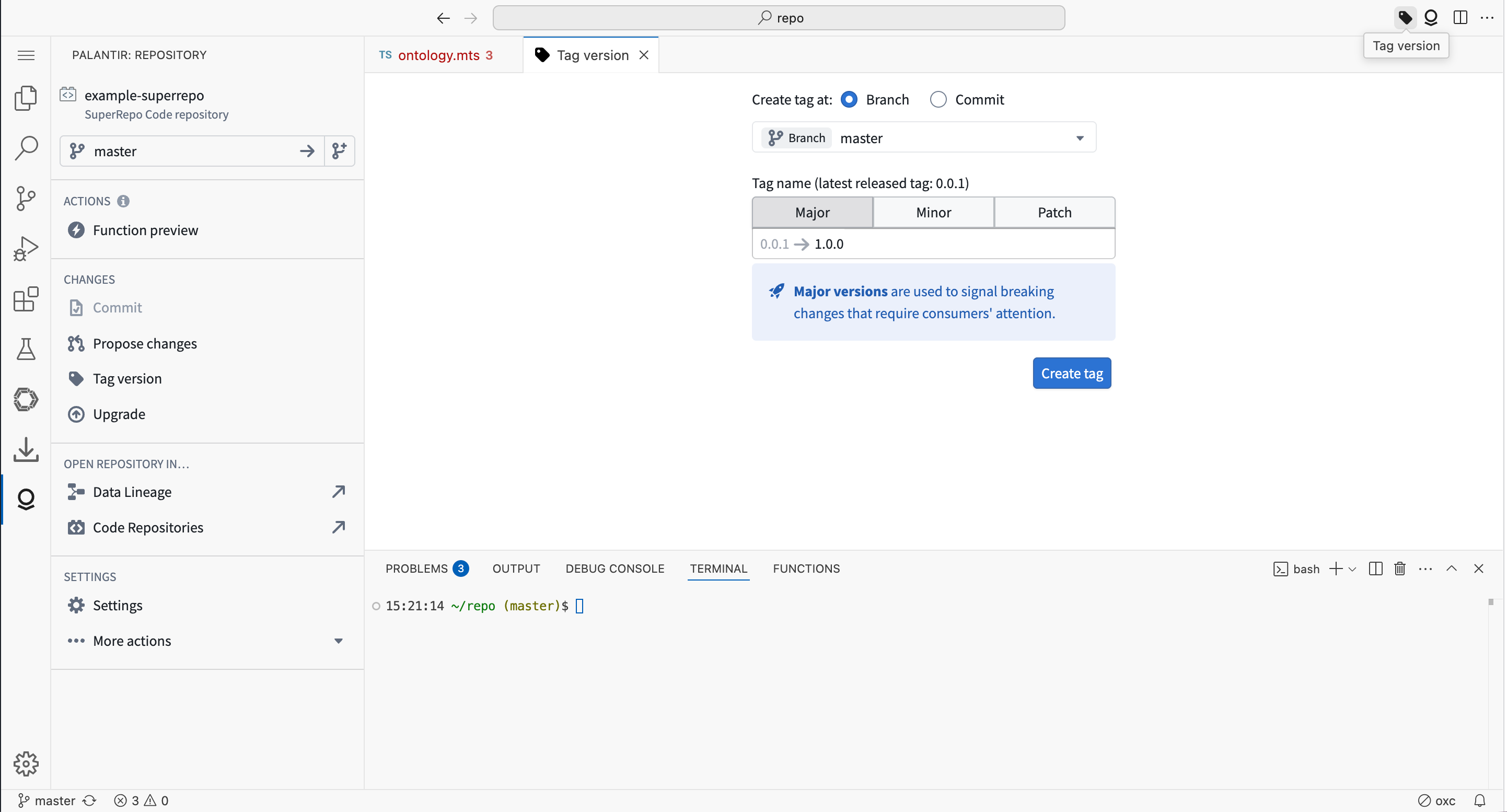
- Open your repository in the in-platform VS Code editor.
- Select Tag version in the top-right corner.
- Enter a tag name and select Create tag.
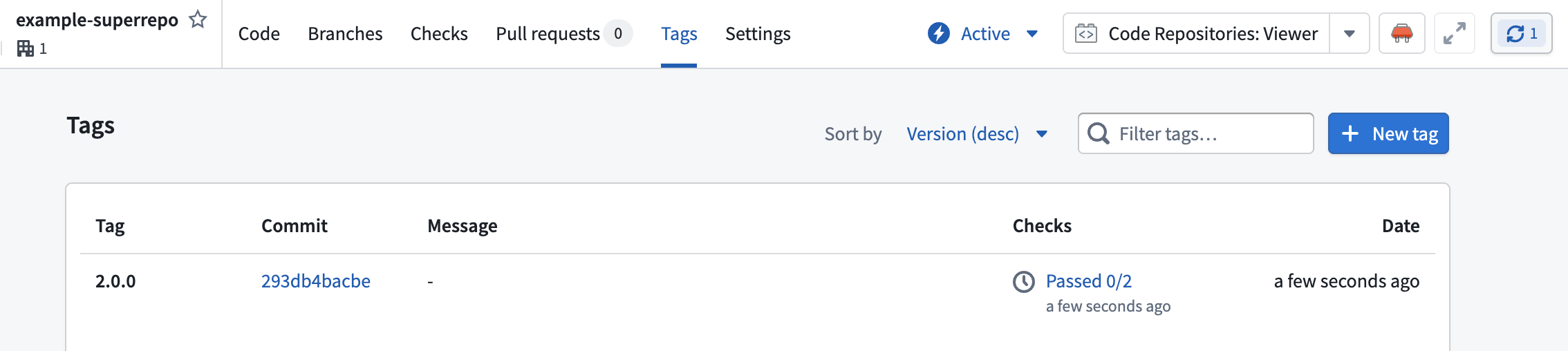
Creating a tag triggers a deployment job. To follow its progress, open the Tags tab and select the entry in the Checks column.
Deploy from outside the Palantir platform
To deploy from outside Foundry CI, the FOUNDRY_TOKEN environment variable must be set to a token with Foundry DevOps publishing permissions. Review Authenticate with Foundry for how the CLI reads this variable.
If your source is hosted elsewhere, build and deploy from your terminal or any CI system:
Copied!1pnpm run build && foundry deploy
Both deployment paths read the same env.yml.
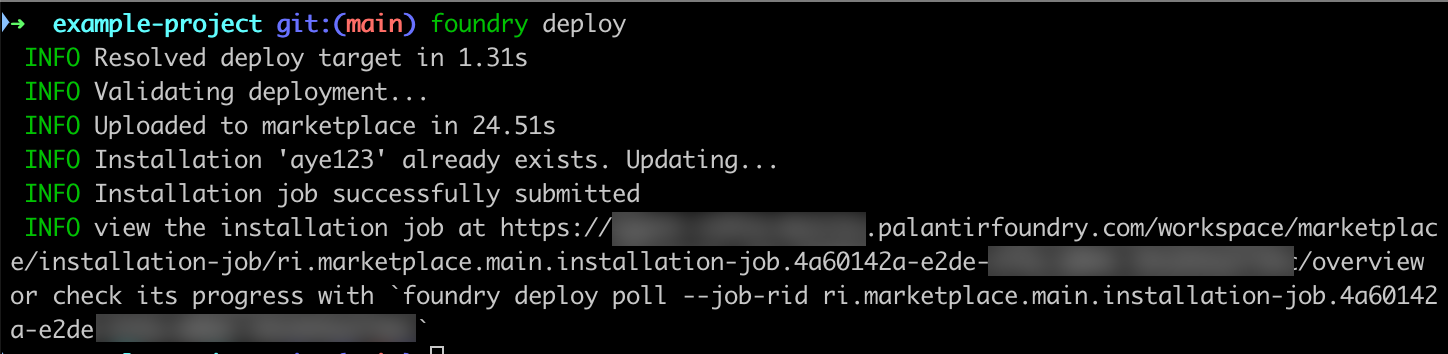
Step 3: Verify your installation
Once your deployment step succeeds, you can view your installation in Marketplace.
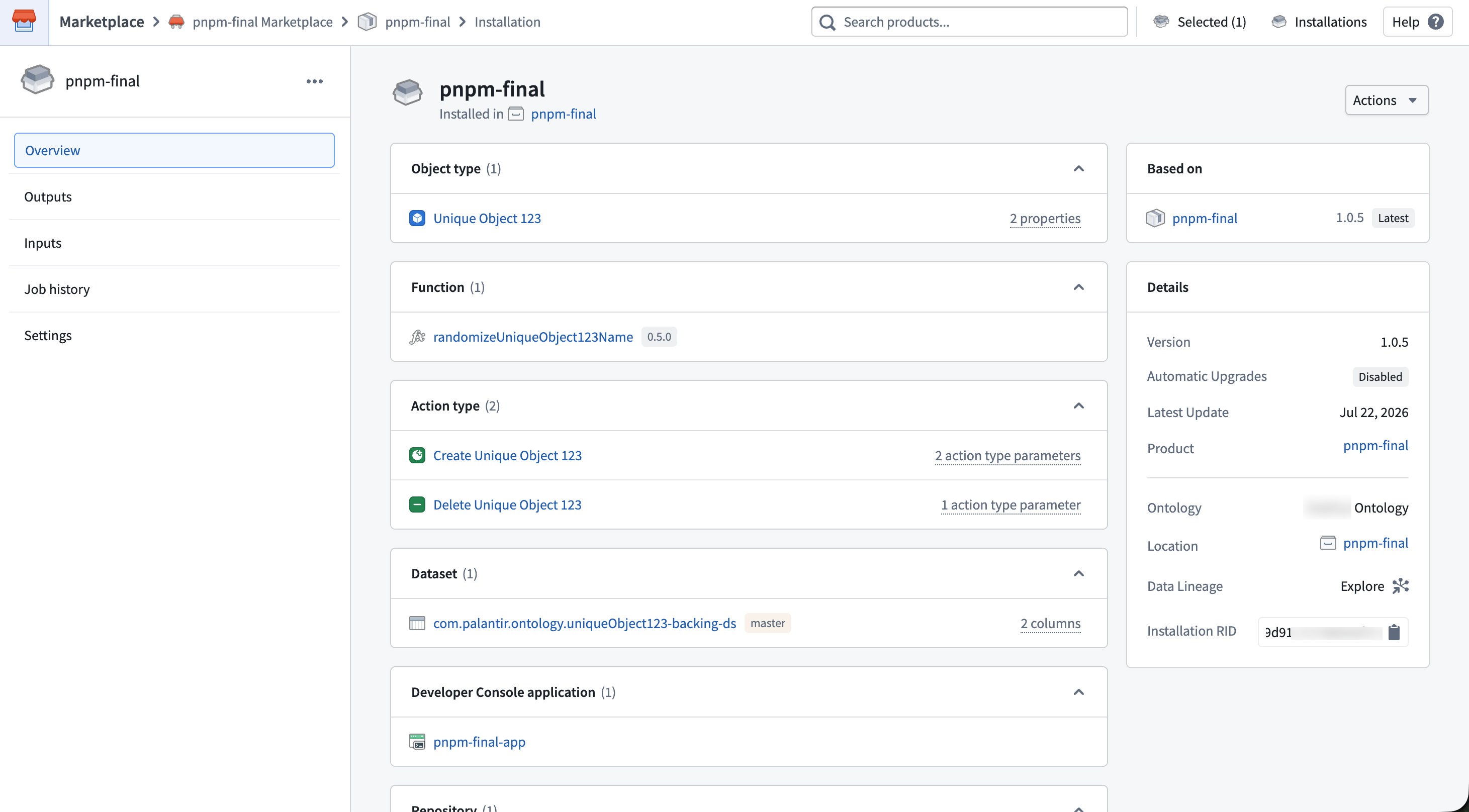
If you have an Ontology SDK React application, two more steps are required before your application is reachable. Open your installed Developer Console application, then:
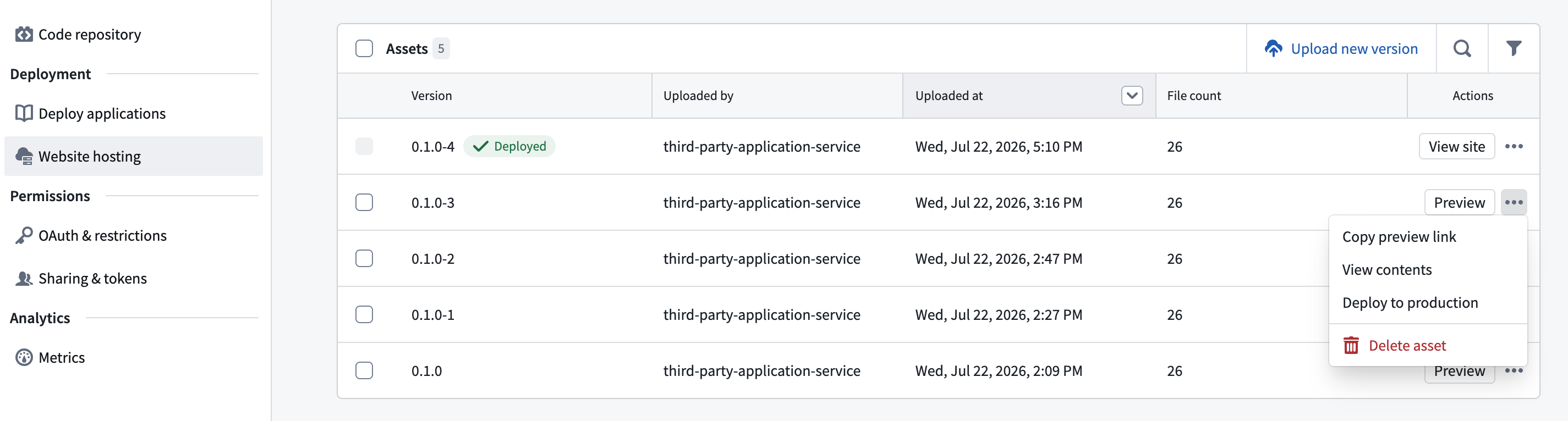
- Under Website hosting > Website domain, confirm that your website domain is approved.
- Under Website hosting > Assets, confirm that the latest asset is deployed. If it is not, select the options menu next to your version and choose Deploy to production.