Label requirements
When exporting resources, you may want to ensure that only resources satisfying specific label requirements are exported. Some examples include:
- Requiring Product Releases pass a vulnerability scan with
vulnerability-scanner.example.build/security-scan-outcome=pass. - Requiring Environments to run on AWS with
cloud-service-provider=aws. - Excluding Product Releases that are not compatible with Lilliput V5 with
apollo/lilliput-v5-incompatible=true.
You can configure these requirements in your Pipeline via the Required resource labels and Excluded resource labels panels in the Export Pipeline settings:
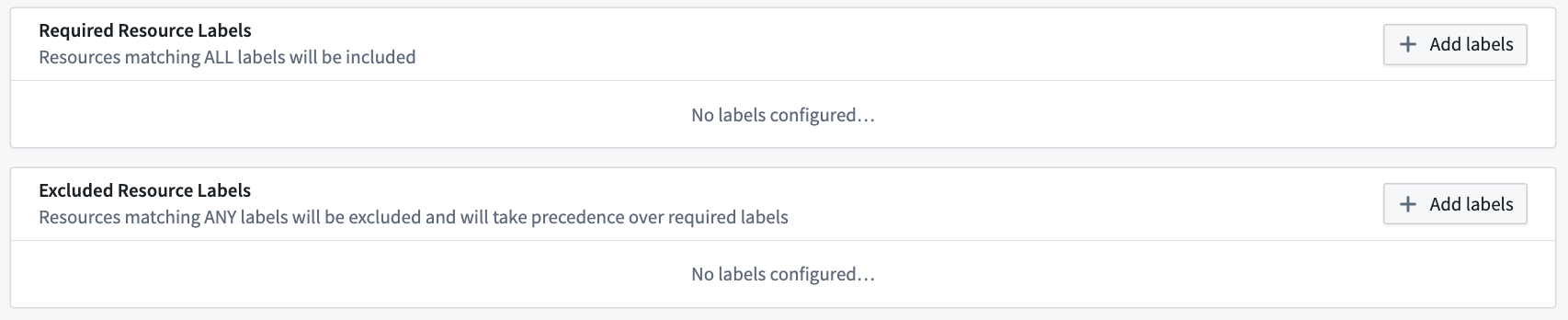
By default, Apollo will filter all resources that have the specified label(s) for both label inclusion and exclusion, regardless of the label value. To define specific values to filter, you must select Add values and enter at least one value.
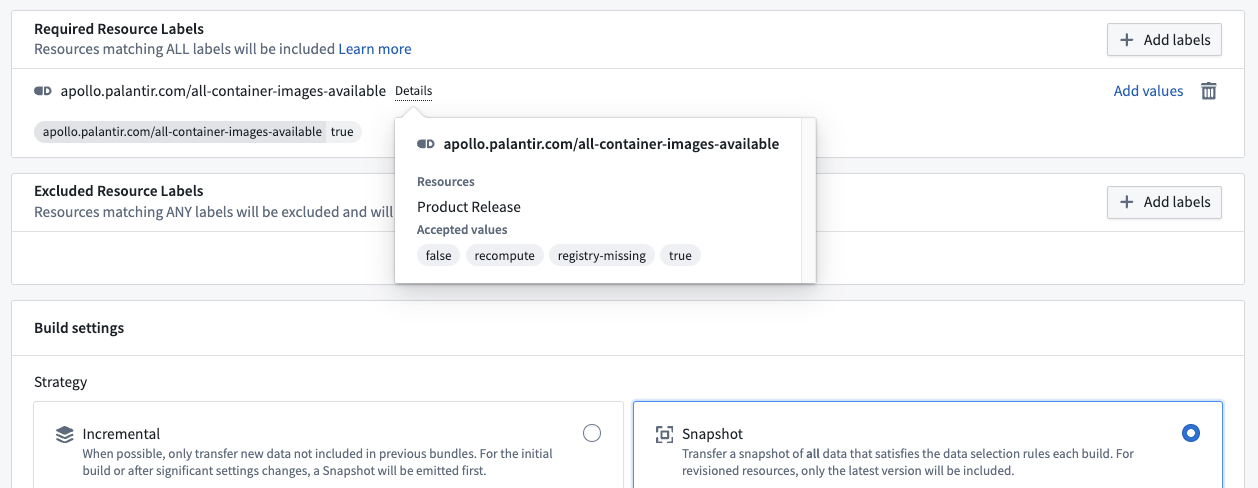
In the example below, the Pipeline requires the apollo.palantir.com/all-container-images-available label on all exported Product Releases, and specifically requires the value to be true.

You can specify as many values as you want. If multiple values are defined, the resource will satisfy the label requirement as long as one of the specified values is present.
Label exclusion takes precedence over label inclusion. That is, if a resource satisfies the required labels and also satisfies the excluded labels, the resource will be excluded from the Pipeline.
Label requirements only apply to the resource types specified on the label itself. In this example, the label only applies to Product Releases, and will not be required on any other resource types.
You can add multiple label requirements to the same Export Pipeline. Each label requirement will be enforced independently. If there are multiple label requirements for the same resource type, all of them will need to pass for the resource to be exported.