Just-in-time access
When a debugging task requires elevated permissions (for example to delete a Pod), you can get time-bound elevated level of access in Apollo by requesting a just-in-time (JIT) access policy. Once approved, you get access within seconds, which applies to both active and new Terminal sessions.
You need to have Terminal User role to request a JIT access policy. Any user with Environment Administrator role can approve a JIT access request, self-approval is not allowed.
Request JIT access
To request JIT access:
- Navigate to the Apollo Environment you want to debug and select the Terminals tab.

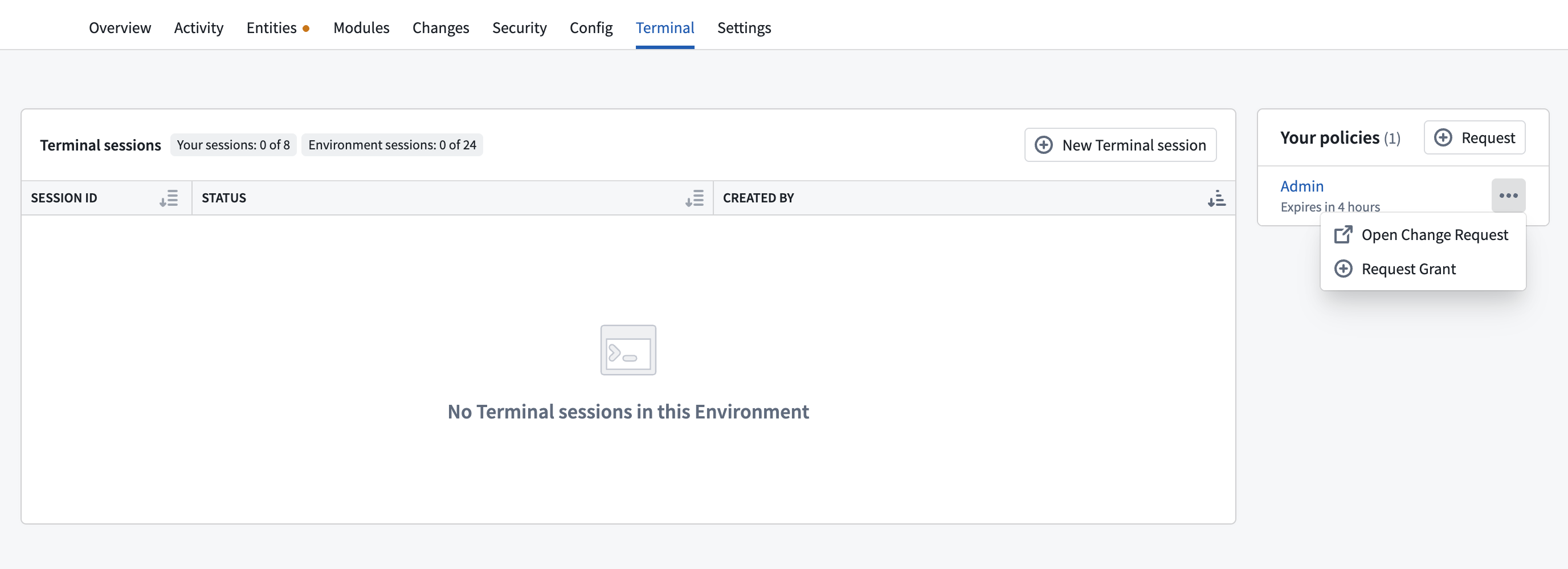
- Select Request in the Your policies table and select the access policy from the list.
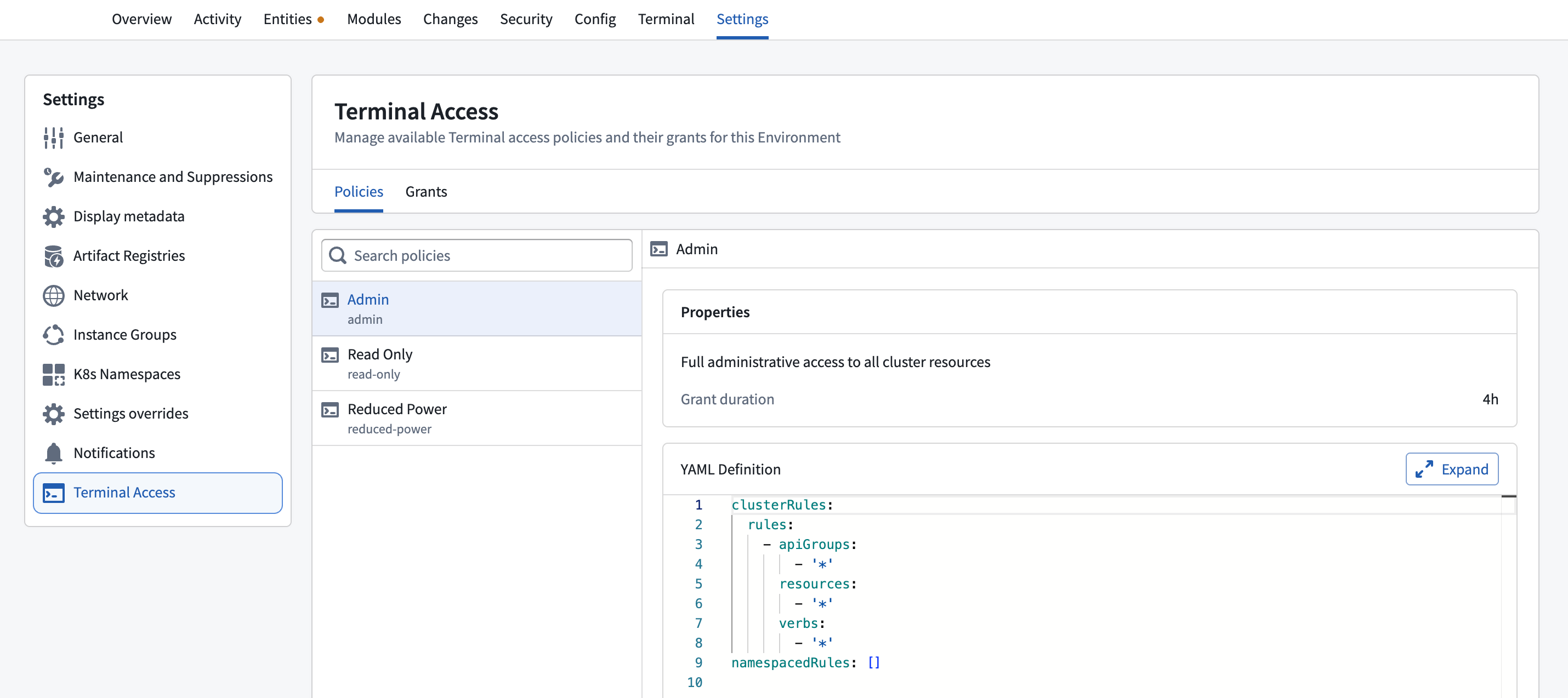
When selecting a policy check the duration of the access grant and what Kubernetes RBAC you will get.

- Select Submit request. This will create a change request for a JIT access grant.
You should get approval from an Environment Administrator.

- Navigate back to the Terminals tab to view your active access grants.
You can quickly extend your existing access grant from the same table.
You can find all available access policies for your Environment under the Terminal Access section in the Settings tab.
Revoke JIT access
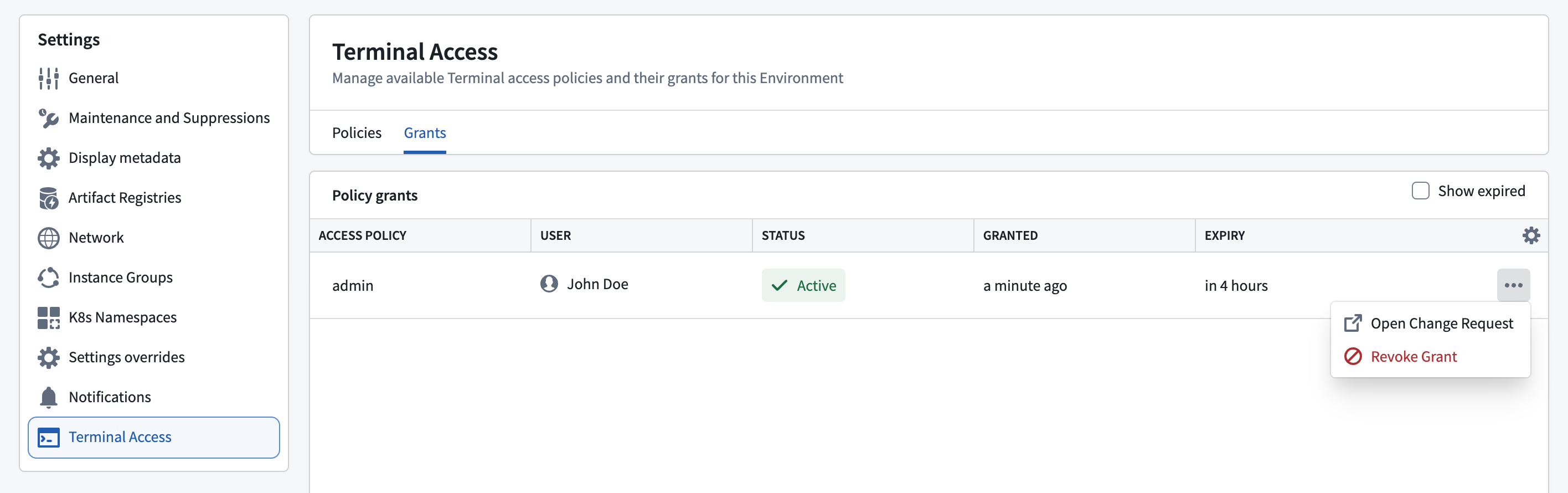
To revoke JIT access, navigate to the Terminal Access section on the Settings tab and select Grants. You can view all recent active and revoked access grants. Select Revoke Grant to revoke access. Access revocation propagates within seconds and applies to all active Terminal sessions. To view more details on who approved access, you can open the corresponding change request by selecting Open Change Request.