Configure Environment connection settings
Connection settings determine how Apollo handles agent connectivity for an Environment. Agents in an Environment can connect directly to the current Hub or to another Hub. Agent connectivity controls how health and activity information is displayed in Apollo and whether Plans are issued.
Connection setting options
Unknown
You must manually configure the connection settings before the Environment can be used operationally. Apollo can also automatically transition the connection setting to another state automatically when an agent first connects or connection state is imported.
You cannot transition back to this state.
Connected agents
Agents are expected to remain connected directly to the current Hub and report their state continuously. Gaps in reported state are unexpected and treated as an outage.
Characteristics:
- Agents can connect directly to the current Hub.
- Plans are issued.
- Activity and health information are displayed in real time.
- Importing reported state via bundles is disallowed.
- Supports Release Channel promotion.
Intermittent agents
Agents report their state directly to the current Hub when connected, but gaps in reported state are expected and are not treated as an outage. Use this setting when agents are expected to connect to the Hub only periodically.
Characteristics:
- Agents can connect directly to the current Hub.
- Plans are issued.
- Activity and health information are displayed, but reflect the state as of the last time agents connected to the Hub.
- Importing reported state via bundles is disallowed.
- Supports Release Channel promotion.
No connection expected
This Environment is explicitly configured to expect no agent connections or health in this Hub. This setting is suitable for Environments that are exported and connected to another Hub, and for which reported state cannot be imported.
Characteristics:
- Agents cannot connect to this Hub.
- Plans are not issued.
- Importing reported state via bundles is disallowed.
- Cannot participate in Release Channel promotion.
Relayed from another Hub
Agent state is reported to another Hub and imported to this Hub via bundles for viewing purposes. This setting is suitable for creating read-only views of Environments connected to other Hubs.
Characteristics:
- Agents cannot connect to this Hub.
- Plans cannot be issued from this Hub.
- Health and reported state information is imported via bundles.
- Versions and health information are displayed as per the last imported bundle.
- Supports Release Channel promotion.
Manage connection settings
View current connection settings
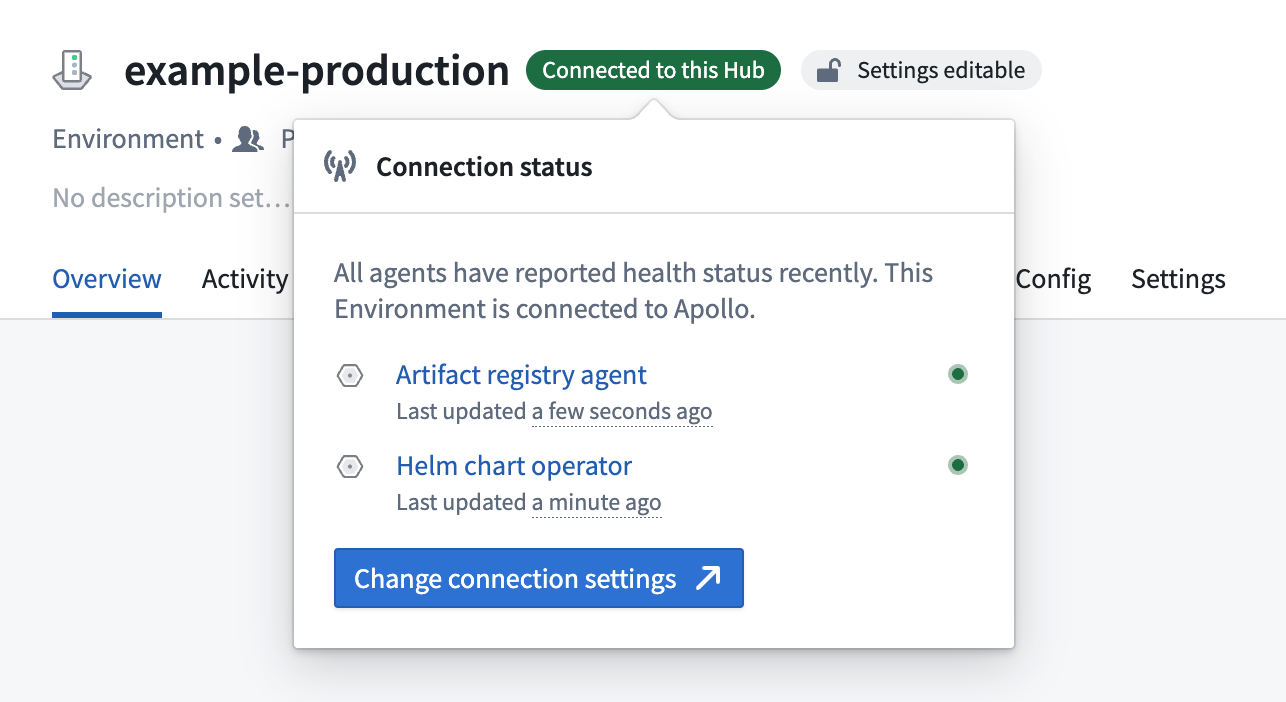
The current connection setting for an Environment is shown in the Environment header.
Edit connection settings
- Navigate to your Environment.
- Select Edit Environment connection from the Actions dropdown.
- Choose the new connection setting:
- Connected agents: Enable direct agent connections that are expected to report continuously to this Hub.
- Intermittent agents: Enable direct agent connections for an Environment that is expected to go offline between reporting periods.
- No connection expected: Disable agent connectivity and hide operational tabs.
- Relayed from another Hub: Import agent state from bundles.
- Confirm and apply the changes.
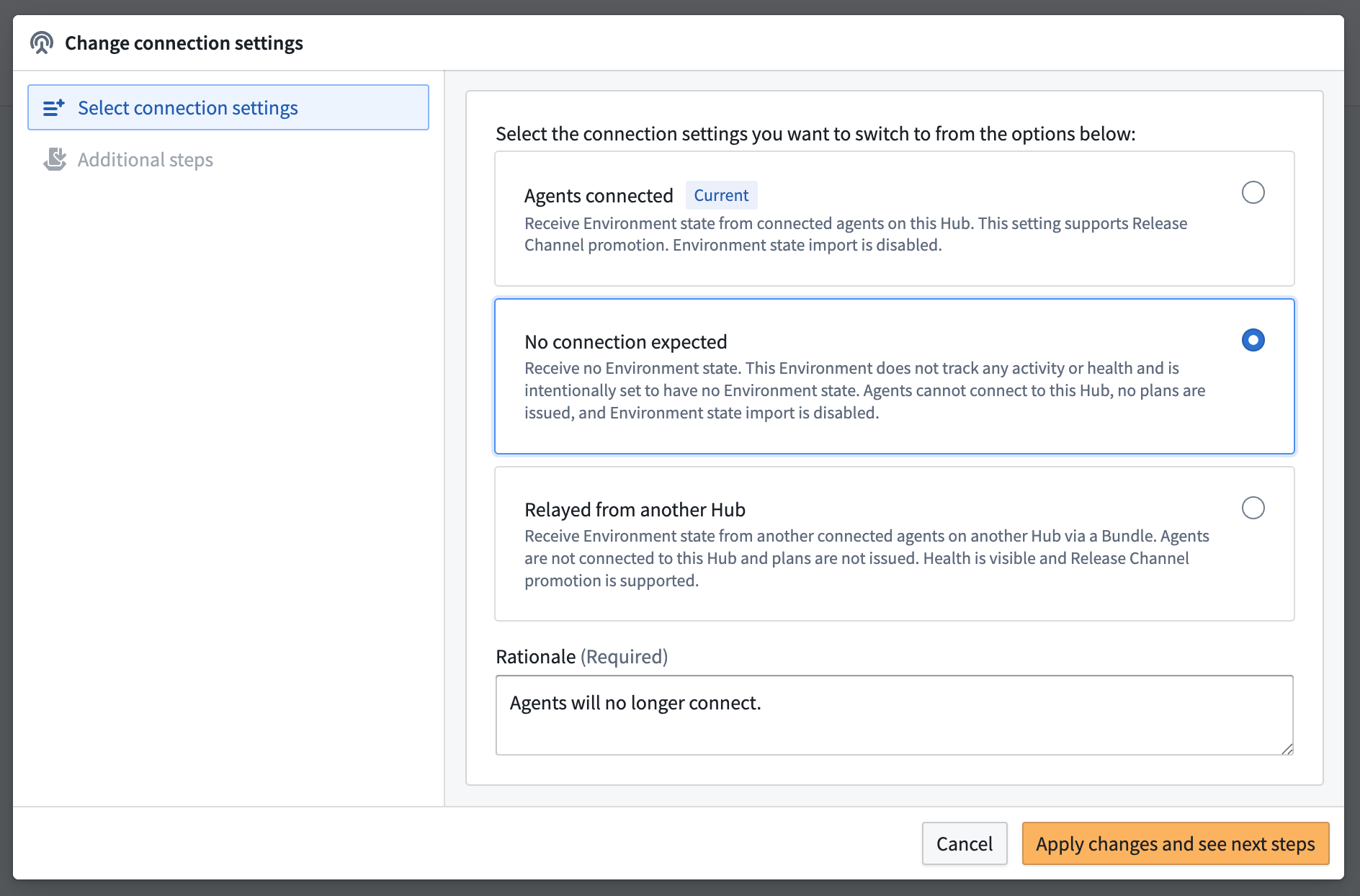
There are three important considerations when changing connection settings:
- Changing from Connected agents or Intermittent agents to a setting that does not allow direct agent connections will disconnect existing agents and cancel active Plans.
- Switching to No connection expected will hide operational information.
- Enabling Relayed from another Hub requires importing a bundle from another Hub.