Checkpoint bundle
When adding a new transfer target to an Export Pipeline, you may want the new transfer target to catch up quickly with the latest Bundle from the Export Pipeline. This is especially important when the Export Pipeline has a long history of Bundles that would take too long to transfer one by one to the new transfer target.
Checkpoint Bundles allow new transfer targets to become up-to-date with the latest state of an Export Pipeline without having to transfer all the Bundles from the beginning of the Export Pipeline history.
Terminology
- Snapshot Bundle: A Bundle that does not have a dependency. When imported, it can update the Target Hub to the latest state of the data selection rules of the Export Pipeline at the time of Bundle creation. The first Bundle of every Export Pipeline is always a snapshot Bundle.
- Incremental Bundle: A Bundle that has a dependency on a previously built Bundle. It includes changes since the previous Bundle that it takes dependency on.
- Checkpoint Bundle: A snapshot Bundle used to quickly onboard a new transfer target.
Below is an example that illustrates these concepts in more detail. Consider an Export Pipeline with a data selection rule that selects Product Releases of example-product on the RELEASE Release Channel. example-product has four Product Releases 1.0.0, 1.1.0 and 1.2.0, 1.3.0 published on day 1, 2, 3, and 5 respectively.
If the Export Pipeline uses the Incremental strategy:
- On day 1, Bundle 1 is created. The first Bundle is always a snapshot Bundle, so the latest resources that satisfy the data selection rules are exported. In this case, the latest Release for
example-producton theRELEASERelease Channel is1.0.0and is included in the Bundle. - On day 3, Bundle 2 is created. The Pipeline uses the Incremental strategy, and an incremental Bundle is created. The incremental Bundle takes a dependency on the last export Bundle. It will only include changes since Bundle 1 was created. There are two new Releases,
1.1.0and1.2.0, on theRELEASERelease Channel ofexample-product, so these Releases are included in the Bundle. Note that1.0.0was already included in Bundle 1 and thus is not included in the incremental Bundle. - On day 4, Bundle 3, another incremental Bundle, is created. This incremental Bundle does not contain any Product Releases since there are no new Releases for
example-producton theRELEASERelease Channel. - Suppose the Export Pipeline is configured to create checkpoint Bundles after 2 successful incremental Bundles. The successful build of Bundle 3 will trigger the creation of Bundle 4, a checkpoint Bundle. A checkpoint Bundle is a snapshot Bundle, and the latest resources satisfying the data selection rules are exported. In this case,
1.2.0is the latest Release forexample-productonRELEASEand is included in the Bundle. - On day 5, Bundle 5 is created. It is an incremental Bundle that depends on the last incremental Bundle 3. There is a new Release of
example-product,1.3.0, on theRELEASERelease Channel since Bundle 3, so this Release is included in the Bundle. Note that checkpoint Bundles do not affect the contents of future incremental Bundles.
If the Export Pipeline uses the Snapshot strategy:
- On day 1, Bundle 1 is created. It is a snapshot Bundle with the latest resource satisfying the data selection rules.
example-product:1.0.0is included in the Bundle. - On day 3, Bundle 2 is created. Since the Export Pipeline uses the Snapshot strategy, the new Bundle will be a snapshot Bundle. Given that
1.2.0is the latest release forexample-producton theRELEASErelease channel, the new snapshot Bundle would includeexample-product:1.2.0.
Configure checkpoint Bundles
You can configure checkpoint Bundles in the Build settings section of the Pipeline settings. The Checkpoint Bundles setting allows you to specify how often a checkpoint Bundle should be created.
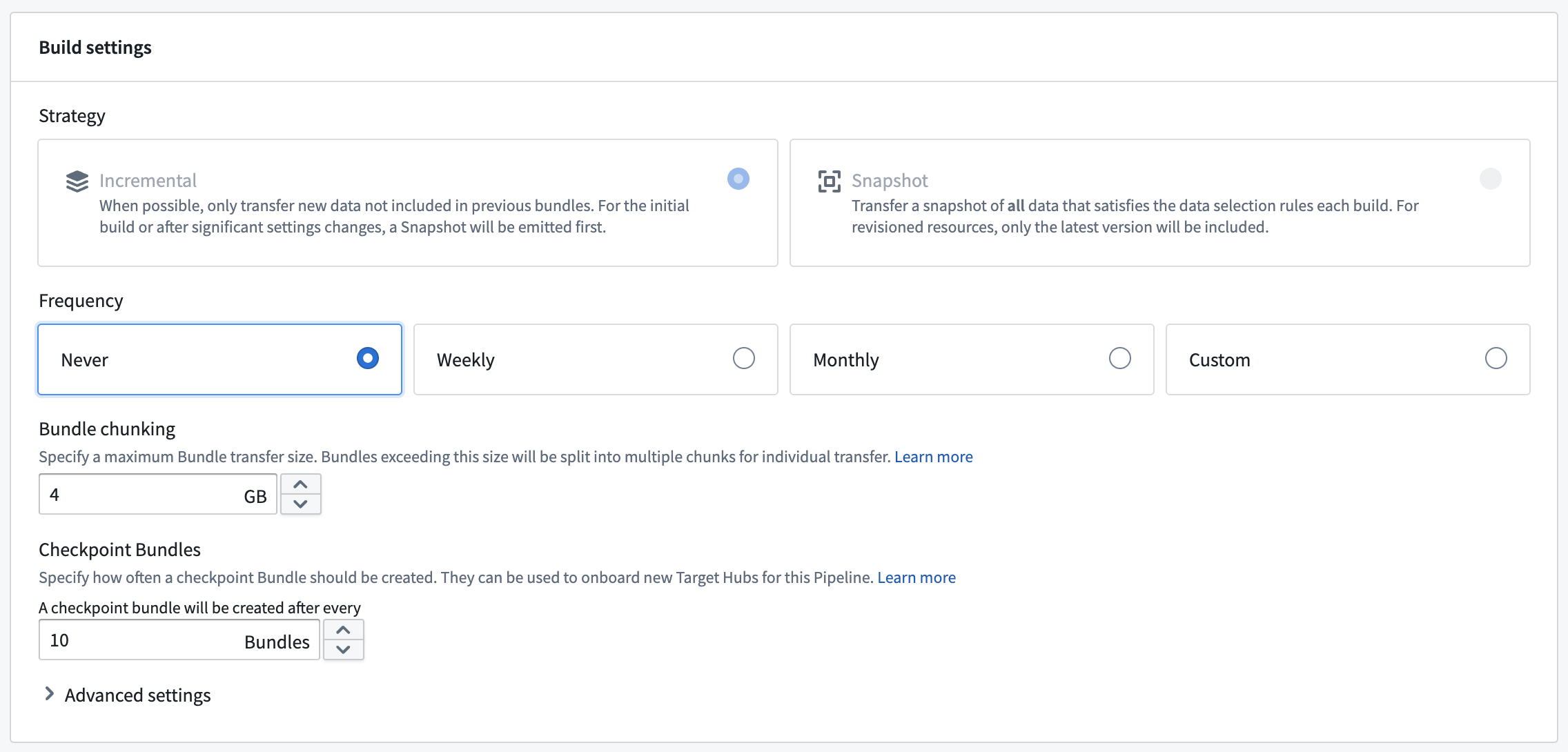
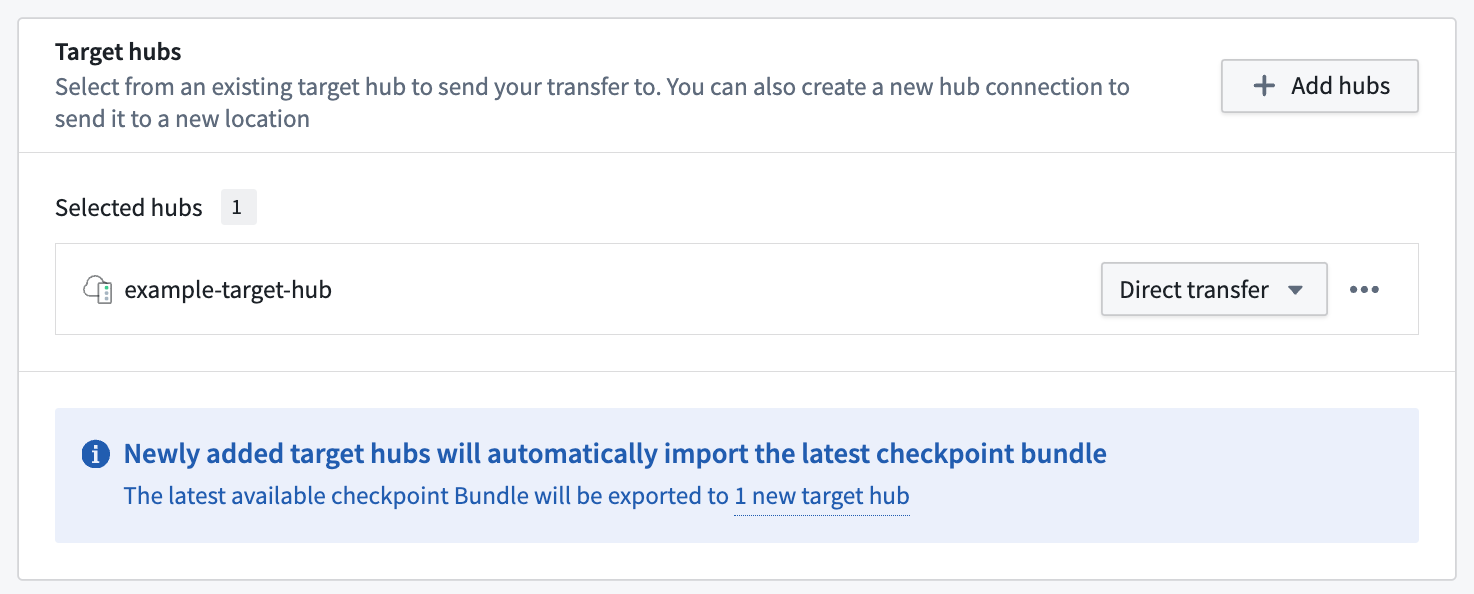
By default, a checkpoint Bundle is created after every 10 successful incremental Bundles. When a new transfer target is added to an Export Pipeline, the new transfer target will start from the most recent snapshot Bundle, which can be a checkpoint Bundle.
You can specify a custom value for the frequency of checkpoint Bundle creation. This value denotes the number of incremental Bundles that should be created before a checkpoint Bundle is created. A larger value means that checkpoint Bundles will be created less frequently, and new transfer targets could take longer to catch up. For Export Pipelines used for a single transfer target (for example, Pipelines that export only Environment settings to a single target Hub), you can set this to a high value like 100 to reduce checkpoint Bundle creation frequency. This is also recommended when storage is limited in the Source Hub, since checkpoint Bundles are large in size.
Export and import
You can view checkpoint Bundles in the Export Bundles inbox for an Export Pipeline. These Bundles will be marked with the CHECKPOINT tag.
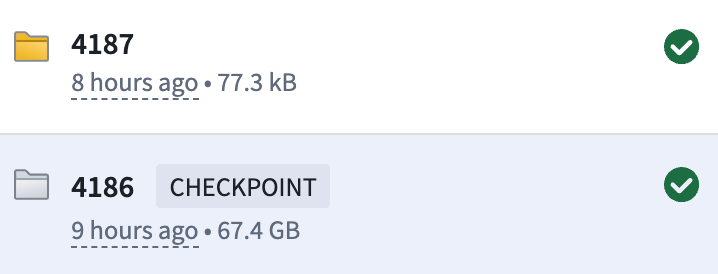
Bundle inbox entries for checkpoint Bundles are grayed out since they will not be transferred to any existing transfer targets of the Export Pipeline, nor will it affect the state of the Export Pipeline at any time.
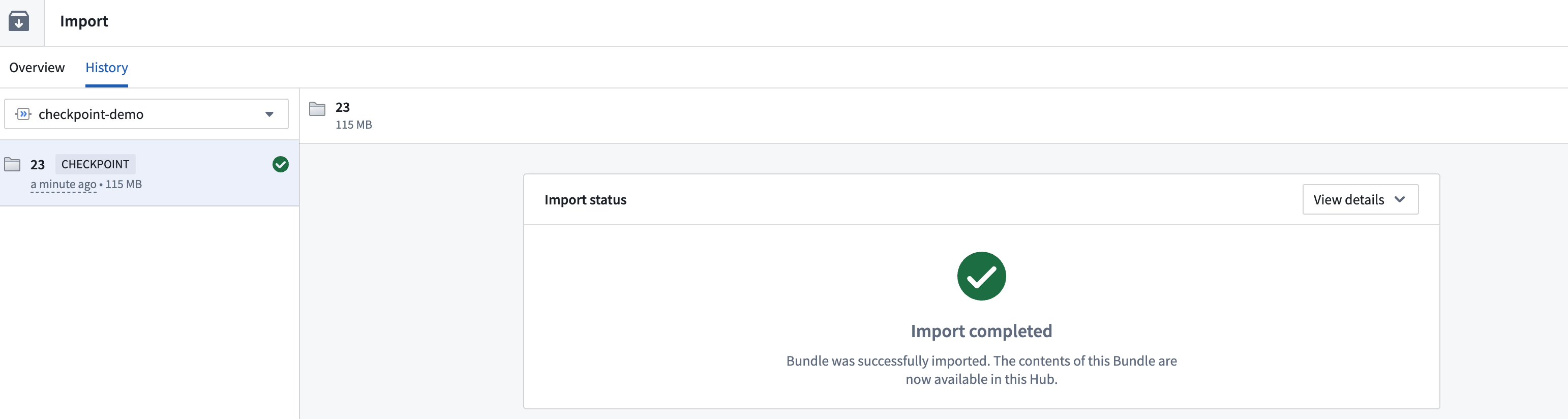
Checkpoint Bundles are imported into the Target Hub exactly the same way as other Bundles. Upon successful admission, you can view checkpoint Bundles in the Import Bundles inbox and marked with the CHECKPOINT tag: