- Capabilities
- Getting started
- Architecture center
- Platform updates
Announcements
REMINDER: Sign up for the Foundry Newsletter to receive a summary of new products, features, and improvements across the platform directly to your inbox. For more information on how to subscribe, see the Foundry Newsletter and Product Feedback channels announcement.
Share your thoughts about these announcements in our Developer Community Forum ↗.
DeepSeek V4.1 Flash (1017) support in AIP through Fireworks
Date published: 2026-11-03
AIP adds experimental support for DeepSeek V4.1 Flash (1017) through Fireworks on non-georestricted commercial enrollments, with inference hosted in the United States. Availability depends on the required releases reaching your enrollment and the relevant model settings being enabled.
Model overview
DeepSeek V4.1 Flash (1017) ↗ is an open-weight multimodal model designed for coding, reasoning, and agentic workflows. AIP support includes text and image inputs, tool calling, and a 1-million-token context window.
Getting started
To use this model:
- Confirm that your enrollment administrator has enabled the DeepSeek model family through Fireworks and experimental models.
- Review token costs and pricing.
- See the complete list of models available in AIP.
Bring public web information into your AIP workflows
Date published: 2026-11-03
Web search lets supported OpenAI models in AIP find information from public web sources and return answers with citations. Use web search to research recent developments, consult documentation, and build applications that draw on information beyond a model’s training data.
Web search is supported through Direct OpenAI and Amazon Bedrock on eligible enrollments. Developers can use it through AIP’s OpenAI-compatible Responses API, sending requests from applications and scripts directly or through an OpenAI SDK.
Learn more about using the provider-compatible APIs.
Getting started
Enrollment administrators can enable web search in Control Panel > AIP settings > Advanced AIP Settings. Turn on Enable web search via Bedrock or Enable web search via Direct OpenAI for the provider you want to use. Complete any required Direct OpenAI agreements and save your changes.
Before using web search:
- Confirm that your enrollment administrator has enabled the relevant model family.
- Review token costs and pricing.
- See the complete list of models available in AIP.
Your feedback matters
We want to hear about your experiences using language models in the Palantir platform and welcome your questions and feedback. Share them through Palantir Support channels or on our Developer Community ↗ using the language-model-service tag ↗.
Pipeline builder defaults to faster pipelines, now with LLM support
Date published: 2026-11-03
Faster pipelines are now the default in Pipeline Builder, with new support for Use LLM nodes. You can now build large language model (LLM) workflows in faster pipelines using Palantir-provided models or your own registered models.
Faster pipelines by default
When you create a pipeline from the Pipeline Builder landing page or through AI FDE, faster is now the default selection. Faster pipelines are powered by DataFusion ↗, an open-source query engine written in Rust ↗. Compared with standard Spark pipelines, faster pipelines can reduce execution time and compute resource usage.
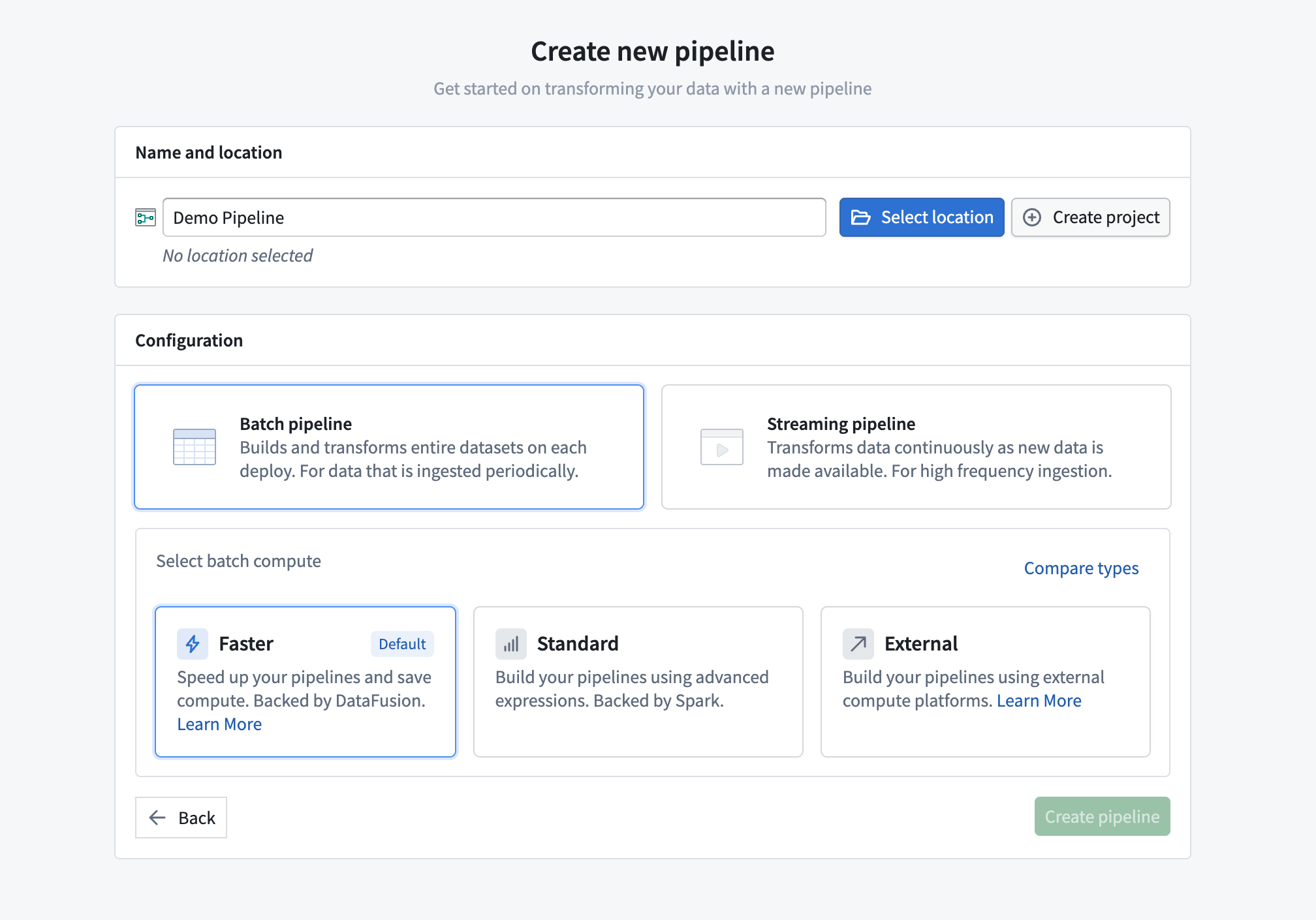
Faster pipelines are selected by default when creating a pipeline from the Pipeline Builder landing page.
Use LLM support in faster pipelines
Faster pipelines now support Use LLM nodes and Text to Embeddings nodes with both Palantir-provided models and your own registered models. Bring LLMs into your pipeline to power critical workflows.
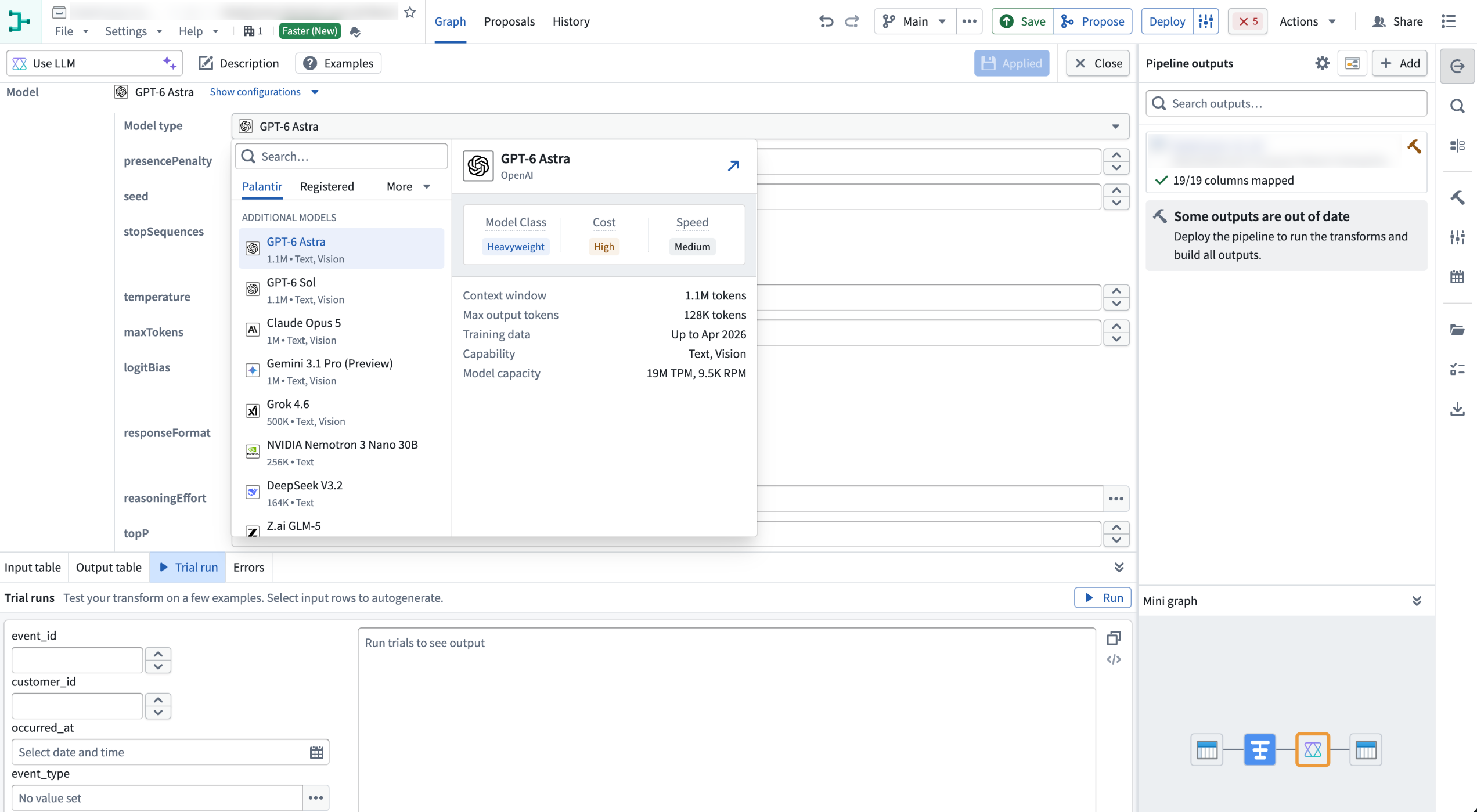
The Use LLM board in a faster pipeline with the model selector open.
Tell us what you think
We welcome your feedback. Share your thoughts with Palantir Support channels or our Developer Community ↗ using the pipeline-builder ↗ tag .