- Capabilities
- Getting started
- Architecture center
- Platform updates
The Agent Stack
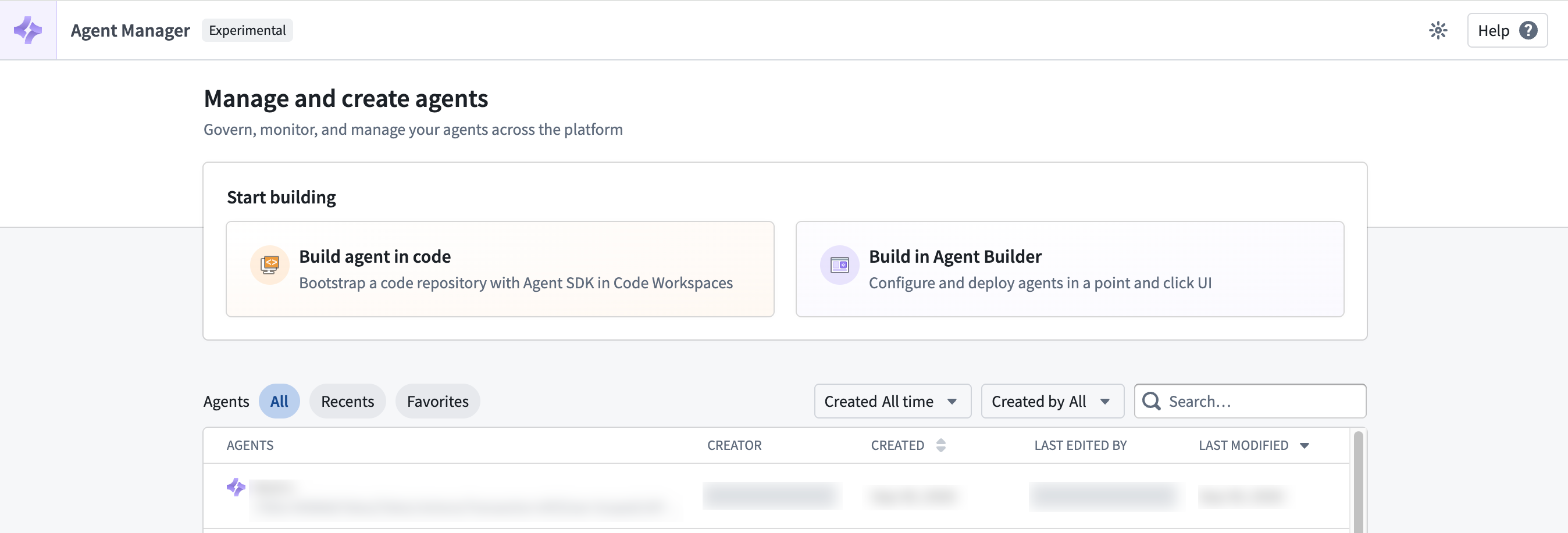
The Agent Stack is Palantir's agent infrastructure and product suite, providing a shared foundation for building, running, and observing agents. You can build agents using pro-code and low-code tools like Palantir's Agent SDK, third-party SDKs, or Agent Builder's visual interface.
As agents take on more complex tasks, their work often extends beyond a single interaction. An agent might gather information automatically, pause for a person to review its recommendation, then continue in another application or request input from another participant. The Agent Stack gives that work continuity through sessions, represents shared information as typed context items, and uses events and state transitions to coordinate how the task moves forward.
Together, these primitives create a record of how the task unfolded. In Agent Manager, you can inspect the information an agent worked with, the actions it took, and how it responded as participants contributed. This visibility helps you debug unexpected behavior and build trust in the agent's work.
Once you have built an agent, you can bring it into the workflows where work happens. Embed a session in Workshop so users can interact with the agent. Use Automate to start work or send events when conditions are met. You can also integrate it into your own applications through the Agent platform APIs and agents in the OSDK (coming soon).
The following sections introduce the Agent Stack's core concepts, tools for building agents, and ways to use agents across the platform.
Core concepts
The Agent Stack models each task as a session, with context items representing the information involved and events providing input that drives state transitions.
Sessions
A session brings together an agent's work on a particular task, including its state, context items, and event history. Multiple participants can contribute to the same session over time, even when they interact through different applications.
Sessions can last indefinitely, preserving context and progress as the agent waits for new information or input from another participant. An agent can resume work when that input arrives.
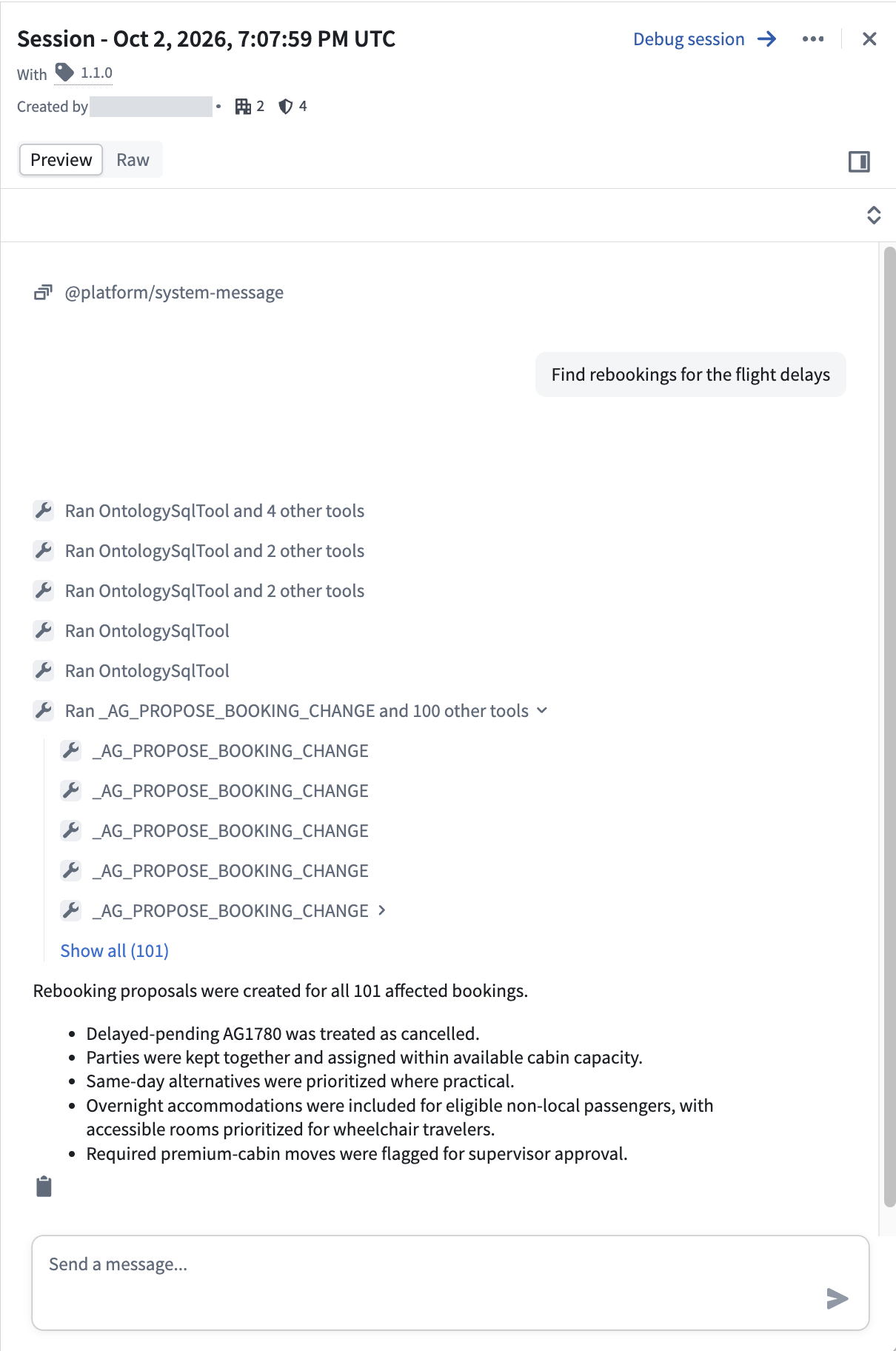
A session brings together the task, the agent's work, and interactions with participants.
Context items
Context items represent the information participants work with during a session, from messages and tool results to structured recommendations or decisions. As the task progresses, they capture the information the agent gathers and produces.
Context items are strongly typed, so each participant can work with the same information in the form they need. An automated system can use structured data, while a person making a decision can use an interactive view. A developer investigating behavior can use detailed execution information.
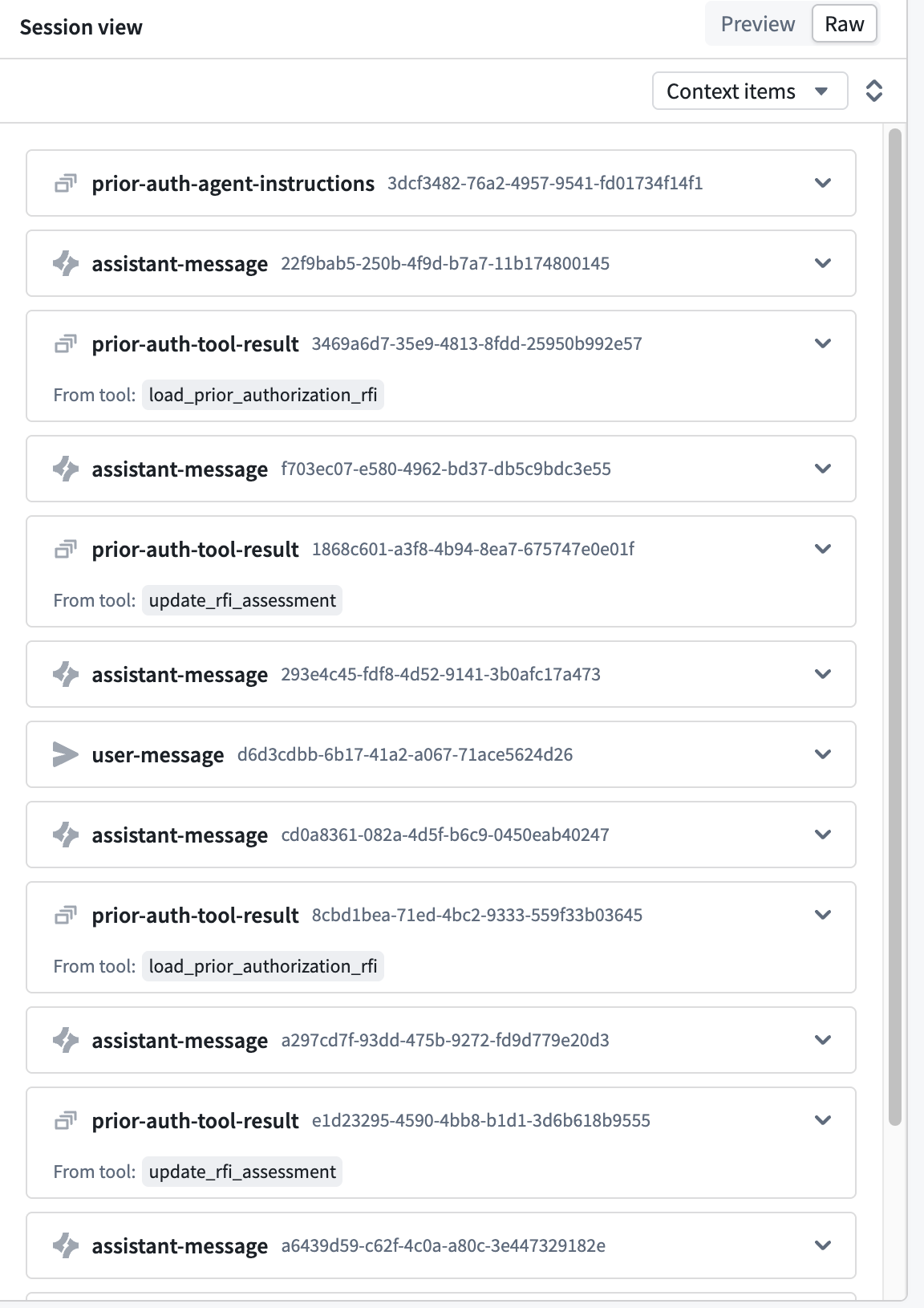
Typed context items in Agent Manager's raw session view.
Events and state transitions
As a task progresses, participants need ways to contribute information and influence what happens next. Events carry that input into a session, whether it is a message from a person, a result from a tool, or an update from another application.
The agent's state machine defines how it responds based on where it is in the task. Event handlers process incoming events using the current session state and determine what happens next. This can include updating context items, triggering additional work, or transitioning to a new state, such as waiting for review. Together, events, handlers, and state transitions let the agent coordinate work across participants while preserving a record of how the task progressed.
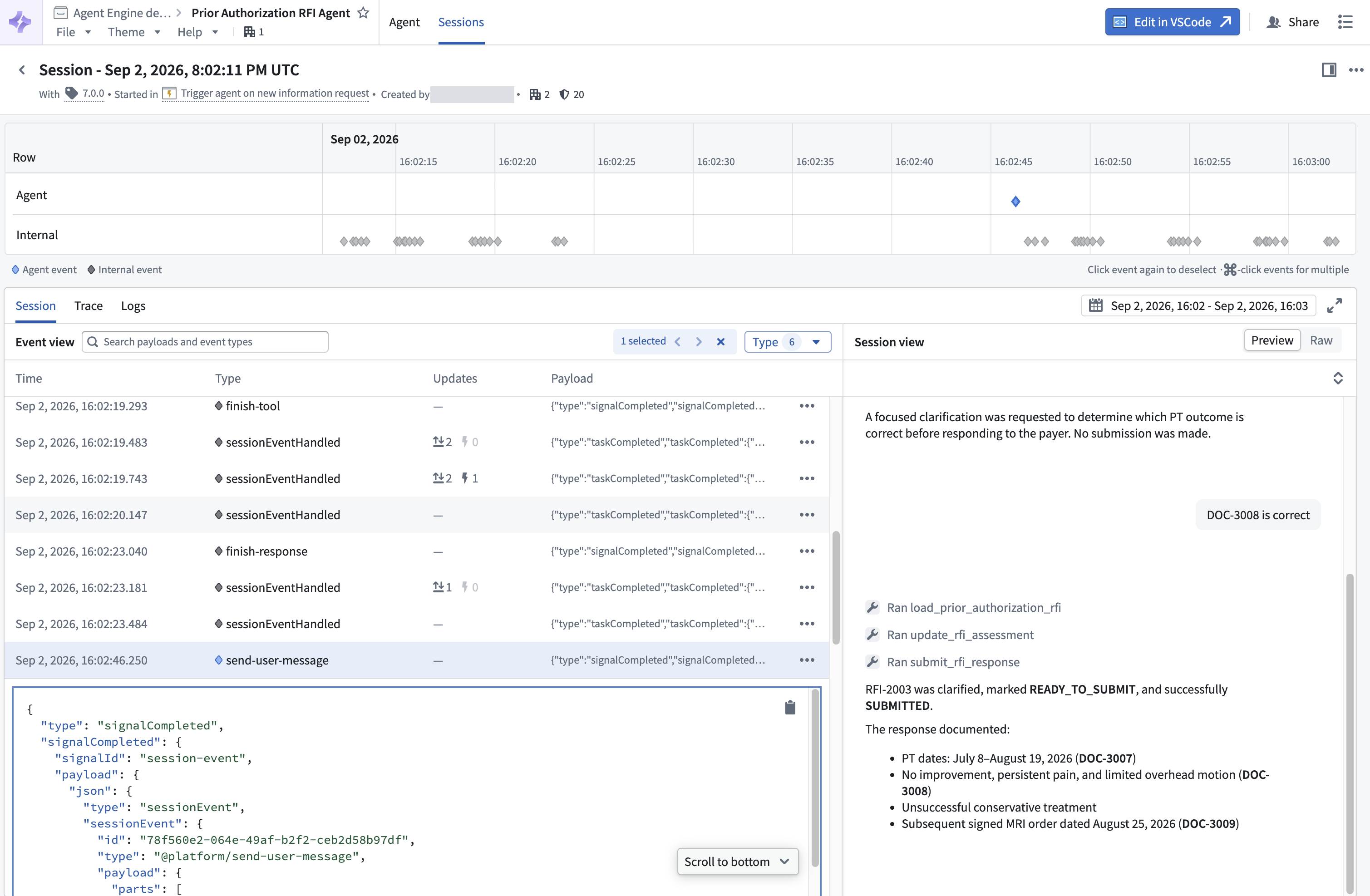
A send-user-message event in Agent Manager, with its payload and the session view showing the agent's response to the user's input.
Build an agent
You can build agents using both pro-code and low-code tools, depending on how you want to define and control their behavior.
| Tool | How you build |
|---|---|
| Agent Builder | Use a visual interface to define instructions, add tools, preview behavior, and publish your agent. |
| Palantir Agent SDK | Build in code, from a simple agent with tools to a custom state machine with your own context items and event handlers. |
| Third-party SDKs | Build with a supported SDK using the provided integration templates, or build your own integration. |
Once published, your agent can participate in platform workflows, with its sessions available to inspect in Agent Manager.
Observe and interact with agents
Agents are published as Compass resources, so you can organize them in projects and folders and manage access through resource permissions. Agent Manager brings together your published agents and their sessions so you can follow work as it happens and investigate how a task progressed.
You can start a session, provide its inputs, and send events as the agent works. To understand its behavior, inspect the session's context items, event history, and state updates alongside traces and logs.
All sessions started with your agent are available for monitoring in Agent Manager, provided the user meets the mandatory and discretionary access requirements for the session.
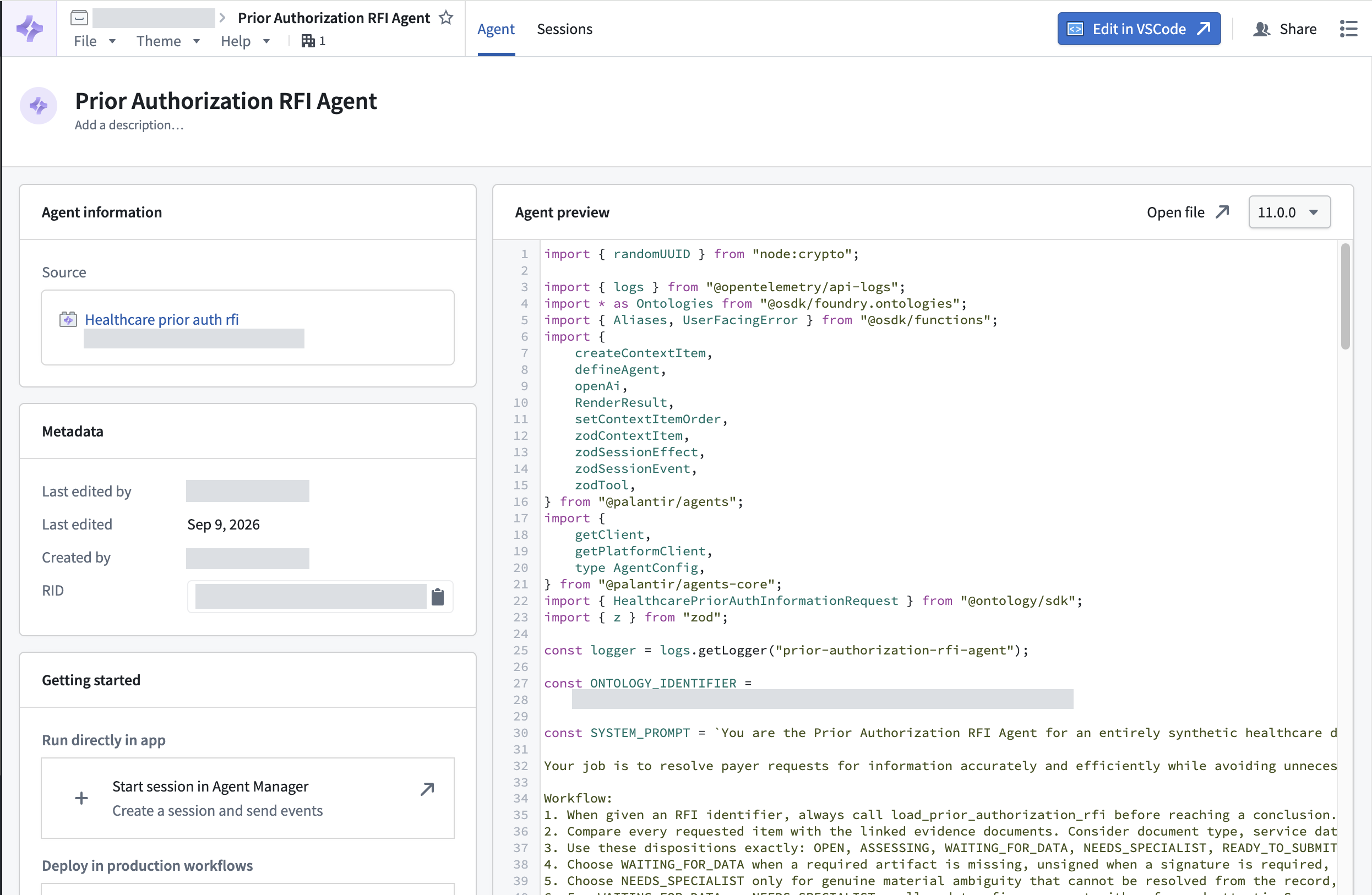
An agent built with Palantir's Agent SDK in Agent Manager.
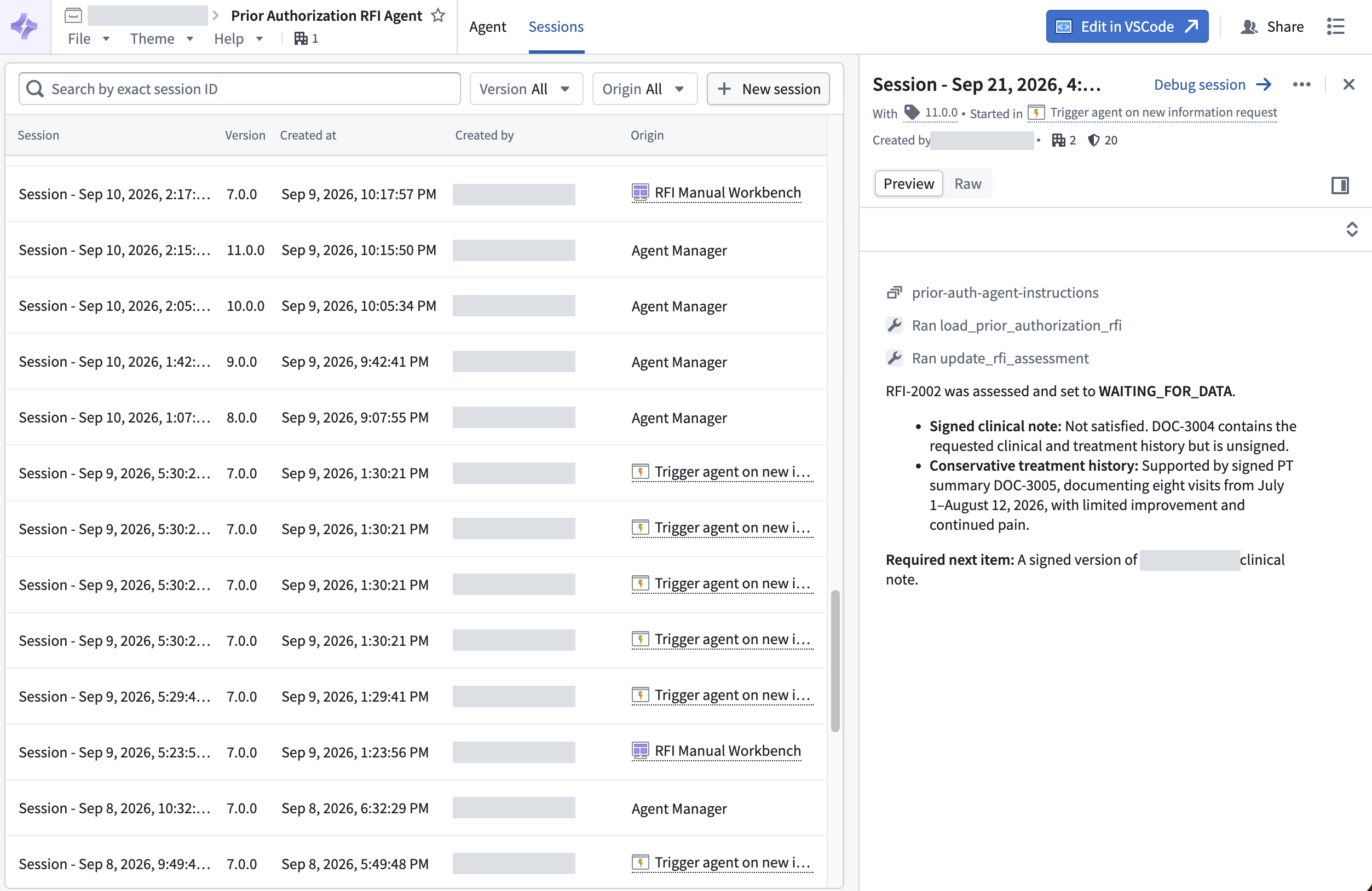
Agent Manager brings together sessions started across the platform, including from Workshop, Automate, and Agent Manager itself, subject to your access permissions.
Use agents in workflows
Once published, agents can participate in interactive applications and automated workflows. You can start a new task by creating a session or contribute to ongoing work by sending events to an existing session.
| Integration | How you use agents |
|---|---|
| Workshop | Embed an agent session in your application so users can review its work, provide input, and start new tasks. |
| Automate | Create sessions or send events when trigger conditions are met. |
| Agent platform APIs | Create sessions and send events from your own applications, services, and Functions. |
| Agents in OSDK (coming soon) | Use typed SDK interfaces to integrate agents into your custom applications and Functions. |
| AIP Logic (coming soon) | Create sessions and send events as part of a Logic function. |
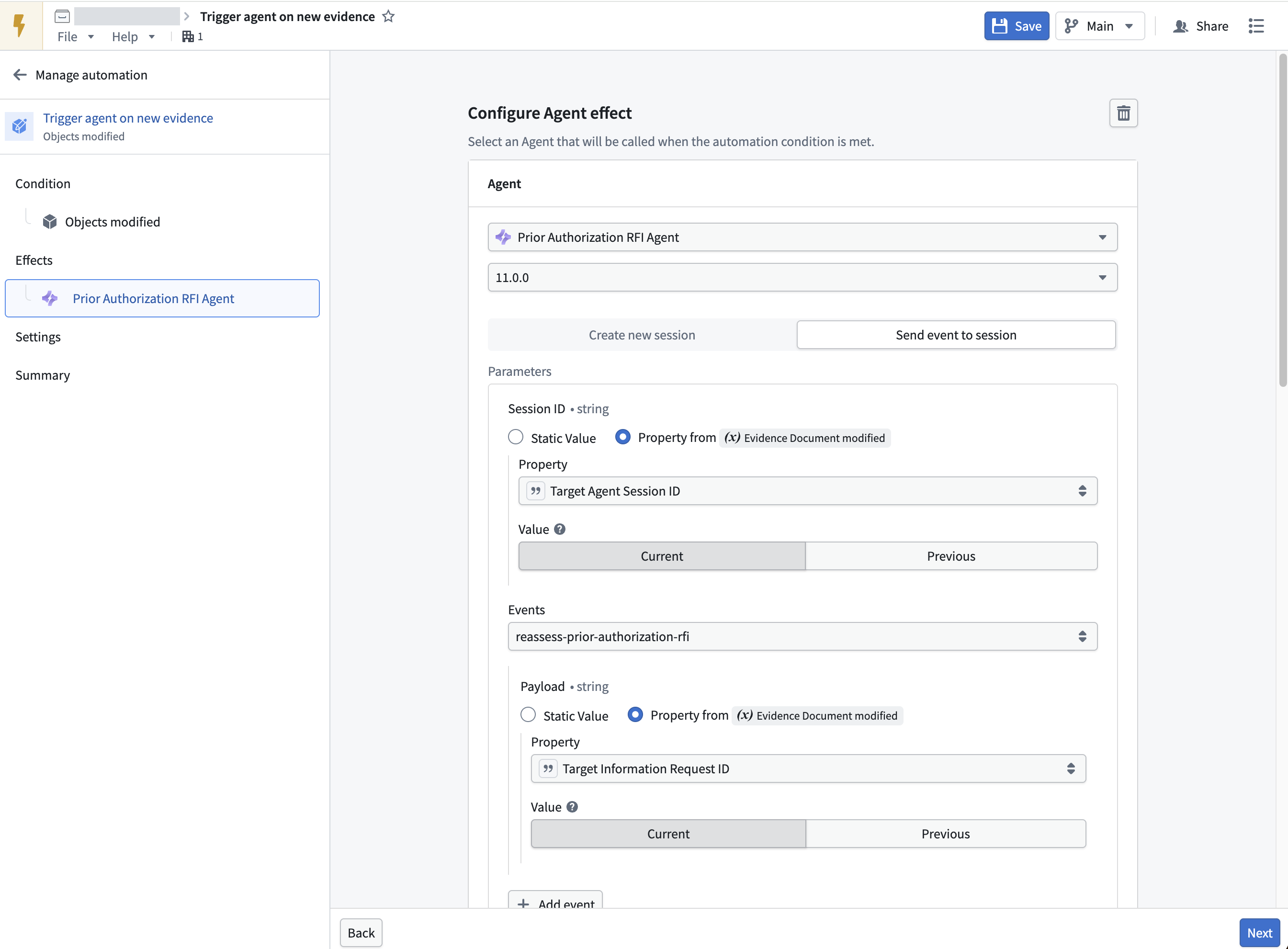
The Agent effect in Automate sends an event to an existing session when its trigger conditions are met.