- Capabilities
- Getting started
- Architecture center
- Platform updates
Set math
Takes as input two (or more) object sets of the same type and returns a combined object set based on operations defined by the user. Supported operations are the union, intersection, or difference of two object sets.
Input type
Object set
Output type
Object set
Examples
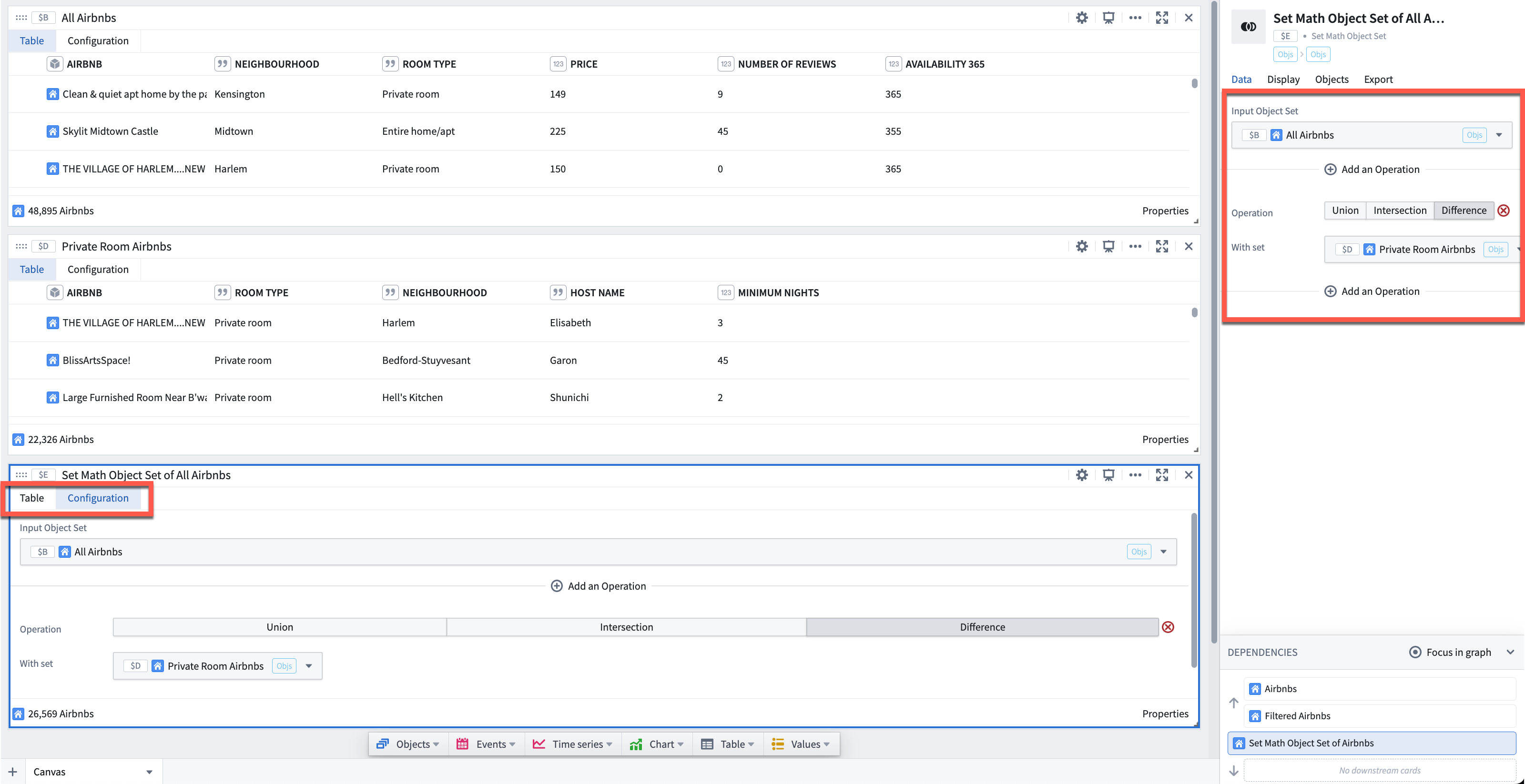
In the example below, we are using set math to find the difference between a set of 48,895 Airbnb objects ($B) and a filtered set of 22,326 Airbnb objects ($D). The output is the set ($E) of 26,569 Airbnb objects in $B but not in $D.
Airbnb data used in this example is open source.
Usage information
| Functionality | Availability |
|---|---|
| Standard Quiver card | Supported |
| Transform table transform | Unsupported |
Troubleshooting
A Set math card does not recognize another object set
If an object set in your analysis is not available to select in a Set math card, confirm that its object type matches the card's other input. Set math operates only on object sets of the same type, so object sets of a different type are not listed as selectable inputs. This is the most common reason a Set math card appears to not recognize an object set that is otherwise present in your analysis.
To combine objects that are currently of different types, first bring them to a common type before applying set math. For example, use a Switch to linked object set card to traverse a link from one object type to the other. You can then apply set math to the resulting object sets.
Alternatively, convert the object sets to Datasets and use the Set math (dataset) card, or convert the cards to Transform tables and use the Union (transform table) card. Datasets and Transform tables allow for more flexible analytical operations.