- Capabilities
- Getting started
- Architecture center
- Platform updates
Internal dataset export
Internal dataset exports can be used to export internal Foundry service datasets into your enrollment to analyze your usage of the Foundry platform. Once exported, these datasets remain up to date with new data for your enrollment.
Internal datasets are sensitive and should only be viewed by authorized persons. Palantir recommends that any exported dataset be appropriately permissioned, for instance, by applying a marking on the project. Processing of exported data is subject to Palantir's Acceptable Use Policy ↗.
Setting up an export
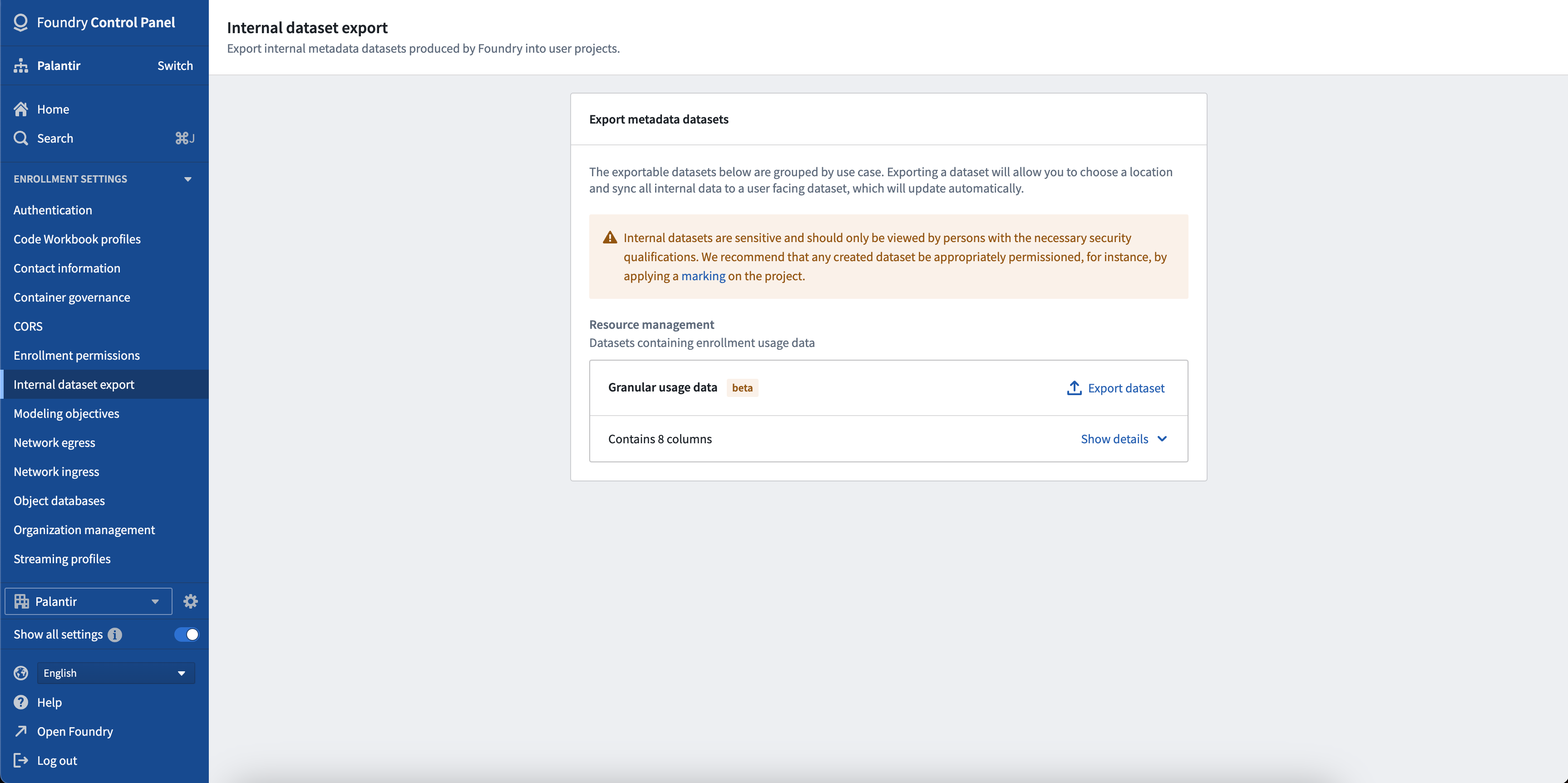
To export a dataset, first find the dataset in the list of exportable datasets and click the Export Dataset button. A dialog will appear where you can choose where to save this export. Once exported, a new build will start and there may be several minutes between creating the export and your data being visible in your dataset.
Note these datasets can contain sensitive information and should only be viewed by people with the necessary security qualifications. Once exported, you are responsible for ensuring this data has the appropriate permissions, for instance, by applying a marking to the project.
Exportable datasets
The following categories list all of the datasets that are currently available to export and what permissions are required to create the export. To see the schema of these datasets, go to the Internal dataset export section in Control Panel and click the dropdown icon beside the dataset.
Resource Management: Granular Usage Data
The Granular Usage Data dataset contains the infrastructure usage data for your enrollment such as compute and storage values. This dataset can only be exported by users with the Resource Management Administrator role. More information about how to manage the users with this role can be found in the enrollment permissions documentation.
Resource Management: AIP Token Usage
The AIP Token Usage dataset contains granular LLM usage data for your enrollment, with per-model breakdowns of token consumption. Each row represents a specific model and usage metric (such as input tokens, output tokens, cache reads or writes) per resource per day, along with the corresponding compute and currency usage. For more information about how LLM token usage translates to compute-seconds, see Compute usage with AIP. This dataset can only be exported by users with the Resource Management Administrator role. More information about how to manage the users with this role can be found in the enrollment permissions documentation.
User Activity: Processed user activity metrics
The Processed user activity metrics dataset contains aggregated user activity generated by the users of your enrollment when interacting with platform applications. Events are aggregated on a daily basis, per application and type of interaction (view or modify). Each event is also enriched with the project RID of the application and the organization RID of the user that generated the activity. This dataset can only be exported by users with the Enrollment Administrator role. More information about how to manage the users with this role can be found in the enrollment permissions documentation.
User Activity: Raw event logs
The Raw event logs dataset contains granular event logs generated by the users of your enrollment, enriched with the organization RID of the user. Compared to the Processed user activity metrics dataset, this dataset is more granular and enables more detailed activity analysis. This dataset can only be exported by users with the Enrollment Administrator role. More information about how to manage the users with this role can be found in the enrollment permissions documentation.
FAQ
Who pays for the build of this exported dataset?
The compute cost associated with generating the exported dataset is not included in your usage costs. However, any usage of this exported dataset such as Contour analysis, pipelines, or syncing to the Ontology will incur the same cost as any other use of these features.
Why are resource names not present in the exported datasets?
The resource and project names may contain sensitive information regarding the data that is contained and as such are not included in the resource usage export.
Why is there no data in my exported dataset?
Exported datasets are generated on demand and require time to build before data appears in the exported dataset. If your exported dataset is still unavailable after 30 minutes, contact your Palantir representative.