- Capabilities
- Getting started
- Architecture center
- Platform updates
Enable code scanning
As an enrollment admin, you can turn scanning on for repositories in your enrollment through Control Panel.
Find the Code scanning settings page by following the instructions below:
- Navigate to Control Panel for your enrollment.
- From the left sidebar, choose All Settings.
- Scroll to Security & Governance > Code scanning.
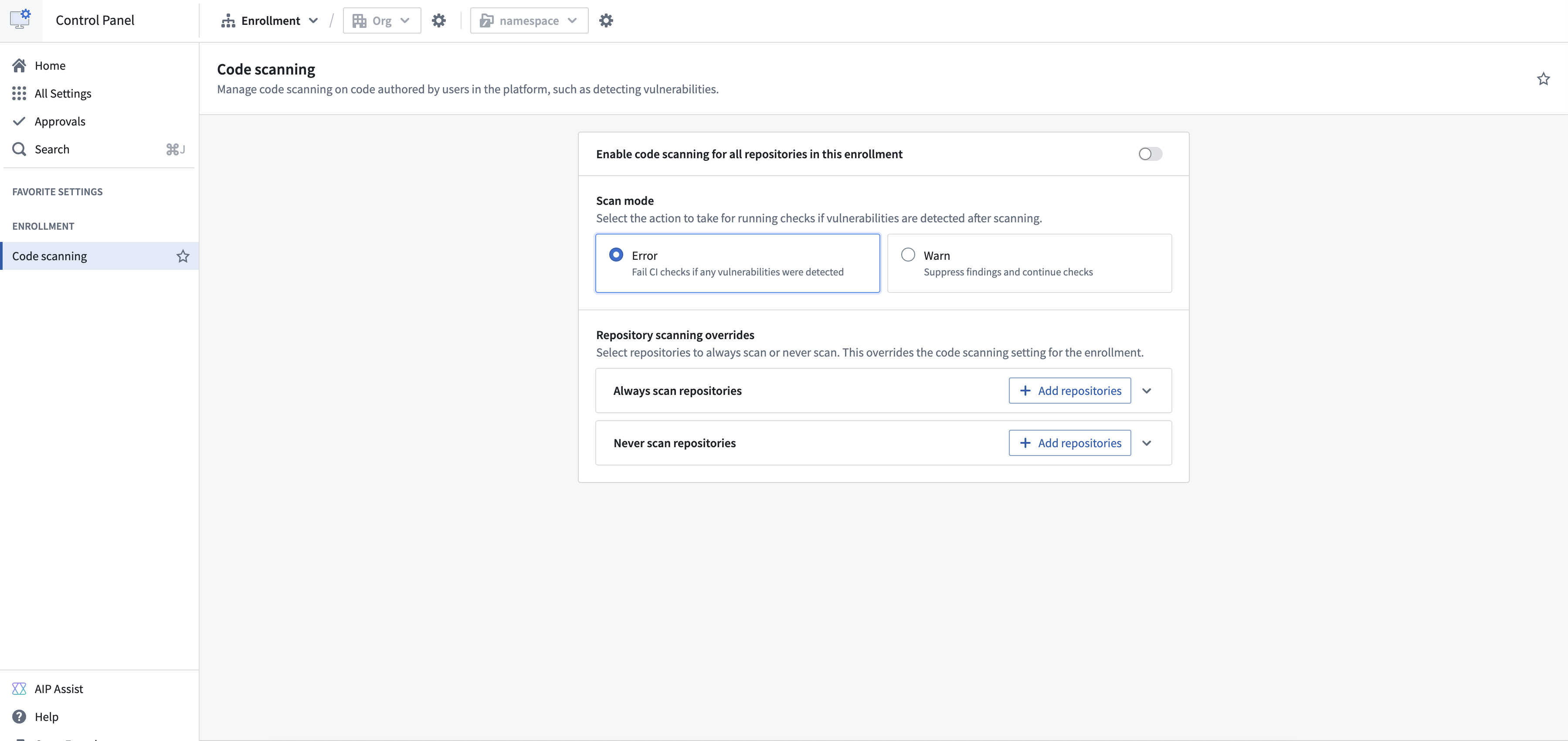
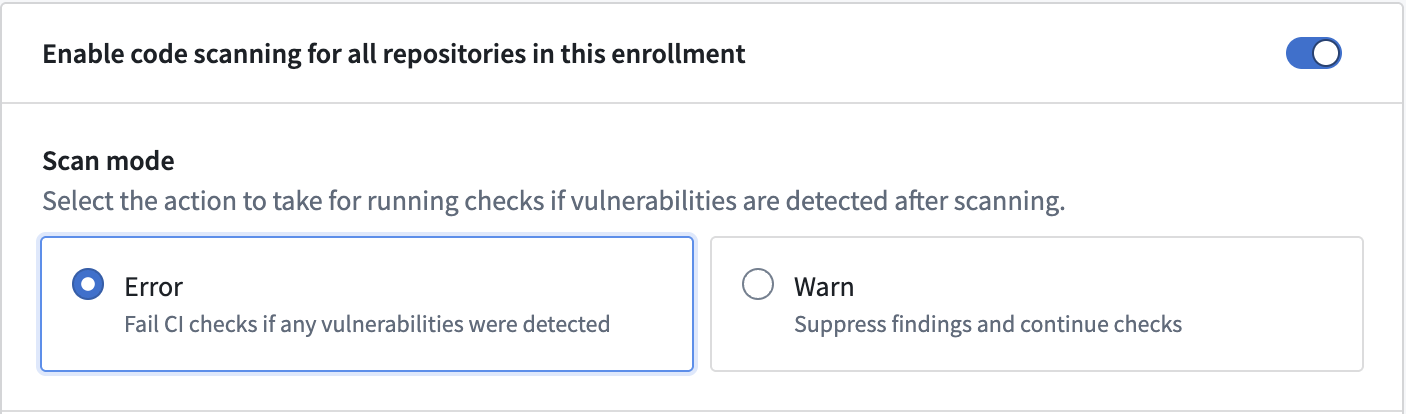
To enable code scanning for all the repositories in your enrollment, toggle the option on.

To review or change the rules that scans apply, select the Rules tab. Learn more about managing code scanning rules.
Scanning overrides
If you would rather enable or disable code scanning for a selected number of projects or repositories, use the override sections. Overrides apply regardless of the enrollment-wide setting, and are resolved from the most specific match to the least specific:
| Precedence | Setting | Description |
|---|---|---|
| 1 | Repository scanning overrides | Applies to a single repository. Takes precedence over both the project override and the enrollment-wide setting. |
| 2 | Project scanning overrides | Applies to every repository in a project. Takes precedence over the enrollment-wide setting. |
| 3 | Enrollment-wide setting | Applies to every repository that no override covers. |
For example, if a project is added to Never scan projects and one repository in that project is added to Always scan repositories, only that repository is scanned.
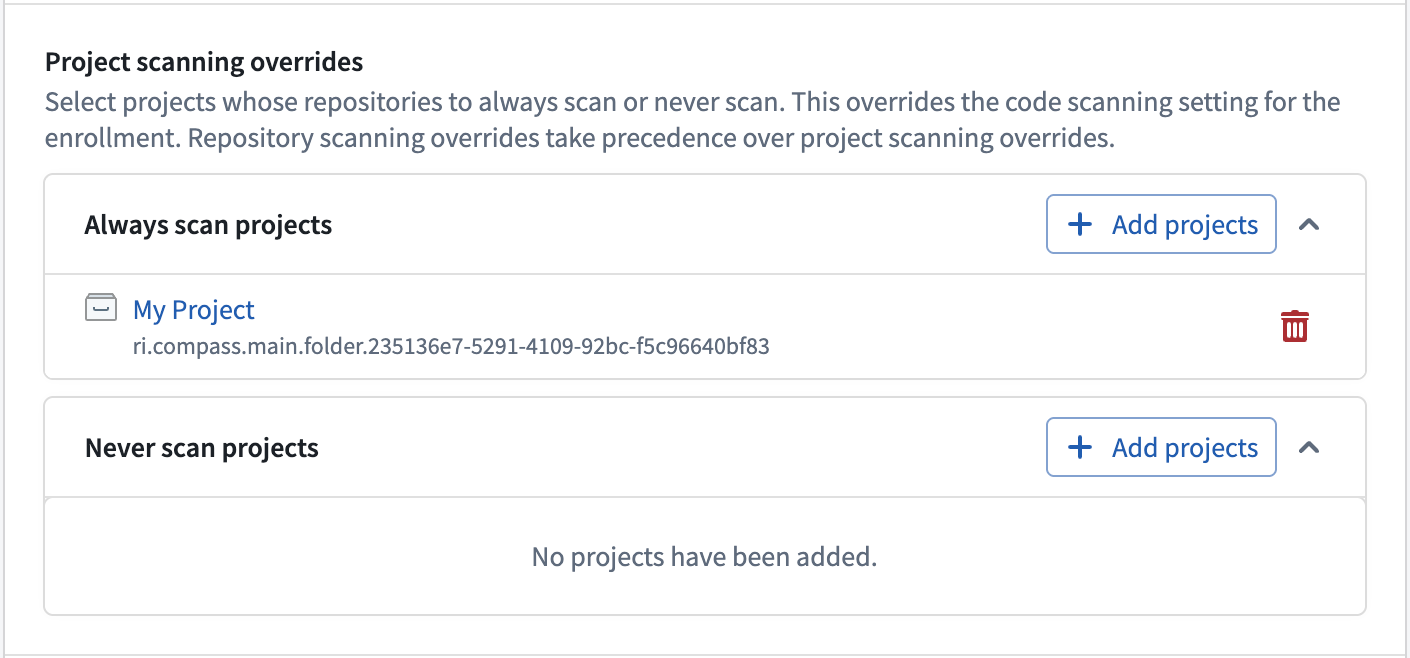
Project scanning overrides
To enable or disable code scanning for every repository in a project, add the project to the Always scan projects or Never scan projects sections.
Repositories in a project listed under Always scan projects are scanned for vulnerabilities, even if code scanning is not enabled for your enrollment. Conversely, repositories in a project listed under Never scan projects are not scanned, regardless of your enrollment’s code scanning status.
Repository scanning overrides
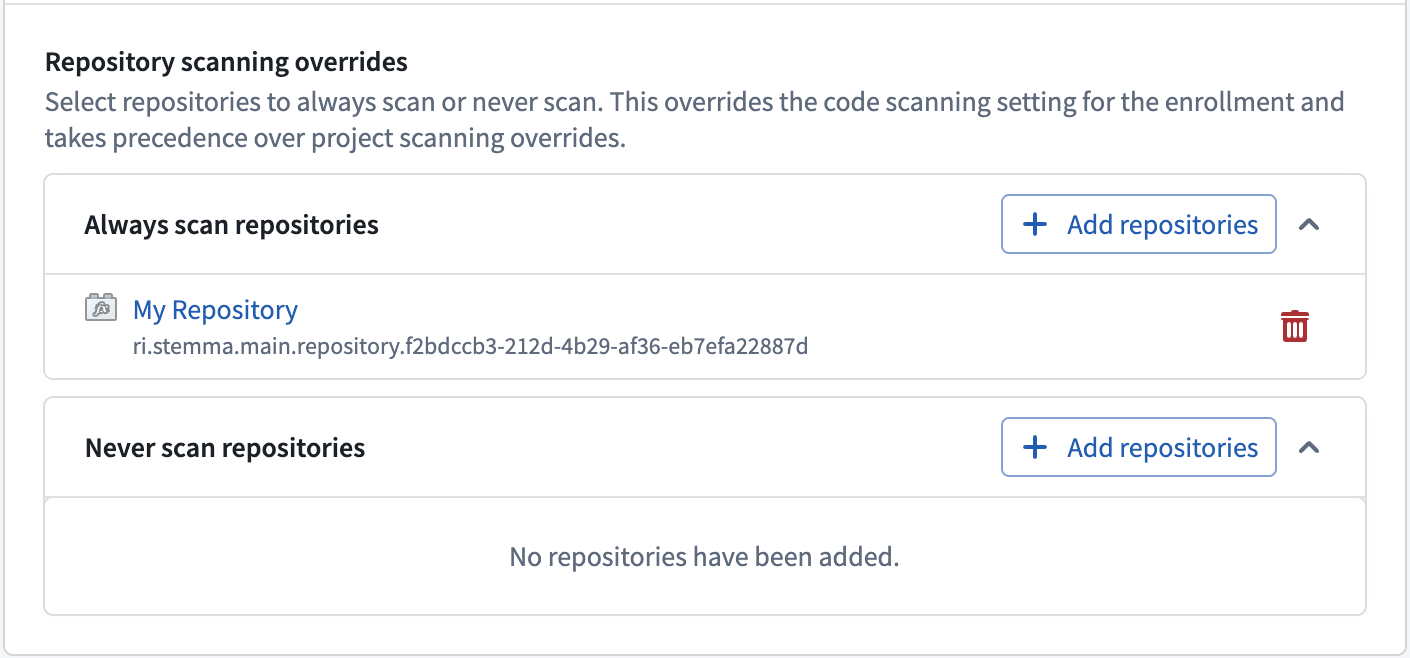
If you would rather enable or disable code scanning for a selected number of repositories, add repositories to the Always scan repositories or Never scan repositories sections.
Repositories included in Always scan repositories will be scanned for vulnerabilities, even if code scanning is not enabled for your enrollment. Conversely, repositories listed under Never scan repositories will not be scanned for vulnerabilities, regardless of your enrollment’s code scanning status.
Scan modes
Scan modes determine what happens to checks if vulnerabilities are detected after a code scan is completed.
- Error: In error mode, checks will fail if vulnerabilities are detected. The user is required to fix the issues and re-run checks.
- Warn: In warn mode, checks will proceed, and detected vulnerabilities will be ignored.