- Capabilities
- Getting started
- Architecture center
- Platform updates
Define custom endpoints
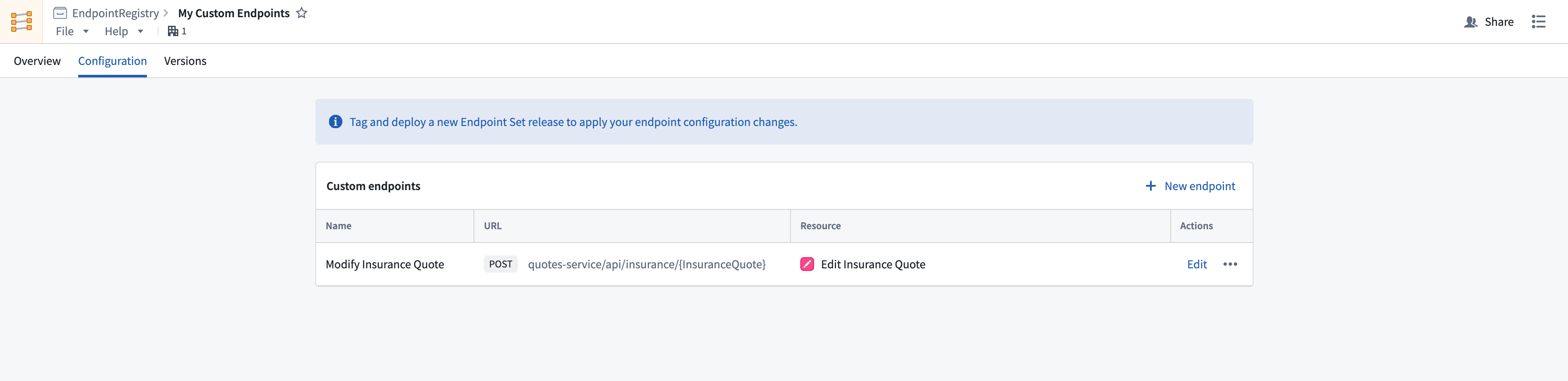
After creating an endpoint set, you can configure new endpoint definitions that expose Foundry functions and actions.
Follow the instructions below to create a new endpoint definition:
-
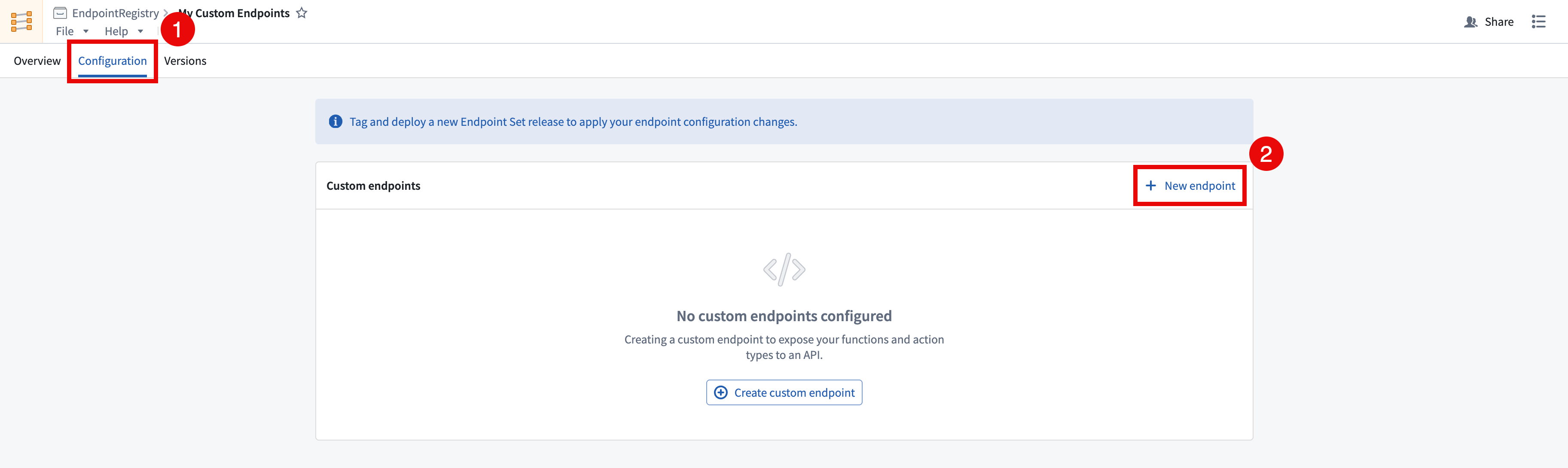
In the Custom Endpoints application, open the endpoint set that you want to add custom endpoints to and navigate to the Configuration tab.
-
Select + New endpoint in the top right of the Custom endpoints table. This will open the Create a custom endpoint wizard. Note that newly created endpoint definitions will not be accessible until a release is created and deployed.
-
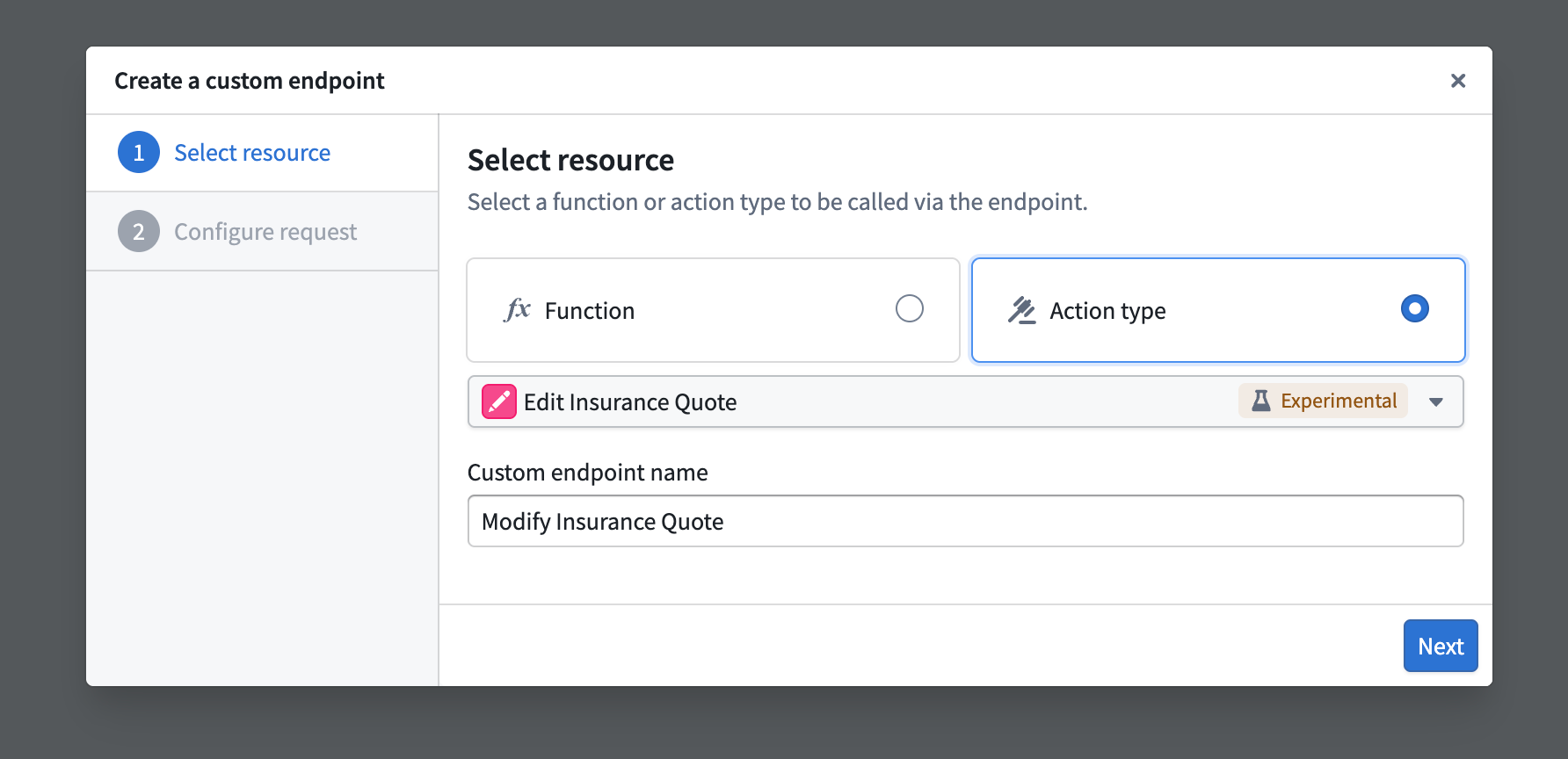
In the Create a custom endpoint wizard, input your endpoint's name and select a backing action or function to be executed by your endpoint.
-
After selecting a backing function or action, you will be asked to map each parameter to a newly defined endpoint parameter. The following configuration options are currently supported:
- User-defined request types:
GET,POST,PUT,DELETE, andPATCH. - User-defined endpoint routes: Host a new endpoint on your application's subdomain, allowing you to define a custom path with path parameters conforming to your organization' standards, such as
/form/{formId}/section/{sectionId}. - User-defined query parameters: Define query parameters that will pass in additional information to the underlying function when specified.
- User-defined header parameters: Provide additional headers in your request that can be handled and mapped to function inputs.
- User-defined request body: Custom request body shape definitions for
POST,PUT,PATCH, andDELETErequests.
All parameters must be mapped in the custom endpoint definition, including optional parameters. Some JSON parameters can only be mapped to the endpoint's
requestBody.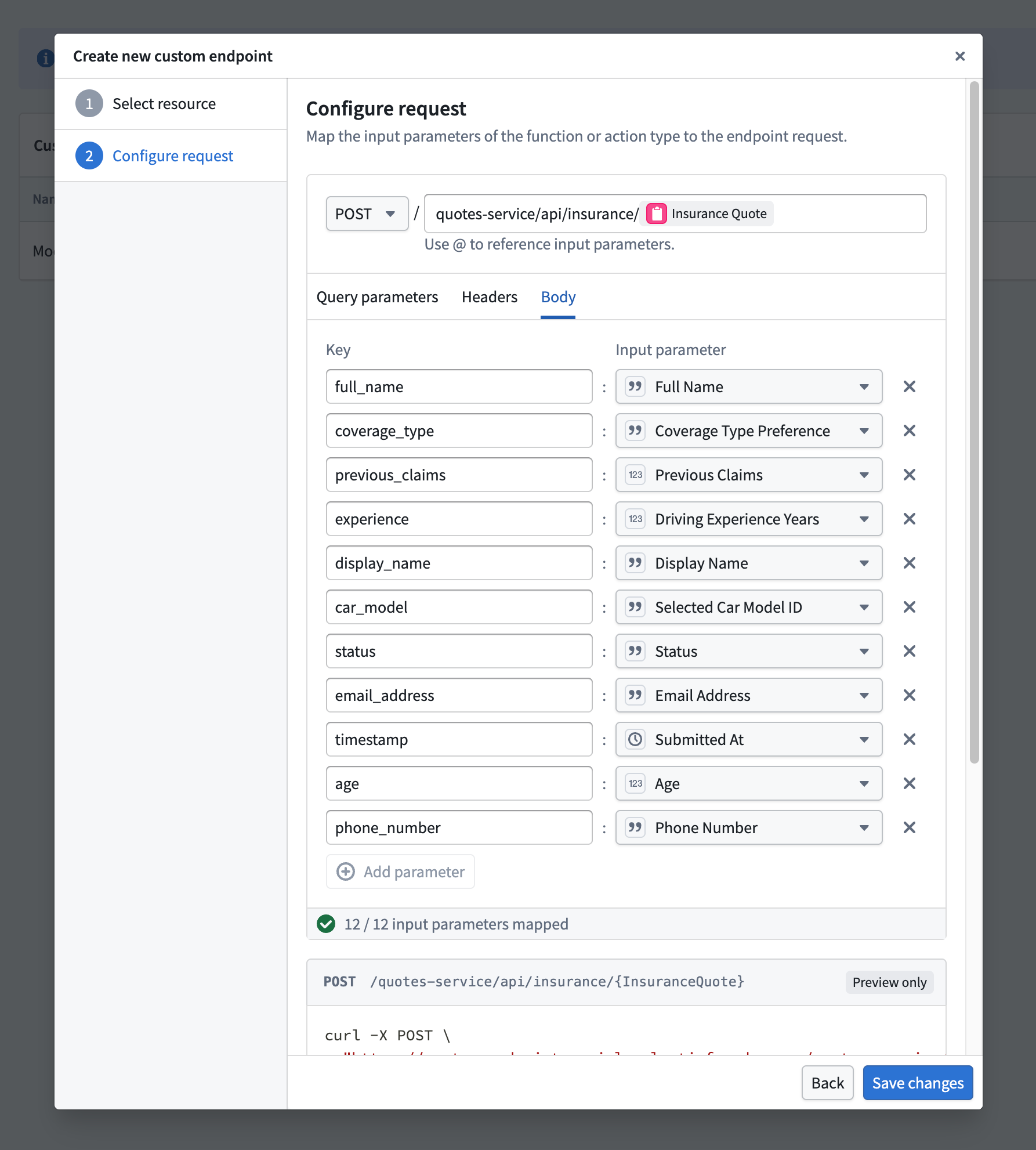
- User-defined request types:
-
After selecting a resource and configuring the request remapping, select Create Endpoint to save the new endpoint’s definition.