- Capabilities
- Getting started
- Architecture center
- Platform updates
Volumes
Volumes provide a method to share data between containers within a compute module replica. They enable more efficient storage by allowing volume size to be independent of the container root filesystem.
Volumes are ephemeral and do not persist data across replica restarts. All volume data is tied to the lifecycle of the replica. Do not rely on volumes for persistent state.
Volumes cannot share data between different replicas. Each replica has its own separate set of volumes.
Supported volume types
All volumes are ephemeral and are not intended for persistent storage. There are two supported volume types: empty directory and content directory.
Empty directory
An empty directory volume is created when a replica starts and exists for the duration of the replica lifespan. It is initially empty. All containers mounted to the volume can read and write the same files. The content is deleted when the replica terminates.
Use empty directory volumes when containers in the same replica need to exchange data at runtime.
Content directory
A content directory volume is pre-loaded with a predefined set of files when a replica starts. This is useful for separating environment-specific configuration from application code. Content directory volumes are read-only.
You must define the content before starting the compute module.
The total content size of a content directory volume cannot exceed 100KB.
Create a volume
- Navigate to the Configuration tab and scroll to the volumes section.
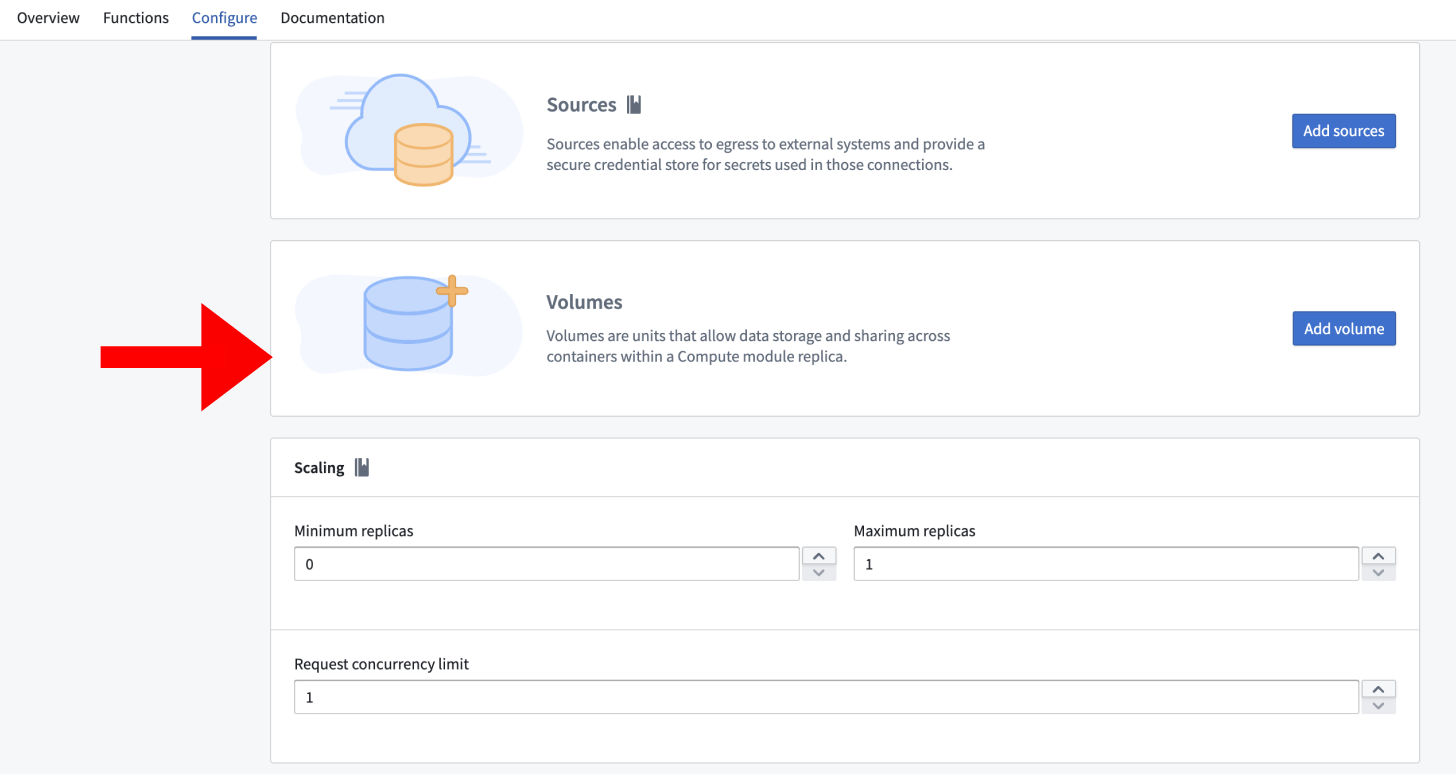
- Select Add Volume.
- Choose a name for the volume. The name must start with a letter and can only contain lowercase letters, numbers, and hyphens. The maximum length is 63 characters.
- By default, an empty directory volume is created.
Change to a content directory type
To change a volume from an empty directory to a content directory:
- Select the volume to open its settings.
- Change the type from Empty directory to Content directory.
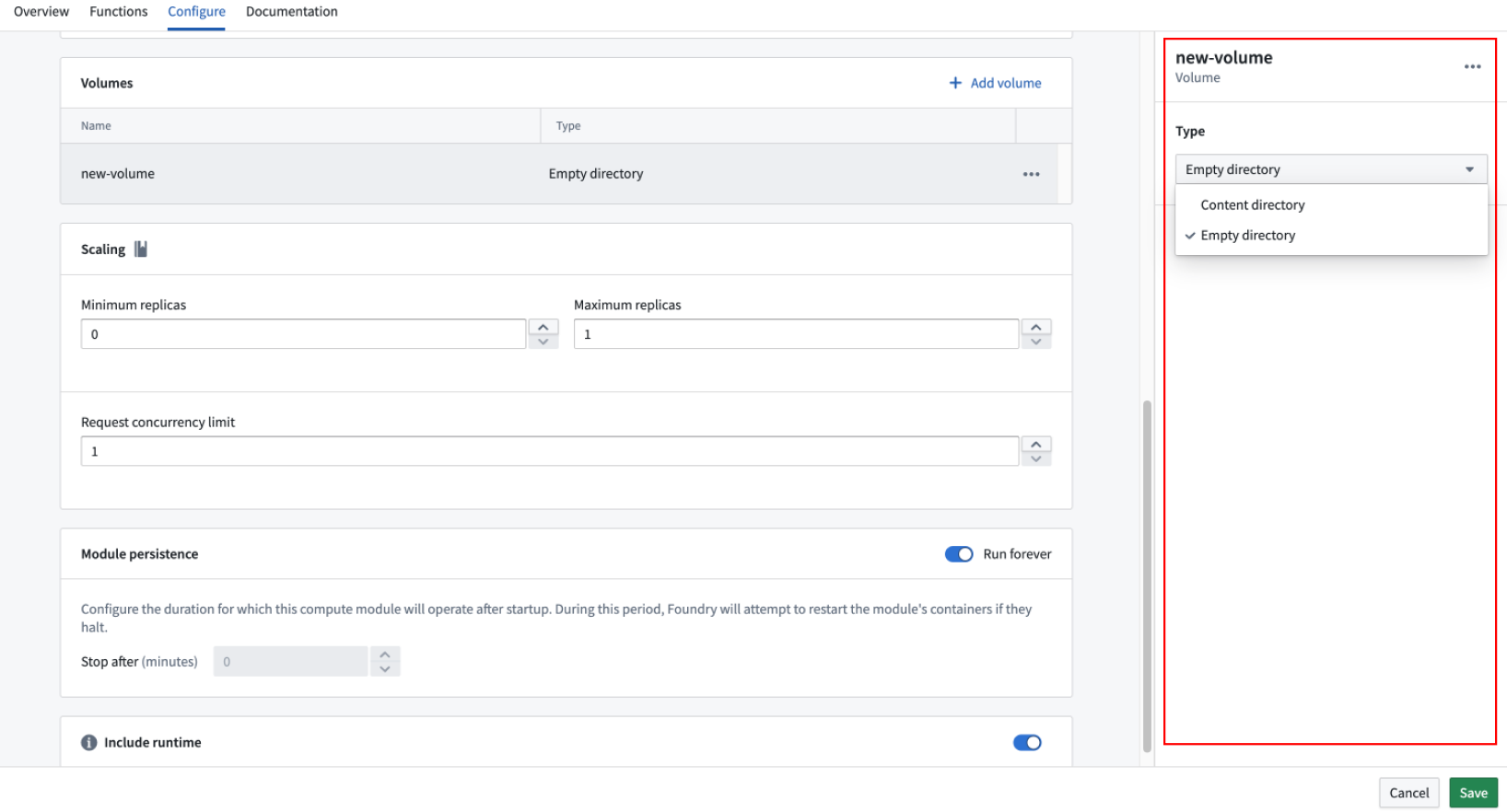
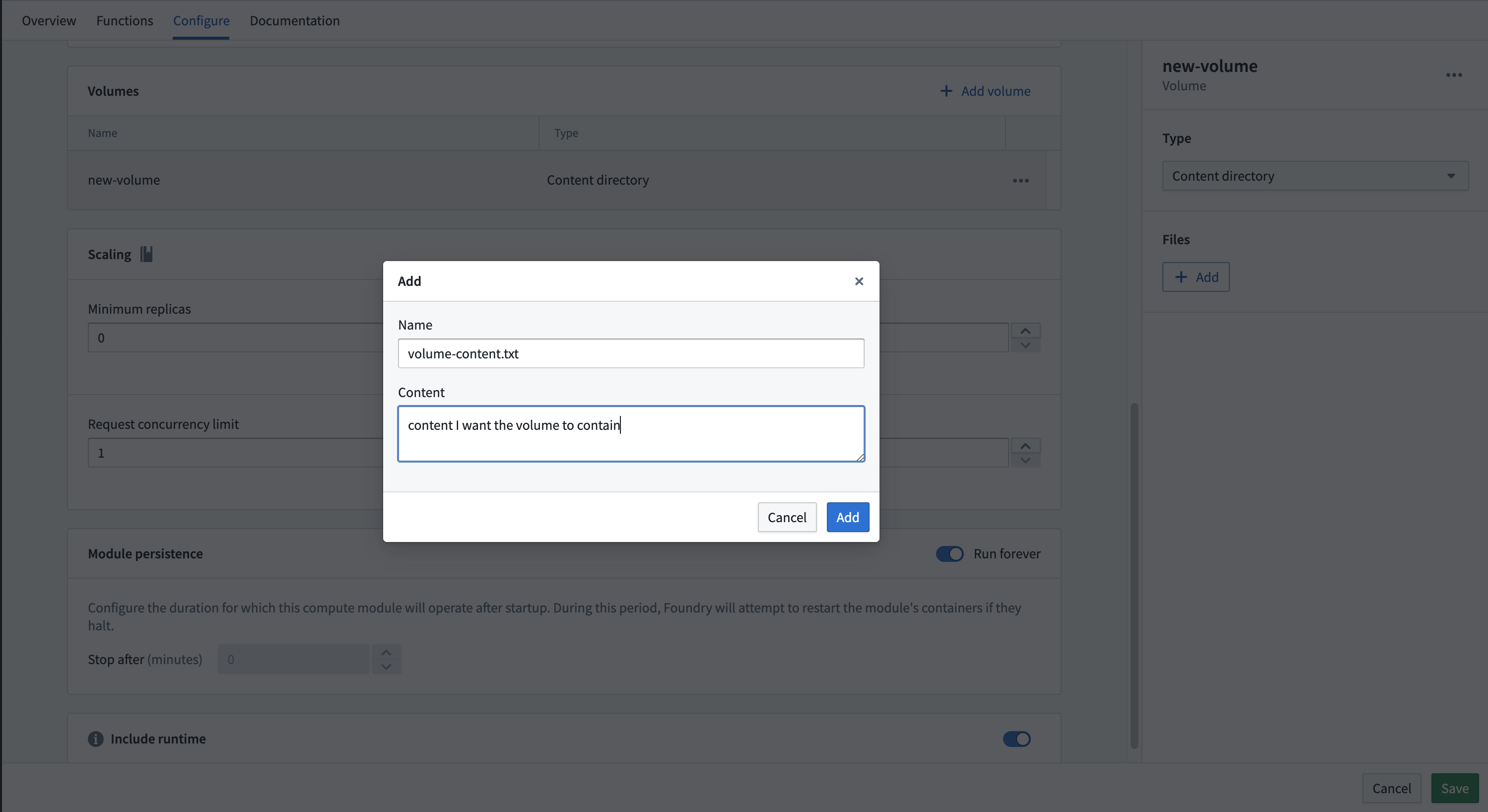
- Select + Add to add files.
- Fill in the Name field with the filename and the Content field with the plaintext content of the file.
- Select Save.
Mount a volume to a container
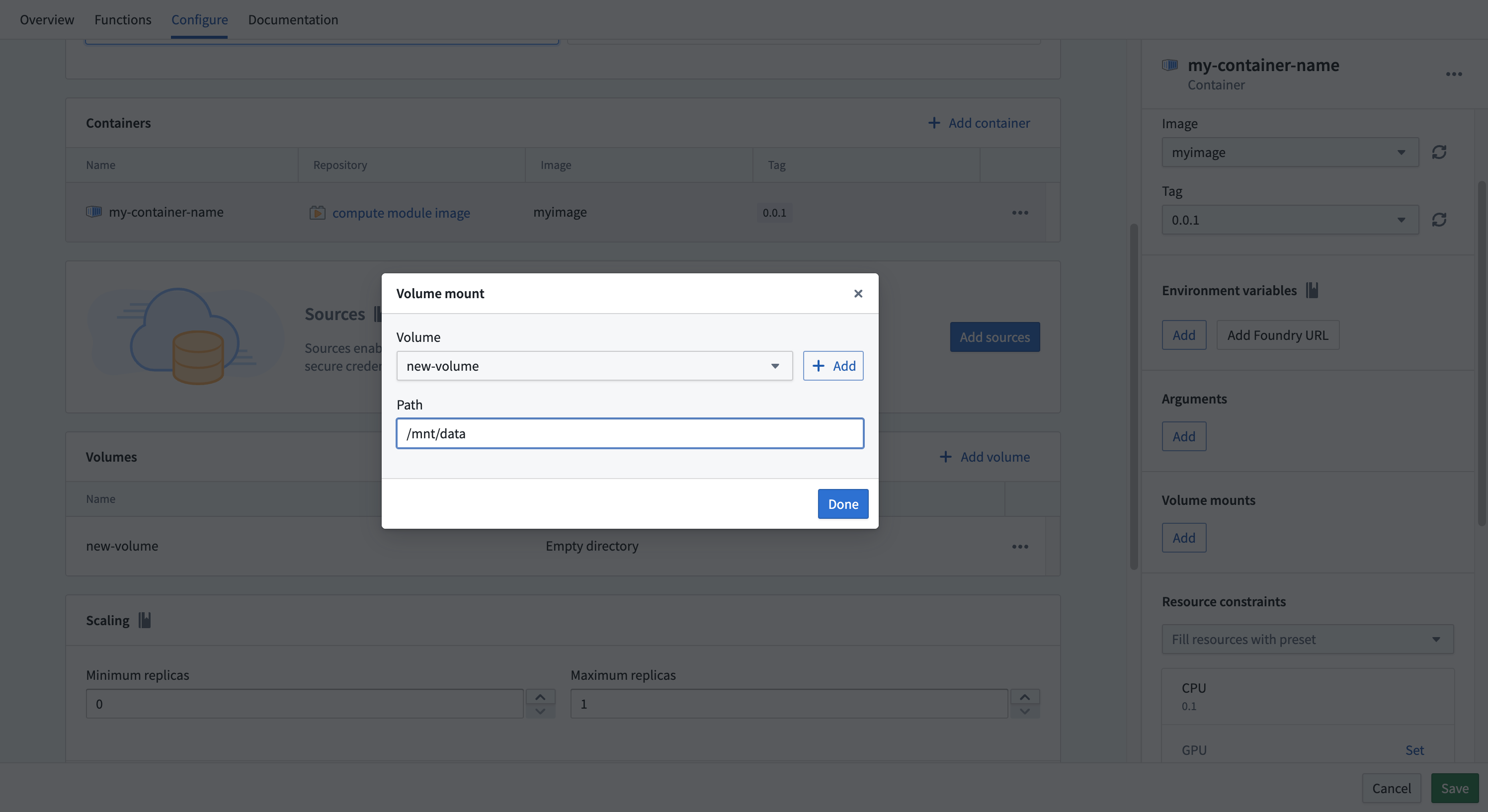
After creating a volume, you must mount it to a container before the container can access it.
- Navigate to the Containers section.
- Select the container you want to mount the volume to.
- Find the Volume mounts section.
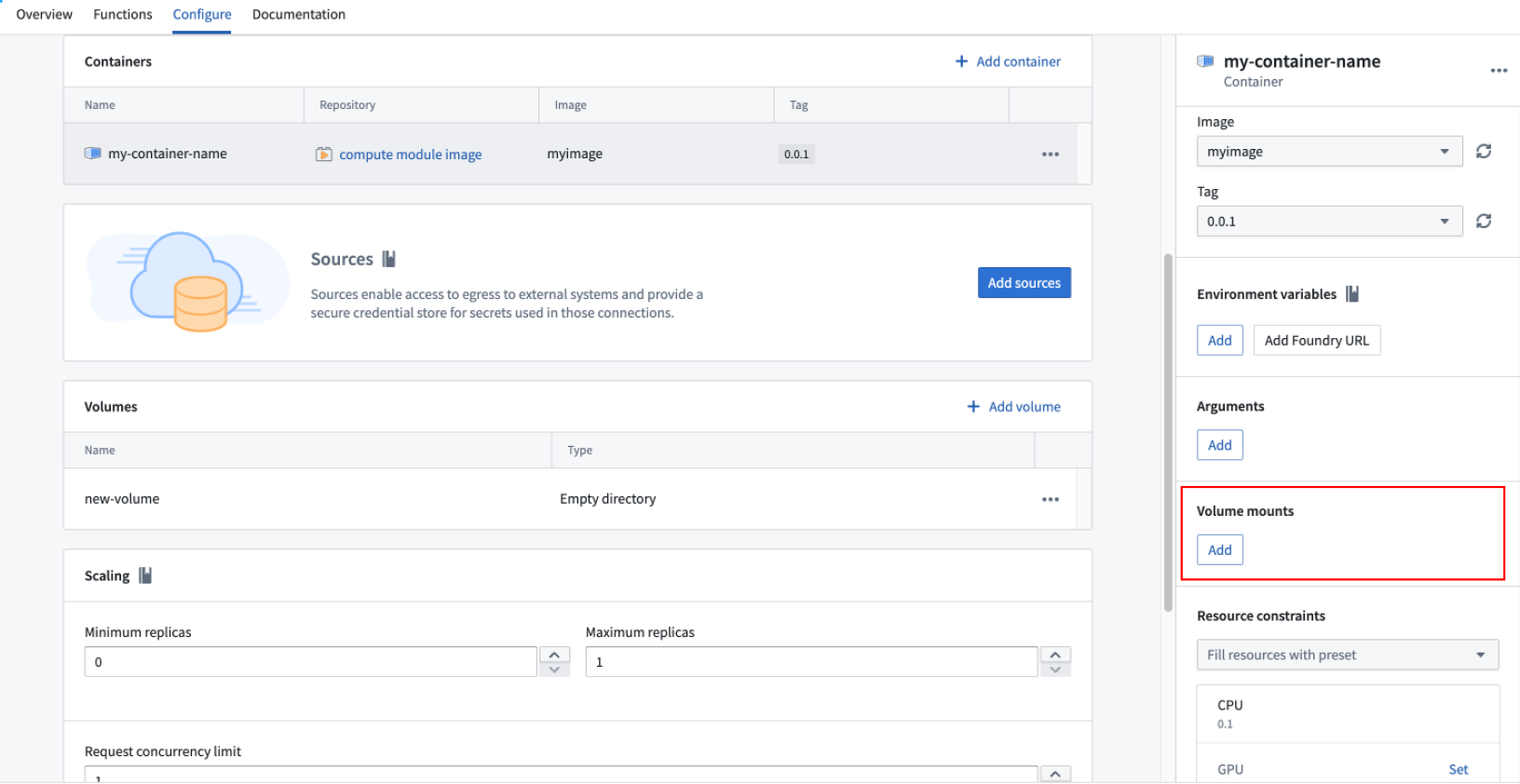
- Select Add and choose the volume.
- Specify the mount path. The mount path must be an absolute path and cannot be the root directory, for example,
/mnt/data. - Select Save.
Example use case
The following example demonstrates how to mount an Ontology object into an empty directory volume so that the data persists between function executions within the same replica. The volume is written to when the replica starts, and subsequent function calls read from the volume instead of reloading the data.
Copied!1 2 3 4 5 6 7 8 9 10 11 12 13 14 15 16 17 18 19 20 21 22 23 24 25 26 27 28from compute_modules.annotations import function import os import json # The following code runs when the replica starts up # /mount/osdk was configured as the path to an empty volume osdk_object = load_ontology_object() write_to_empty_volume("/mount/osdk", osdk_object) def load_ontology_object(): # Code to load the ontology object # Replace with actual loading logic return {"example_key": "example_value"} def write_to_empty_volume(path, obj): os.makedirs(os.path.dirname(path), exist_ok=True) with open(path, 'w') as f: json.dump(obj, f) def read_from_volume(path): with open(path, 'r') as f: return json.load(f) # Functions that read from the volume instead of reloading @function def use_object_set(ctx, event): osdk_object = read_from_volume("/mount/osdk") # Use the osdk_object as needed
Limitations
Review the following limitations when working with volumes:
- Persistent volumes are not supported. All volumes are ephemeral and tied to the replica lifecycle.
- Replicas have a maximum lifespan of 22 hours.
- Replicas may be replaced at any time by the platform.
- Do not rely on volumes for persistent state. Use Foundry datasets or other platform storage for data that must survive replica restarts.