- Capabilities
- Getting started
- Architecture center
- Platform updates
Map
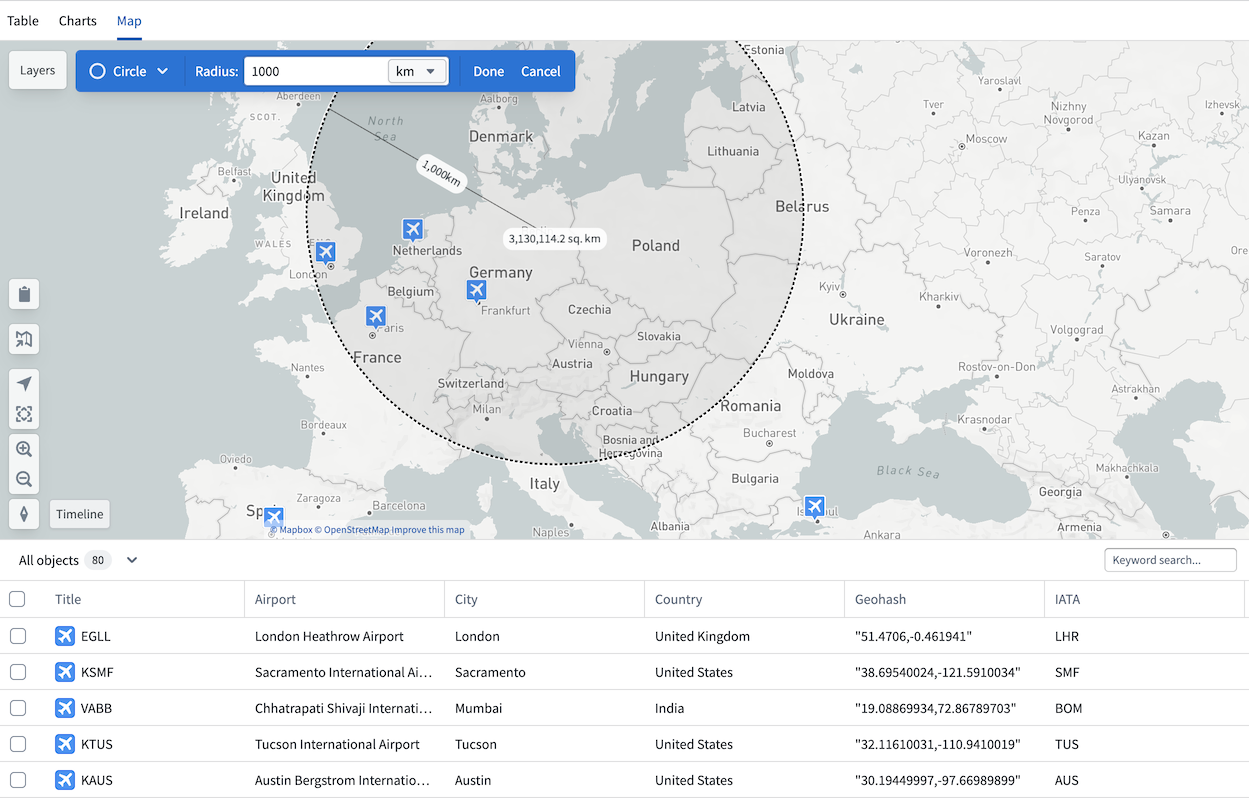
If any object type property in your analysis is geographic, the Map tab will be available in your Insight workbook. The map is particularly useful for workflows where you want to filter objects visually, such as identifying airports within 500km of Berlin.
The map in Insight is an integration of the Foundry Maps application. You can navigate directly from your Insight map to the Maps application by selecting the map icon on the left. The map also retains access to a table view, and selecting any object opens the object view in the analysis panel.
Filter with map
Use the drawing tools in the top left of the map to draw circles or polygons and apply them as filters. Applied filters are added to the analysis panel, which tracks all path modifications. Geographic properties can only be filtered from the map and cannot be filtered directly from the analysis panel or charts sections.