- Capabilities
- Getting started
- Architecture center
- Platform updates
Create and save a layout
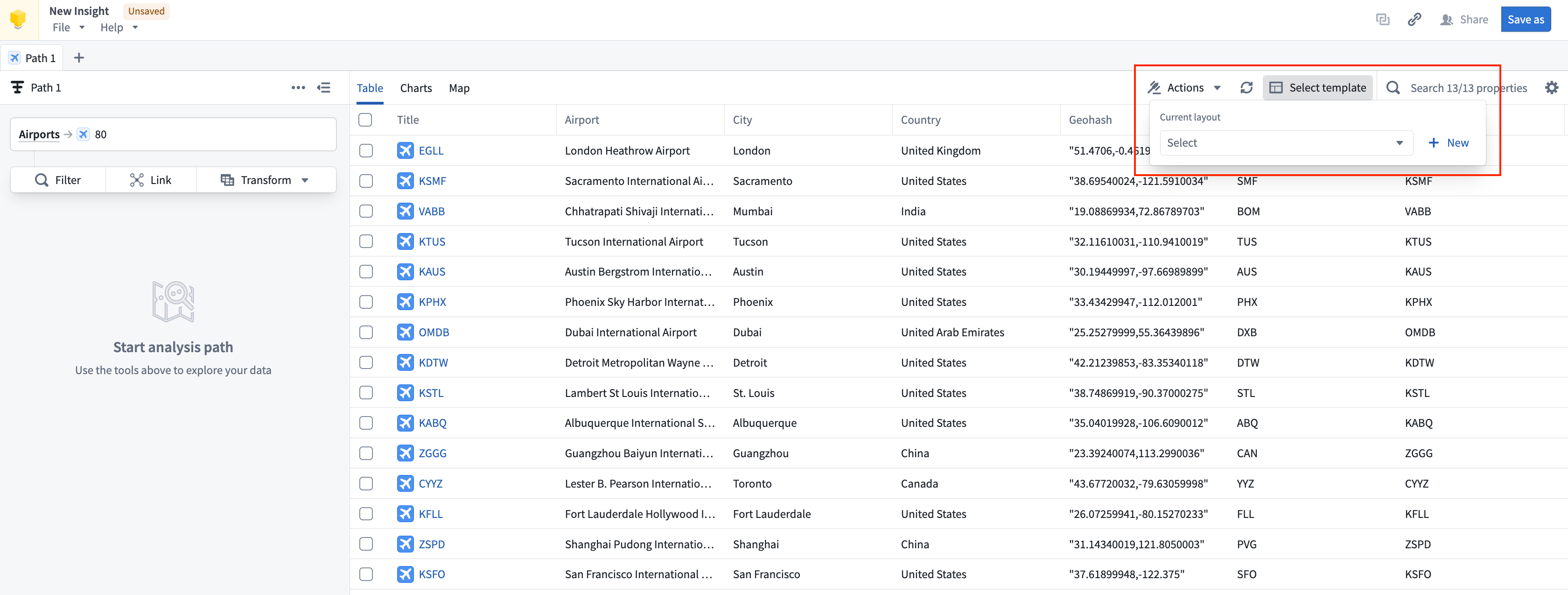
You can save a specific view of your Insight workbook by saving the layout. You can keep the layout private, share it with other users, or configure it as the default object type view for users with Owner permissions. Access all available saved layout templates for the analysis from the top right corner of the view header. Selecting a saved layout will change the view of the analysis data, including column ordering, property visibility, and chart arrangement.
Create a new layout
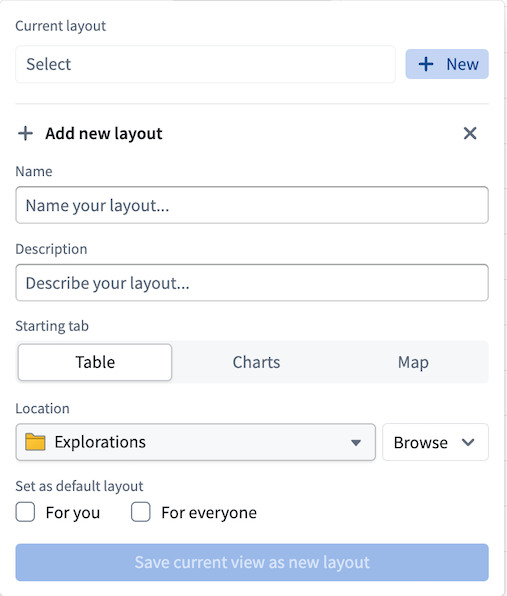
To create a layout, select + New from the Select template dropdown menu. Enter a name for the layout (required), and other option details including a description, save location, starting view, and whether to set the layout as default for yourself or everyone. The save location for the layout will impact user access; be sure to save the layout in a project with the correct level of permissions if you want to share it with others.
If you choose to save your layout as a default For you, the Ontology data will automatically populate in this view for any new Insight workbooks you create with the same data. You can set the layout as default For everyone using the contained Ontology data if you have appropriate Administrator or Owner permissions on the backing Ontology.
Edit a layout
If you choose to work with a layout template and modify your analysis arrangement (for example, if you move a chart to a different location in your workbook view), the layout name will appear orange with an asterisk (*) next to it. These indicators mean that edits you made were not saved. Select the layout name to choose one of the following options:
- Revert: Undo any edits and return to the workbook.
- Save as new layout: Save your edits as a new layout option.
- Save current: Save the changes made and update the template of the layout. Saving changes to a layout template may modify the workbooks of users who also use the template.
You do not have to save changes to a layout template. You can save changes to your own Insight workbook without updating the layout template you use for analysis.