- Capabilities
- Getting started
- Architecture center
- Platform updates
Resource status
Resource status allows you to indicate the importance of resources in the platform. Setting a status on a resource affects its visibility in search results, changes how it appears to other users, and influences how the platform treats the resource. Currently, the only available status is Promoted.
Promoted status
You can mark a resource as Promoted to signal that it is recommended for all users. Promoted resources receive the following benefits:
- Search visibility: Promoted resources are boosted in search results across the platform for all users, making them easier to discover.
- Visual indicator: Promoted resources are marked with a checkmark icon, allowing users to quickly identify high-value content.
- Quick filters: Promoted resources appear in the Promoted items quick filter on the Compass landing page, providing a curated catalog of the most useful projects, folders, and files.
Promote a resource
Take the following steps to promote a resource:
- Navigate to the project or folder containing the resource.
- Right-click on the resource to open the context menu.
- Select Change status, then select Promoted.
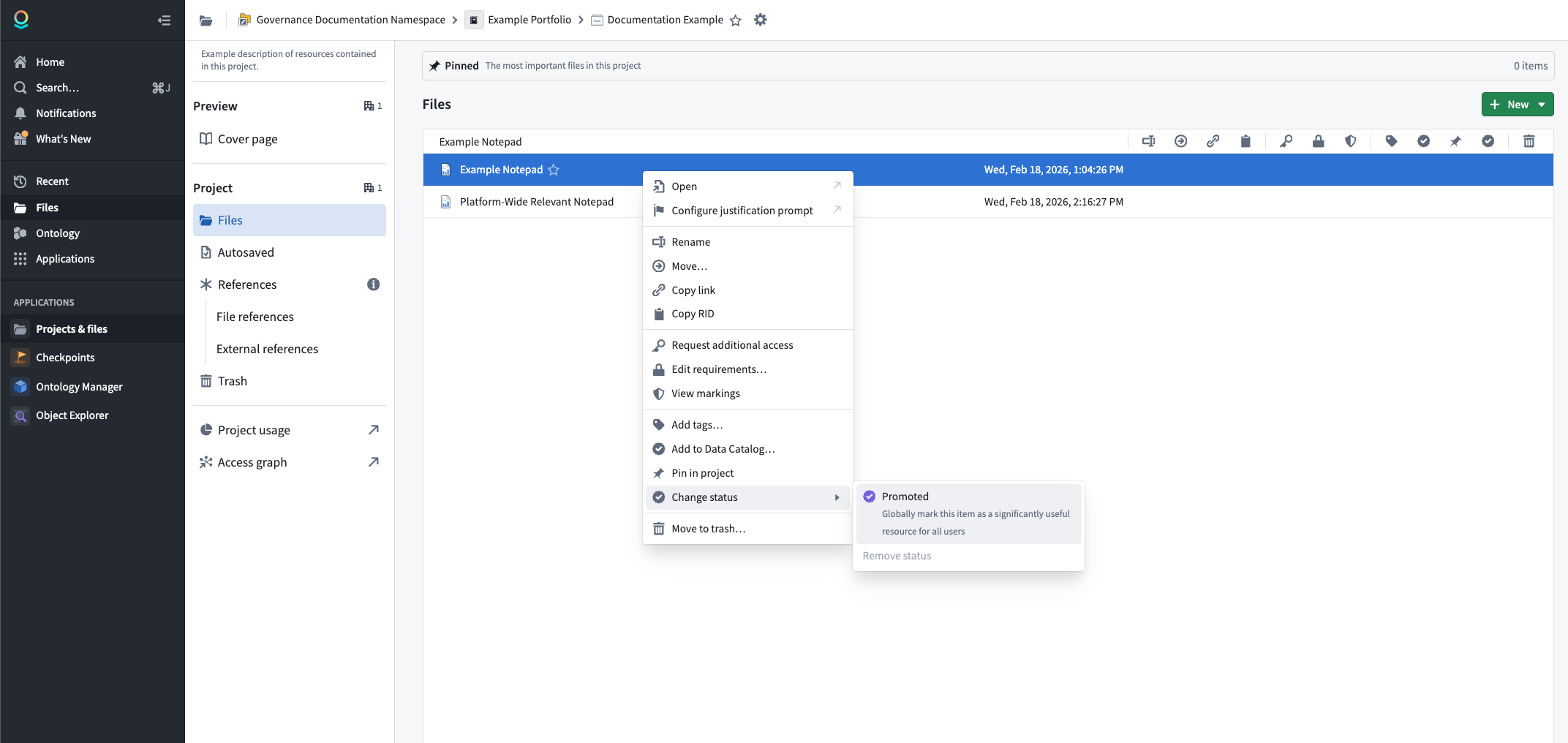
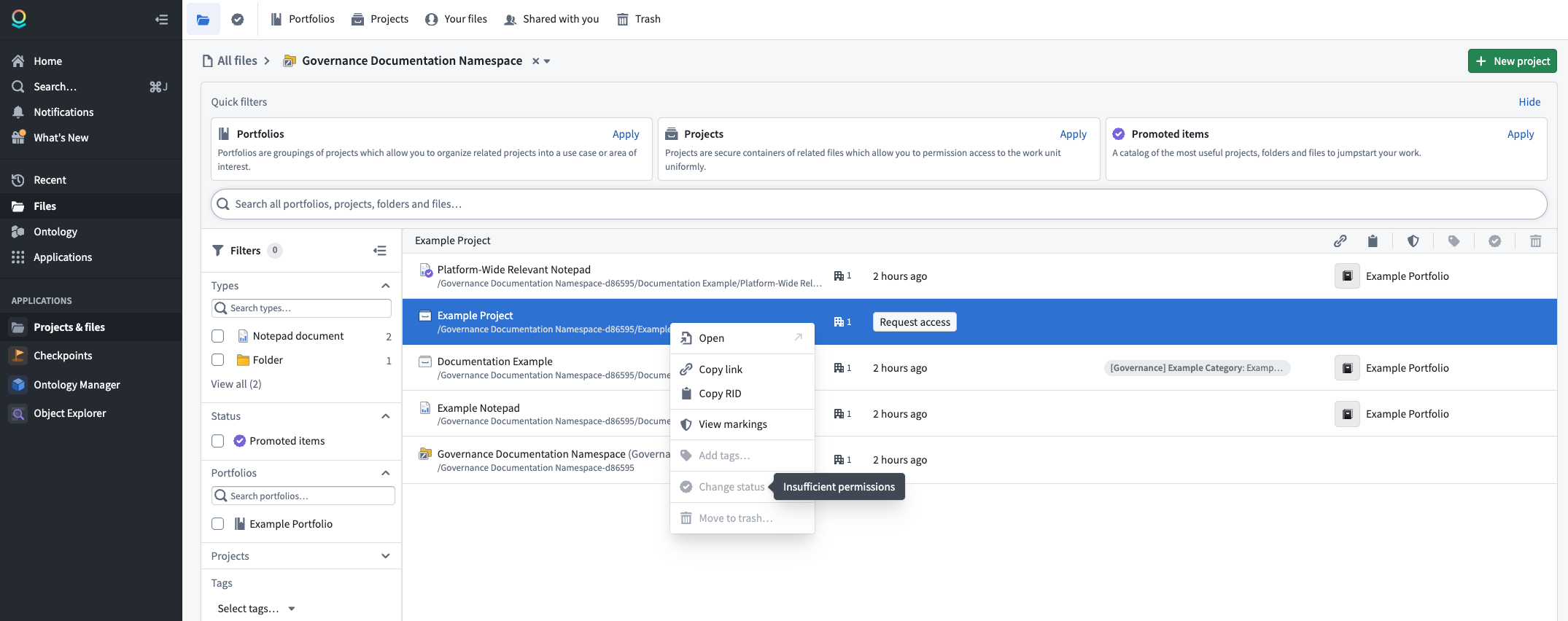
To promote a resource, you must have the Editor role or higher on that resource, and you must be granted the Resource Curator role at the space level.
Remove promoted status
To remove the promoted status from a resource:
- Right-click on the resource to open the context menu.
- Select Change status, then select Remove status.
The resource will return to its default state with no status applied.